
Question

Creating line between points based on condition?

  • June 27, 2017
  • 7 replies
  • 131 views

cwarren
Forum|alt.badge.img

What I'm trying to do is create a line between the 2 weld points that share a common JOINT_AHEAD or JOINT_BEHIND common attribute and set the attributes of the created line from the corresponding JOINT_AHEAD_HEAT or JOINT_BEHIND_HEAT common attribute value.

I've been experimenting with the neighborfinder, vertex creator, and the linebuilder, but was unsure of the way to go about this.

An example below of the lines I would like to create between the points.
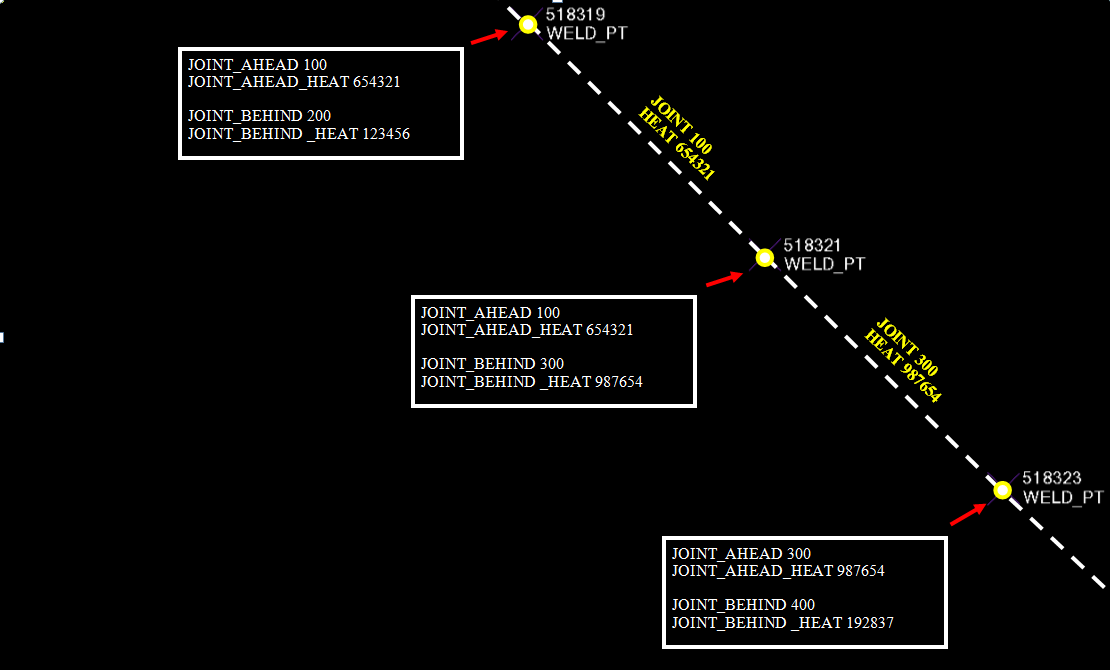
Any suggestions would be greatly appreciated.

Thanks,

Chris

This post is closed to further activity.
It may be an old question, an answered question, an implemented idea, or a notification-only post.
Please check post dates before relying on any information in a question or answer.
For follow-up or related questions, please post a new question or idea.
If there is a genuine update to be made, please contact us and request that the post is reopened.

7 replies

erik_jan
Contributor
Forum|alt.badge.img+26
  • Contributor
  • June 27, 2017

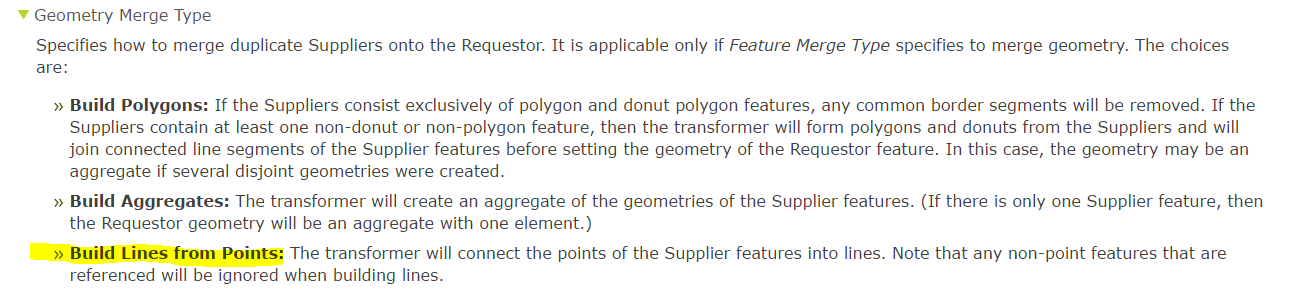
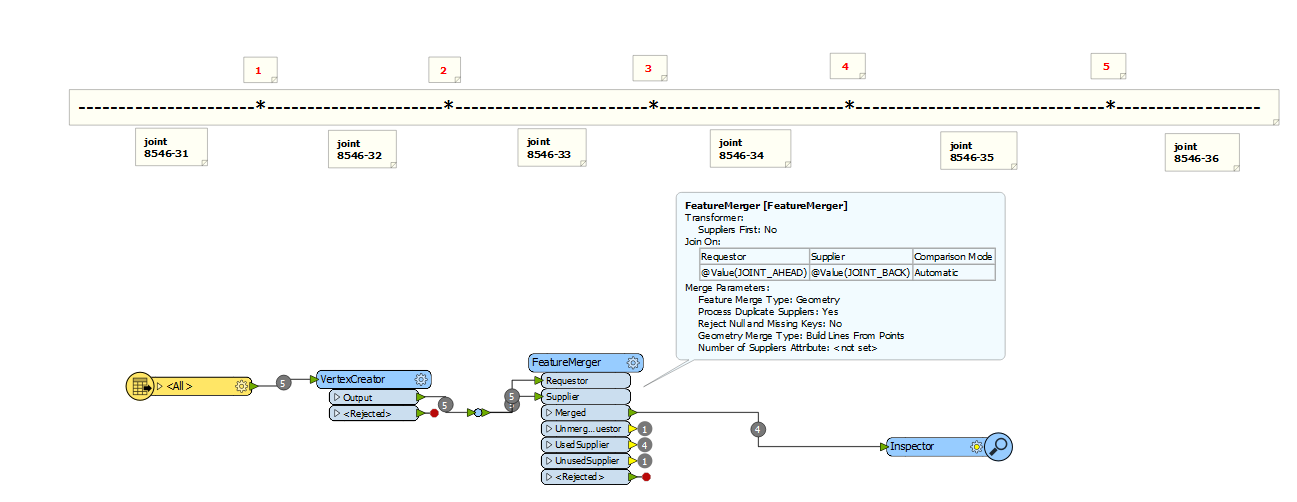
You can use the FeatureMerger transformer (requester joint_ahaed = supplier joint_behind) and use this setting:


cwarren
Forum|alt.badge.img
  • Author
  • June 27, 2017

You can use the FeatureMerger transformer (requester joint_ahaed = supplier joint_behind) and use this setting:

@erik_jan Maybe I'm overlooking something. I went back and made sure that the points are collected with JOINT_AHEAD in one direction, then set the feature merger to build lines from points. After inspecting it, the lines aren't built. Any idea of what I have set incorrectly?


test-pipeline-connect.csv


mygis
Supporter
Forum|alt.badge.img+15
  • Supporter
  • June 28, 2017

if you are looking for the proximity of the points to a line please use PointOnLineOverlayer . this will help you extract the line information and add it to the point. To draw a line between the points use point connector but they need to be in a good order to avoid the spaghetti effect


mygis
Supporter
Forum|alt.badge.img+15
  • Supporter
  • June 28, 2017

if you are looking for the proximity of the points to a line please use PointOnLineOverlayer . this will help you extract the line information and add it to the point. To draw a line between the points use point connector but they need to be in a good order to avoid the spaghetti effect

But the best is to have your workspace in hand


takashi
Celebrity
  • June 28, 2017

Hi @madwarren, the FeatureMerger builds line from multiple suppliers (points) if they were merged to a requestor feature, but it won't connect a supplier point and a requestor point unfortunately.

In your case, after the first VertexCreator and the FeatureMerger (Feature Merge Type: Attributes Only, Accumulation Mode: Prefix Supplier), you can add a vertex to the merged feature to form a line segment using another VertexCreator (Mode: Add Point, X: prefix_Longitude, Y: prefix_Latitude).


erik_jan
Contributor
Forum|alt.badge.img+26
  • Contributor
  • June 28, 2017

You can use the FeatureMerger transformer (requester joint_ahaed = supplier joint_behind) and use this setting:

@madwarren Sorry about that (I was not aware of this), but @takashi is right. Only Suppliers are merged into a line. So what seemed like a nice solution does not work in your case unless you can use the start point as Requester and both start and end point as Supplier.

cwarren
Forum|alt.badge.img
  • Author
  • June 28, 2017

Hi @madwarren, the FeatureMerger builds line from multiple suppliers (points) if they were merged to a requestor feature, but it won't connect a supplier point and a requestor point unfortunately.

In your case, after the first VertexCreator and the FeatureMerger (Feature Merge Type: Attributes Only, Accumulation Mode: Prefix Supplier), you can add a vertex to the merged feature to form a line segment using another VertexCreator (Mode: Add Point, X: prefix_Longitude, Y: prefix_Latitude).

That worked perfectly @takashi ! Thank you and everyone else for helping.