




Question

Creating a large 3D Cone shape as a shapefile for ArcGIS on-line 3D viewer

  • November 26, 2025
  • 4 replies
  • 87 views

bhindustry
Contributor
Forum|alt.badge.img+1

Hi FME Community,

I’m working on a project where I need to create a 3D cone shape in FME 2025 and publish it to ArcGIS Online 3D viewer. The cone should:

  • Start at ground level (let’s say Cape Canaveral X, Y, Z coordinates).
  • Have a base radius of 500 m.
  • Extend in a cone shape getting wider upwards at a 7° angle.
  • Reach approximately 50 km into space (so it’s a very tall, tapered cone).

I’ve tried using combinations of Creator, Taper Line BuffererRotator, and SurfaceBuilder, but I’m struggling to generate the correct geometry and export it in a format that ArcGIS Online accepts (e.g., Collada, OBJ, or multipatch).

Challenges I’m facing:

  • Generating the circular base and apex points accurately.
  • Applying the 7° tilt without breaking the geometry.
  • Ensuring the output works in ArcGIS Online’s 3D environment.

Has anyone successfully built something similar in FME?

  • Which transformers or workflow would you recommend?
  • Any tips for handling such large Z values (50 km) and coordinate systems?
  • Variable input items into the Workspace such as: Ground X, Y, Z - cone max height, - cone angle of growth, etc.
  • Best practices for exporting to ArcGIS Online?

Any advice, examples, or workspace snippets would be hugely appreciated!

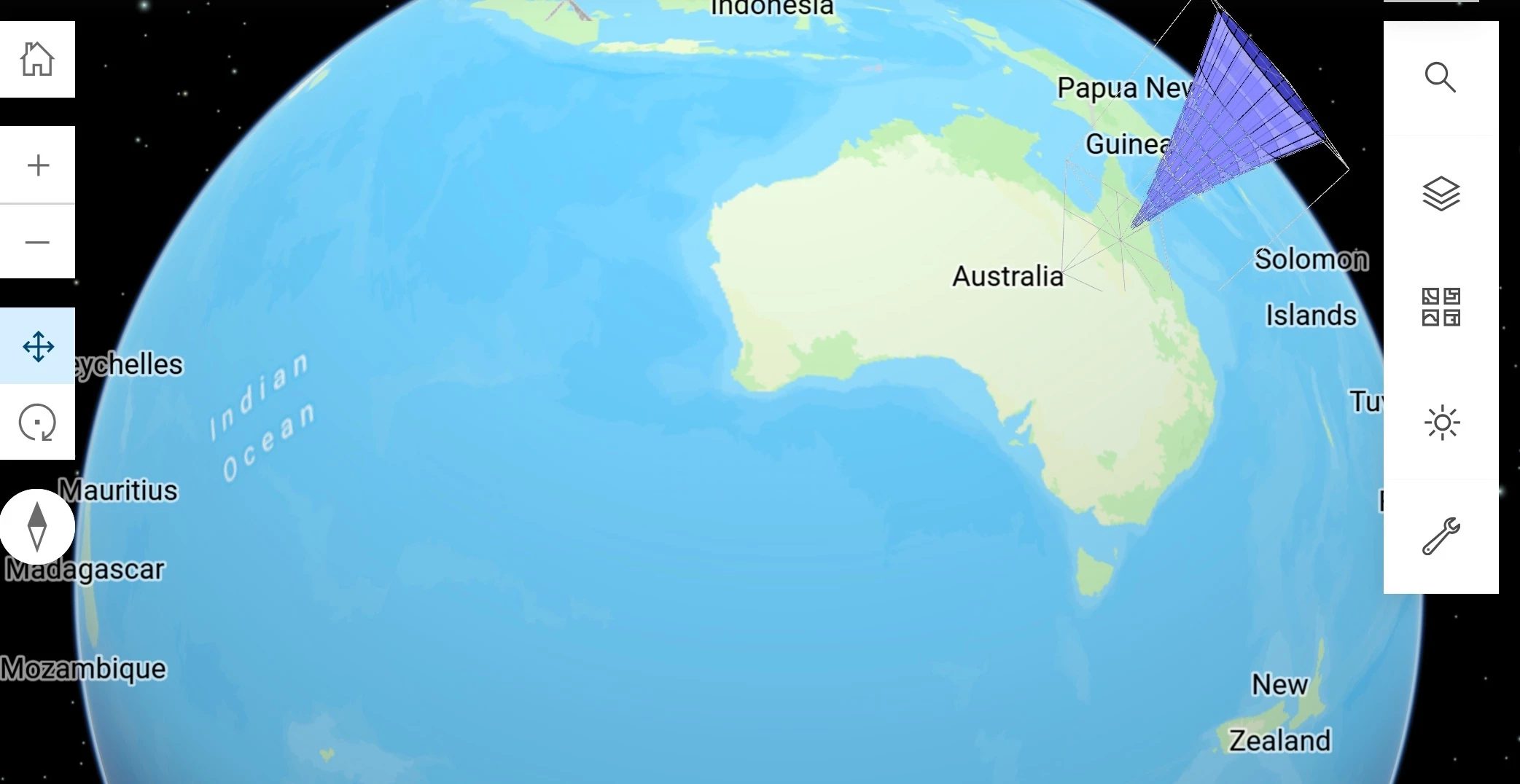
Thanks in advance, Here’s a rough image of a cone area which has a shape that represents a safe rocket launch buffer. Note this is all made up and in no way real.

 

4 replies

daveatsafe
Safer
Forum|alt.badge.img+21
  • Safer
  • January 6, 2026

Hi ​@bhindustry,


I am attaching a workspace containing the custom transformer LaunchConeReplacer, that will create the launch cone surface for you, and output to a Shape multipatch. I have annotated all the transformers within the custom transformer for clarity, but the basic process is:

  • Store original point location
  • Replace with 0,0,0 point
  • Calculate top radius from bottom radius and cone angle
  • Create arcs on bottom radius and extract endpoints
  • Create arcs on top radius
  • Extend top arc with bottom arc endpoints to create polygon
  • Convert polygon to face
  • Merge faces into surface
  • Move surface to original location

daveatsafe
Safer
Forum|alt.badge.img+21
  • Safer
  • January 6, 2026

I have modified the custom transformer to be more generic and published it to FME Hub: https://hub.safe.com/publishers/safe-lab/transformers/conereplacer. It will now replace a line segment at any orientation with a 3D cone as a Surface or Solid.


bhindustry
Contributor
Forum|alt.badge.img+1
  • Author
  • Contributor
  • January 12, 2026

Hi Dave - Thanks for this, I really appreciate your efforts, I just might need a bit more help in using it. I have tried a number of different things with one or multiple input points and I just can’t get it working.

I keep getting an ‘invalid geometry’ response when I try it out and it fails at the first Geometry filter. If for example I had the attached XLS file with three Lat Long points that I want to create cones from. How would I use it?

Are you able to create a demo workbench that uses your new Cone Replacer transformer?

Regards

Brendan


daveatsafe
Safer
Forum|alt.badge.img+21
  • Safer
  • January 12, 2026

Hi Brendan,

Thank you for the feedback. I have modified the workspace to force the input Excel points to 3D and reproject to Florida State Plane meters before creating the cones. Lat/long doesn’t work well for 3D since the the XY and Z coordinates are in very different units (degrees vs feet/meters).

Please try the updated workspace.


