




Hello FME Experts that are far smarter than me,
I have a very interesting text file that I need to isolate columns for to map points via lat and long values. Below is the URL to the dataset, it relates to fire weather conditions that are updated daily.
https://www.wfas.net/images/firedanger/fdr_obs.txt
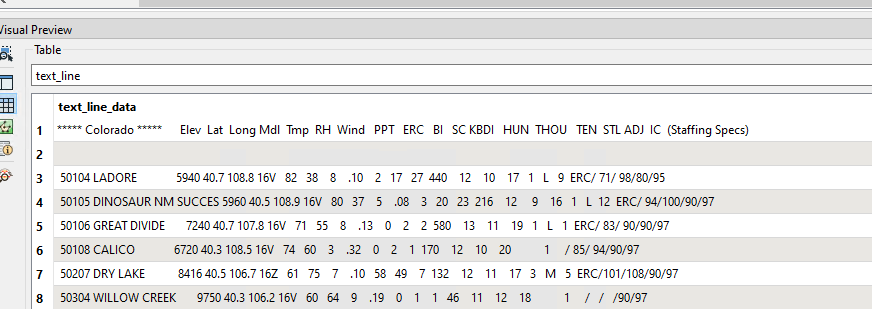
I need to isolate the Colorado-related records and put all the values into their designated columns. If I use the standard text file reader, everything is mashed into one column (see screenshot). I tried using the CAT Reader, but can't seem to get that option to the right place.
Does anyone know a better Reader or combination of Transformers that could help delineate these columns of data?




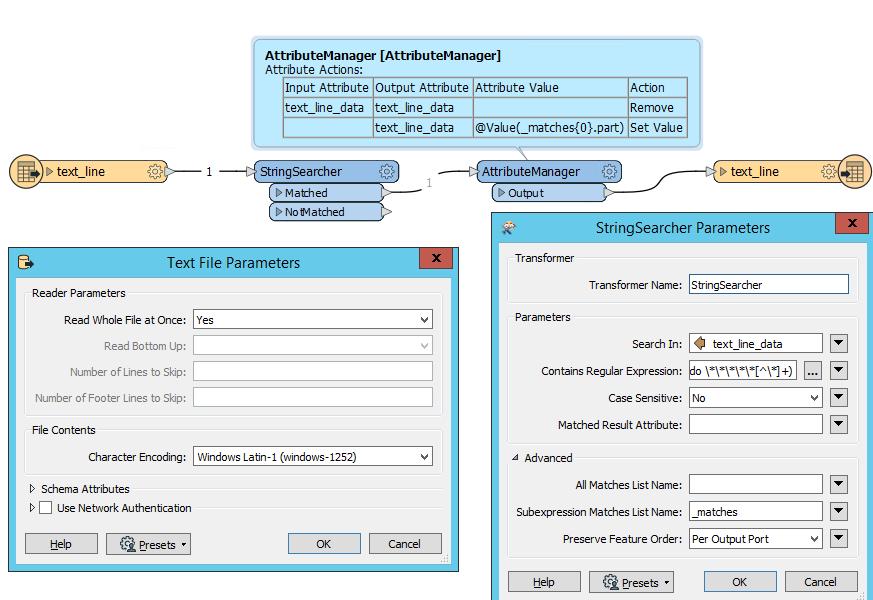
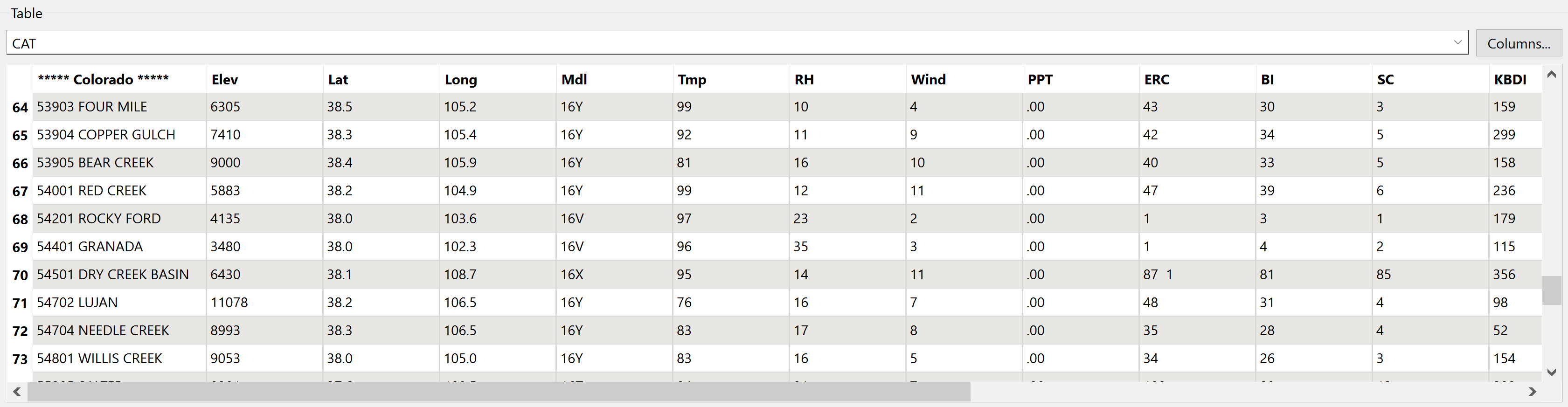 Hope this helps, Kailin.



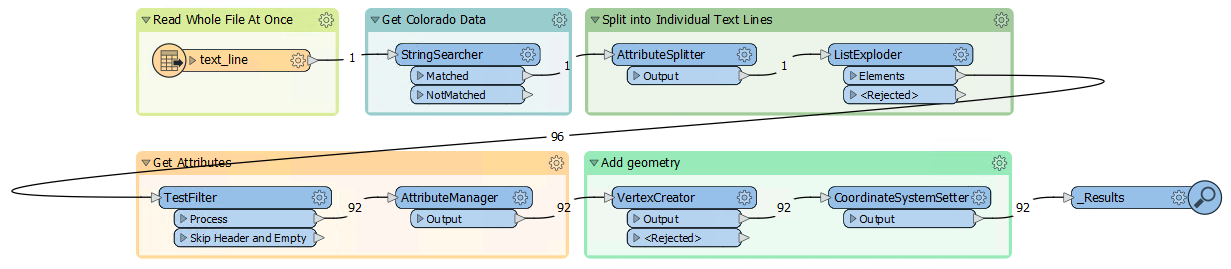
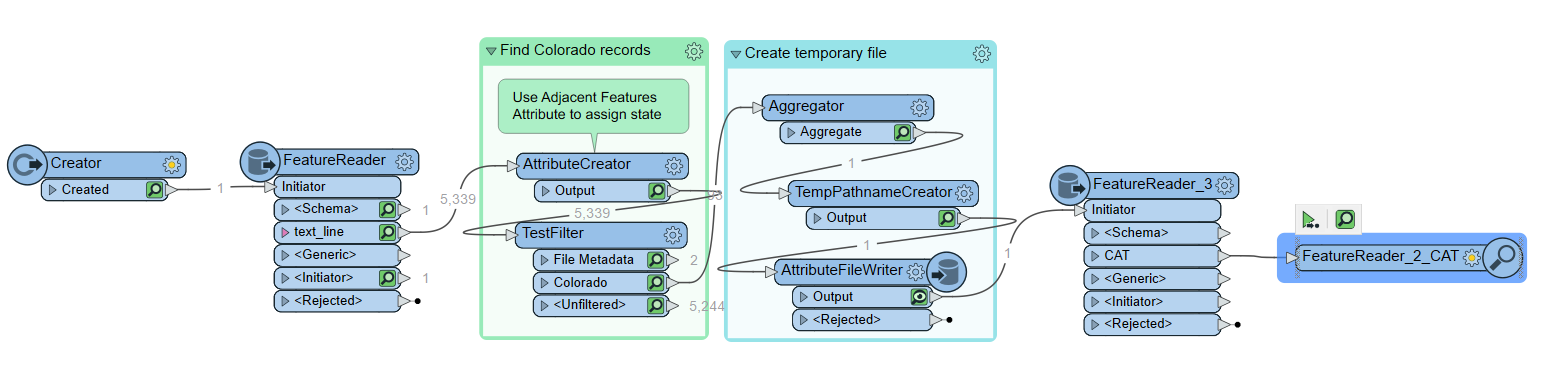 After reading the text file, the AttributeCreator is getting the state name (using regex) from any lines that start with ***** <text> ***** and assigning any subsequent features (that are presumed to be data) the value of state from the previous feature. An Aggregator is used to combine back into a single attribute, and then temporarily written as a text file. Because the file will not be created until runtime, you can point the FeatureReader at a similar dataset with the same schema/formatting (in my case, I used the colorado.txt file I show'd in the first comment). Let me know if you have any questions at all or have issues running the workspace. Happy to help, Kailin.
 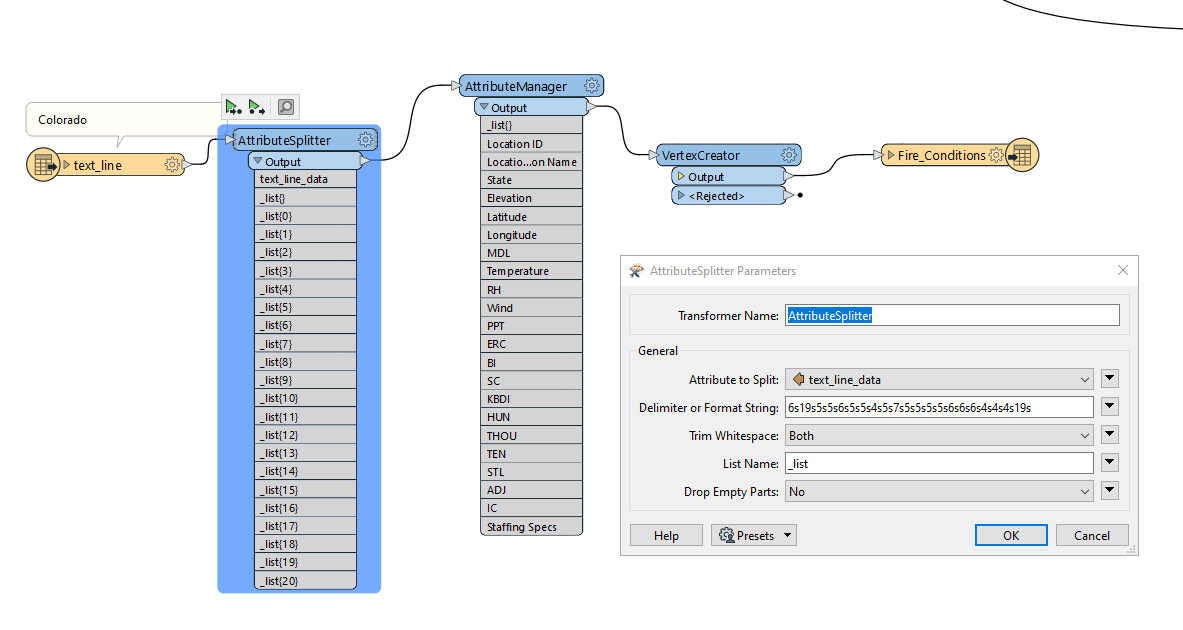 I know this workflow may not be as agile and flexible as previous solutions, but it does get the data to where it needs to be since the format/layout of the text file will never change (column values will only change). That said, I'll definitely be trying out the other workflows to replicate the process and see if I can get something that's more adaptable to possible future database changes. Thank you Kailin!