

Question

MapnikRasterizer is giving an error!

  • July 15, 2016
  • 2 replies
  • 73 views

Forum|alt.badge.img

What could be the issue here. `MapnikRasterizer` is giving an error!

MapnikRasterizer(MapnikFactory): Performing rasterization...

MapnikRasterizer(MapnikFactory): Failed to rasterize data. The error was: bad allocation

MapnikRasterizer(MapnikFactory): A fatal error has occurred. Check the logfile above for details

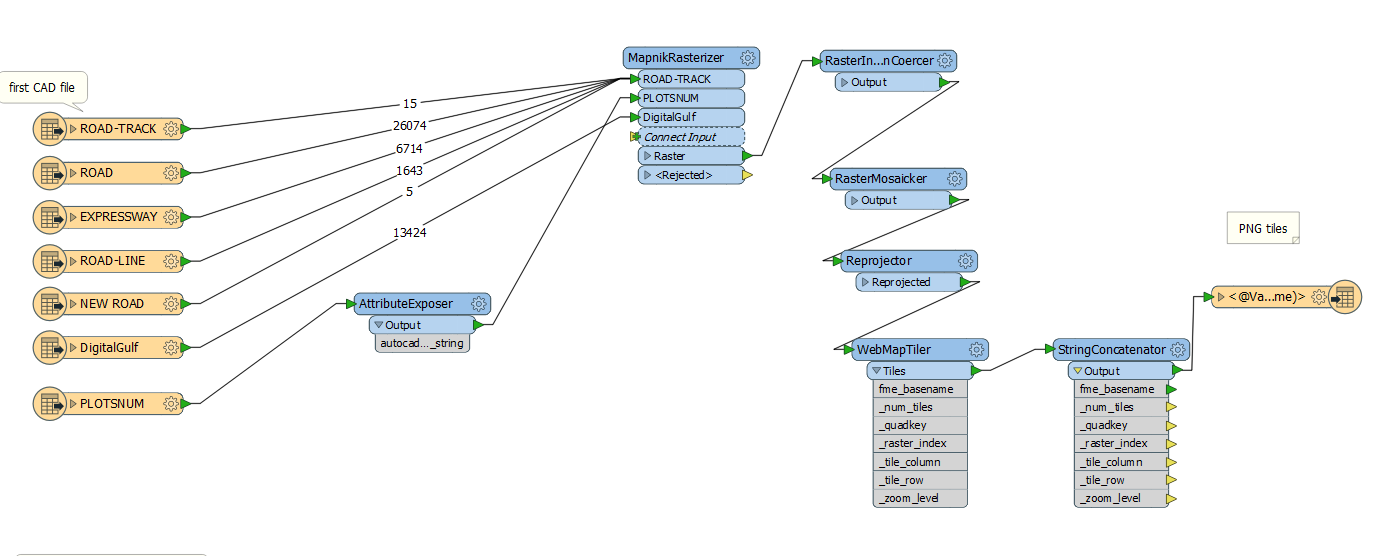
Here is FME file:

https://drive.google.com/file/d/0BwMirpbclFbrLUF6d...
@redgeographics

This post is closed to further activity.
It may be an old question, an answered question, an implemented idea, or a notification-only post.
Please check post dates before relying on any information in a question or answer.
For follow-up or related questions, please post a new question or idea.
If there is a genuine update to be made, please contact us and request that the post is reopened.

2 replies

Forum|alt.badge.img
  • Author
  • July 16, 2016

As stated here in this article, there is a bug with MapnikRasterizer. this transformer unlike imageRasterizer gives the option to change color of line, text, polygon etc. If using MapnikRasterizer is not possible how can I customize the color of the lines and the text before imageRasterizering.


redgeographics
Celebrity
Forum|alt.badge.img+62

That would be FeatureColorSetters like you've used before. However, I would try the fixes suggested in that article on the MapnikRasterizer bug too. Probably tiling (using a Tiler) and then mosaicking afterwards would be the best solution. The MapnikRasterizer has a Group By parameter, if you set that to the _column and _row attributes coming out of the Tiler and potentially set parallel processing too it could save you memory and time.



