Question

Blend 3D points with an ortho photo

  • May 12, 2015
  • 5 replies
  • 32 views

Dear Community,


I want to blend 3D points with an ortho image, to get an aerial image with a DEM.


My aim is it to get a 3D PDF or a geo-tif, where I can see all hills, streets and other uprisings but with an ortho photo on it. Now I want to know how to blend these datas with each other and what transformers I`ll require to do this?


Can you please help me to fix the problem?


Kind regards from Würzburg (Germany)

This post is closed to further activity.
It may be an old question, an answered question, an implemented idea, or a notification-only post.
Please check post dates before relying on any information in a question or answer.
For follow-up or related questions, please post a new question or idea.
If there is a genuine update to be made, please contact us and request that the post is reopened.

5 replies

david_r
Celebrity
  • May 12, 2015
Hi,


there is a short video here that shows how it's done:


https://www.youtube.com/watch?v=edZeJLWDqiQ


David

gio
Contributor
Forum|alt.badge.img+15
  • Contributor
  • May 12, 2015
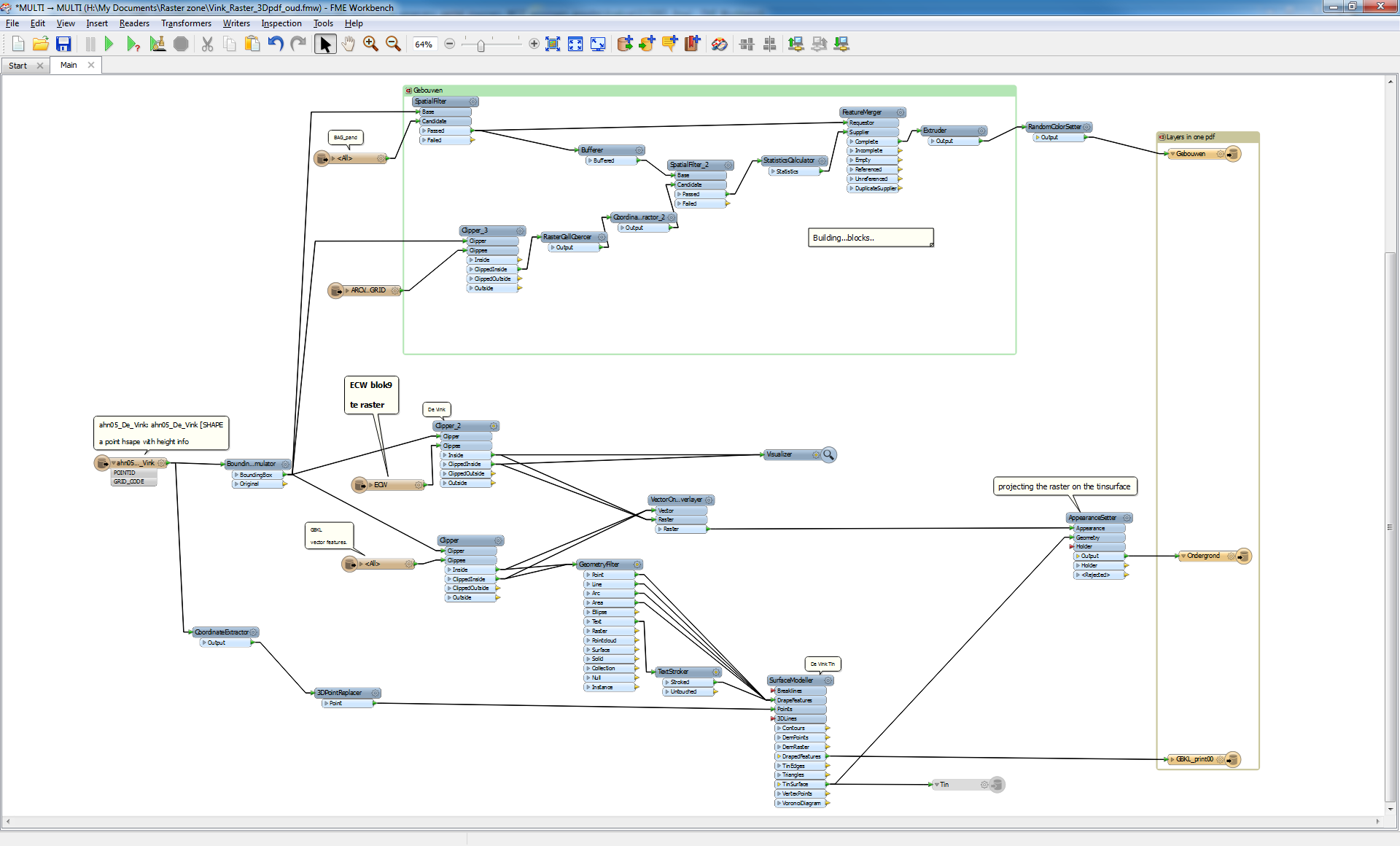
clip your photo with the bounginbox of the the DEM and use a AppearanceSetter.

  • Author
  • May 12, 2015
Thank`s for your answers. But can you please send me a screenshot of your Workbench when you solved the problem?


gio
Contributor
Forum|alt.badge.img+15
  • Contributor
  • May 12, 2015
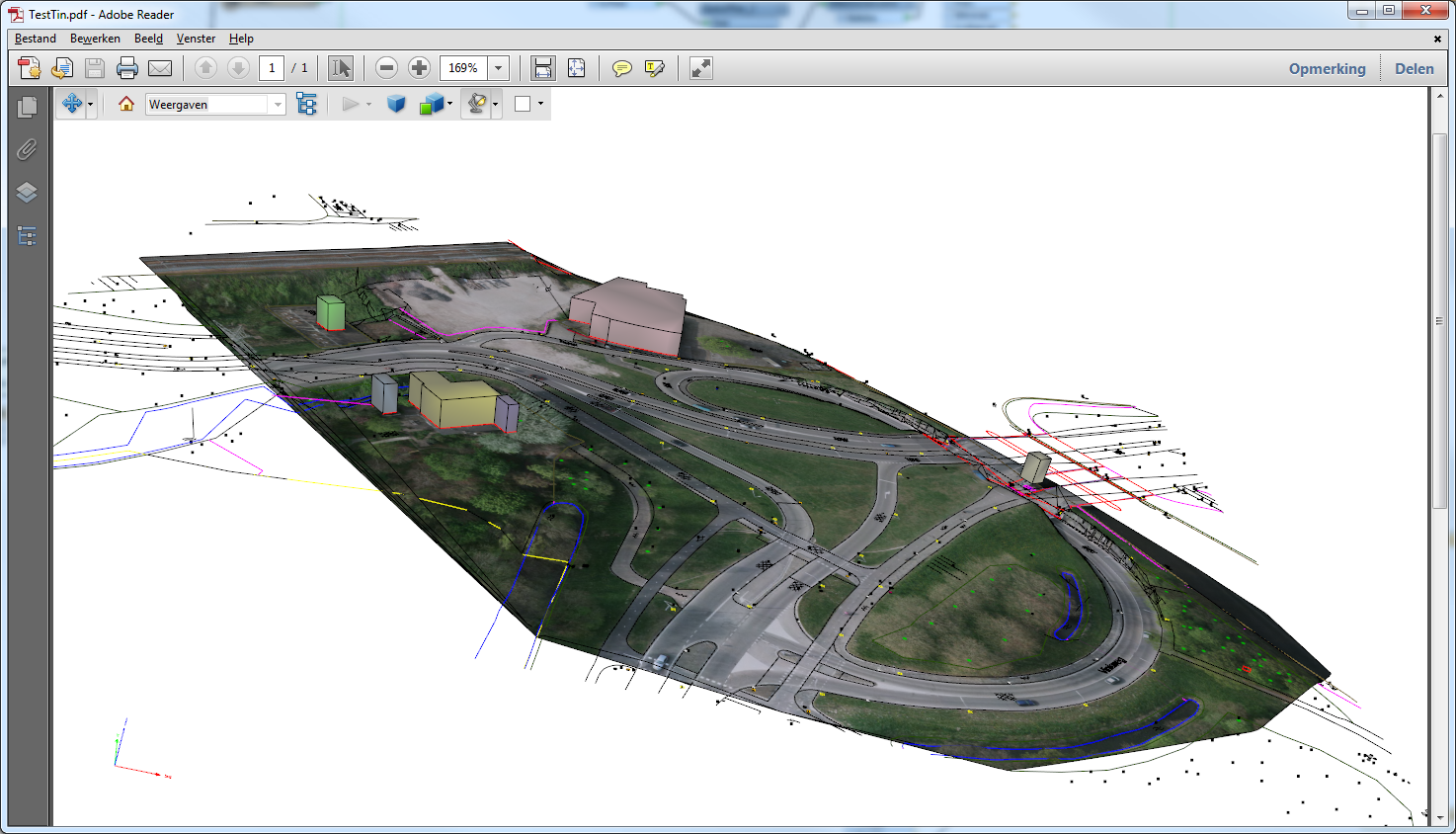
I have one here wich like puts a bunch of stuff together...vector, 3dBuilding (more like blocks..;) a raster and a aerial selection.


Its an old script btw, unchanged since fme2013 i guesslike.


and its output


gio
Contributor
Forum|alt.badge.img+15
  • Contributor
  • May 12, 2015
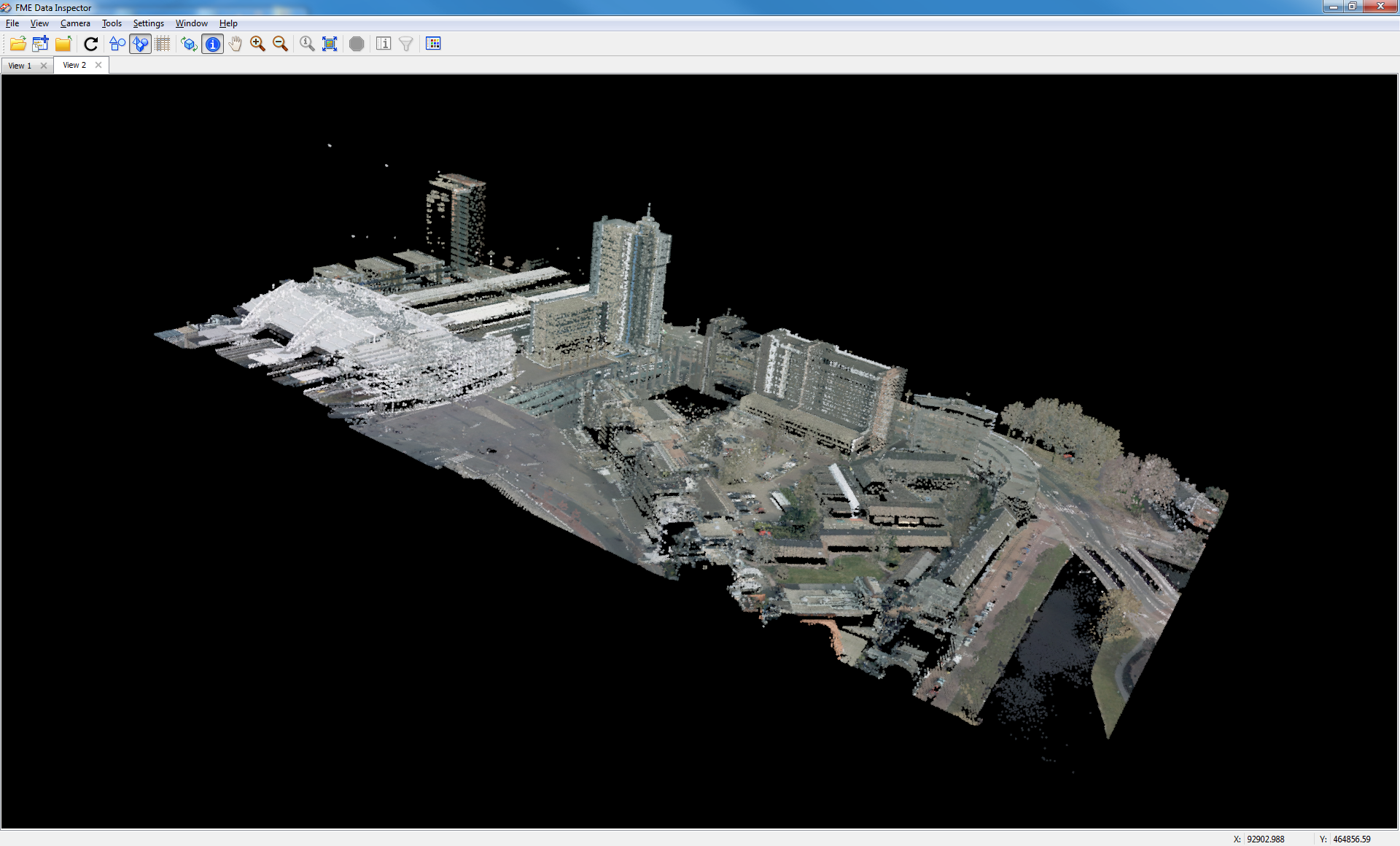
btw. You can also directly project rasters on points cloud.


You can use PointCloudOnRasterComponentSetter to do that.


Can look nice too..


The white thing is Leiden trainstation..