




Solved

Why does the translation fail after 2000+ features enter though TopologyBuilder as input??

  • May 15, 2019
  • 3 replies
  • 57 views

alexlynch3450
Contributor
Forum|alt.badge.img+16

hello, I am currently running fme build 2019.1.0.0 and I am having trouble figuring out the exact cause of my "translation failed". I believe the translation fails when more than 2000+ line feature enter the "TopologyBuilder" transformer. I am working on a new computer and I updated to 2019.1, so i am unsure if it is a bug or, perhaps, I have something within system environment that is tripping-up FME Desktop.

I am trying to find the longest path of a Three-Phase Electric Line (overhead & Underground primary) to the substation feeder (dynamicprotectivedevice). Ideally, I want to manipulate the data so I can find the longest line by tracing upline from point-feature (dynamicprocteivedevice) to the end any line segment that doesnt have line features on both end. This is the first workspace of this nature I have created, so I am not too sure how to approach it. I use the topolgybuilder to find vertexes that are the end, and have no connection. I narrowed it down to topologybuilder as the source of error.

[Log File]

[Fme Desktop Translation Log]


[FME Desktop Workspace]
Best answer by david_r

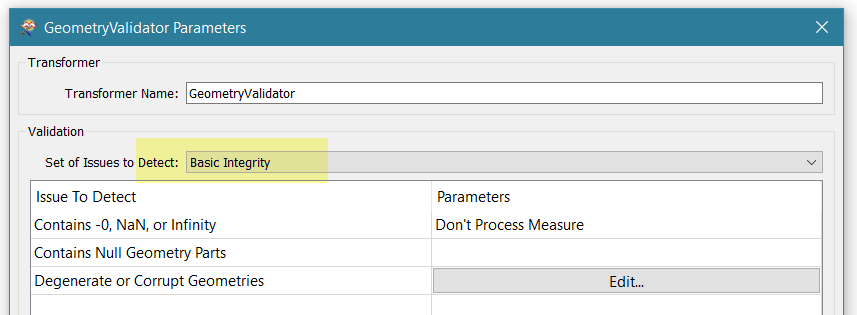
It may be due to some error or inconsistency in the input geometries. Have you tried inserting a GeometryValidator before the TopologyBuilder? In particular, make sure to check for basic integrity:

This post is closed to further activity.
It may be an old question, an answered question, an implemented idea, or a notification-only post.
Please check post dates before relying on any information in a question or answer.
For follow-up or related questions, please post a new question or idea.
If there is a genuine update to be made, please contact us and request that the post is reopened.

3 replies

david_r
Celebrity
  • Best Answer
  • May 16, 2019

It may be due to some error or inconsistency in the input geometries. Have you tried inserting a GeometryValidator before the TopologyBuilder? In particular, make sure to check for basic integrity:


alexlynch3450
Contributor
Forum|alt.badge.img+16
  • Author
  • Contributor
  • May 16, 2019

It may be due to some error or inconsistency in the input geometries. Have you tried inserting a GeometryValidator before the TopologyBuilder? In particular, make sure to check for basic integrity:

No I did not! Nevertheless, it still did not work. Thank you though, @david_r. My workaround was to convert the GDB into a shapefile, which worked but I would have preferred the gdb due to .shp attribute length and field restrictions.


alexlynch3450
Contributor
Forum|alt.badge.img+16
  • Author
  • Contributor
  • May 16, 2019

It may be due to some error or inconsistency in the input geometries. Have you tried inserting a GeometryValidator before the TopologyBuilder? In particular, make sure to check for basic integrity:

Although this transformer did not correct anything, it did lead me into the direction to find that .gdb data was source of error as it was corrupt.


