Question

Applying a colour scale to features based on attributes

  • October 15, 2018
  • 2 replies
  • 375 views

Forum|alt.badge.img

Hi,

I'm looking to produce a map which visualizes polygons based on an attribute value (e.g, population) and scales them high to low or low to high. Using FeatureColorSetter i can apply a random colour to each area based on an attribute, but i would like to apply a colour scale. For example, going from a dark red (highest population) to light green (lowest population). Is this something that can be done, without having to use a styling transformer for each different attribute?

Thanks

This post is closed to further activity.
It may be an old question, an answered question, an implemented idea, or a notification-only post.
Please check post dates before relying on any information in a question or answer.
For follow-up or related questions, please post a new question or idea.
If there is a genuine update to be made, please contact us and request that the post is reopened.

2 replies

takashi
Celebrity
  • October 15, 2018

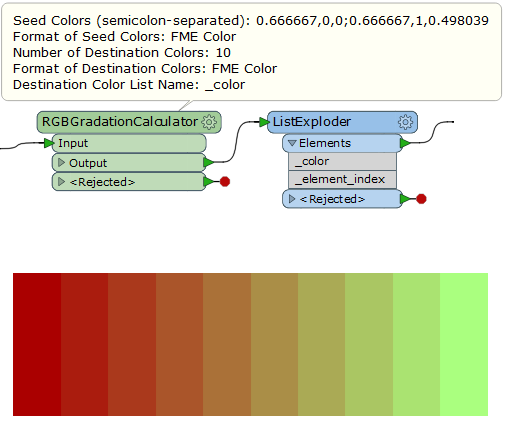
Hi @johnwk, possibly the RGBGradationCalculator from FME Hub could help you. This custom transformer generates a list attribute which stores color values based on specified two or more seed color values and number of colors. You can explode the list with the ListExploder and then merge an appropriate color value to each polygon using the list index (= rank of population) as Join On parameter.

Demo: rgb-gradation-calculator-example.fmwt (FME 2018.1.0.3)


gio
Contributor
Forum|alt.badge.img+15
  • Contributor
  • October 15, 2018

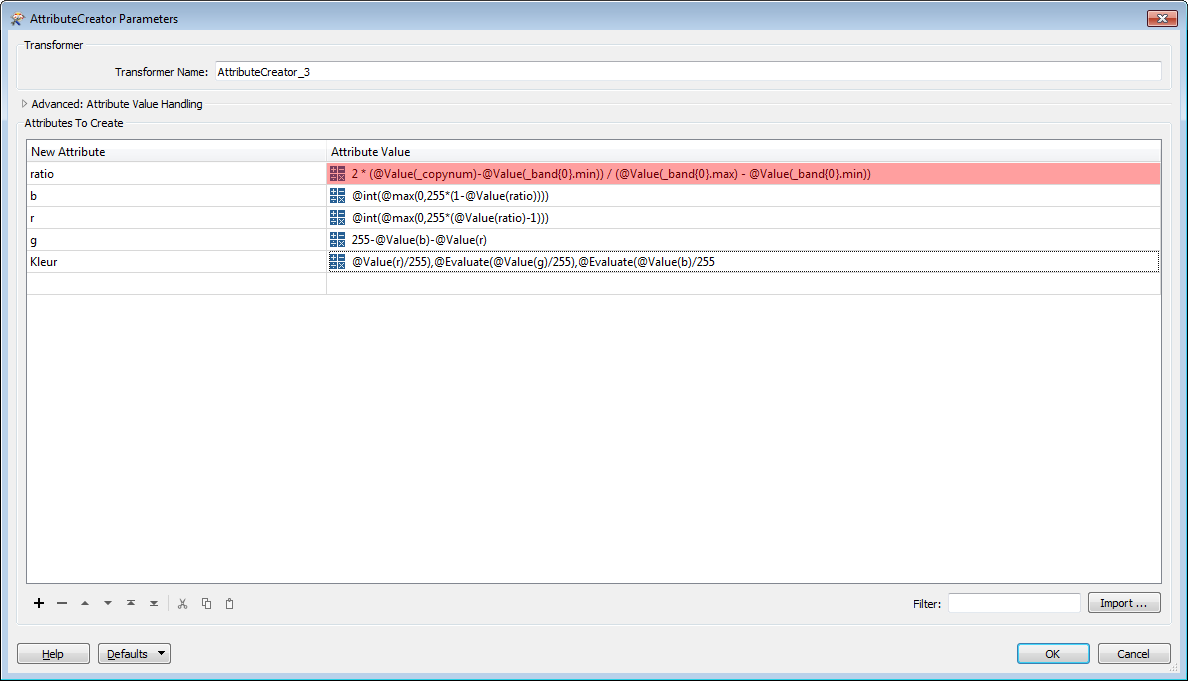
one of many variants, you can find many creative ways to do it.

(this is actualy one line, I split it to keep it readable)

Get min/max using a statisticscalculator.