




Best Answer

Shapefile with same schema not read

  • February 7, 2019
  • 2 replies
  • 20 views

pflegpet
Contributor
Forum|alt.badge.img+8

Hello,

do I have to use a dynamic reader when the name of an input shapefile changes but the schema does not? I use a workspace that reads a shape that gets updated every two months. I assumed that it suffices to link the new shape in the input parameters but no features are read due to the new filename. To prevent this I either create a new shp reader everytime or I create a workaround with a Creator/FeatureReader/AttributeExposer combination. Both solutions don't seem very elegant and I'm sure I'm doing this the wrong way. Is there a simpler way using a dynamic reader? Thank you for your help. This really irks me as I'm not a newcomer to FME.

Best answer by redgeographics

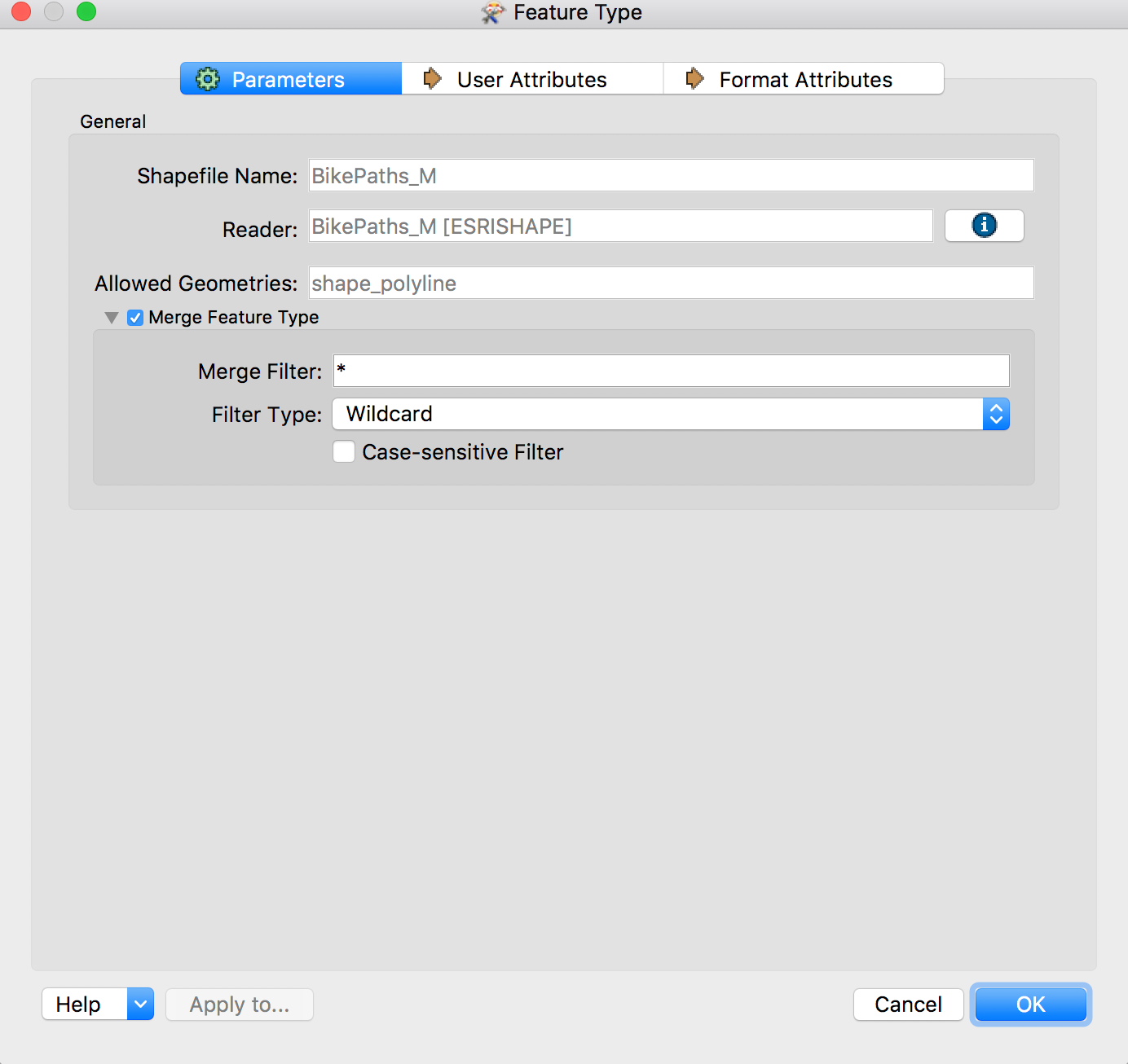
No, you can set a wildcard in the Merge Feature Type like so:

This will be done automatically if you set up the reader with the "Single Merged Feature Type" option.

This way the Shapefile's name can be anything and it will be processed through this feature type

This post is closed to further activity.
It may be an old question, an answered question, an implemented idea, or a notification-only post.
Please check post dates before relying on any information in a question or answer.
For follow-up or related questions, please post a new question or idea.
If there is a genuine update to be made, please contact us and request that the post is reopened.

2 replies

redgeographics
Celebrity
Forum|alt.badge.img+62
  • Celebrity
  • Best Answer
  • February 7, 2019

No, you can set a wildcard in the Merge Feature Type like so:

This will be done automatically if you set up the reader with the "Single Merged Feature Type" option.

This way the Shapefile's name can be anything and it will be processed through this feature type


pflegpet
Contributor
Forum|alt.badge.img+8
  • Author
  • Contributor
  • February 7, 2019

No, you can set a wildcard in the Merge Feature Type like so:

This will be done automatically if you set up the reader with the "Single Merged Feature Type" option.

This way the Shapefile's name can be anything and it will be processed through this feature type

Thanks, that did the trick. Additionally I deleted the "Feature Types to Read" Parameter as it seems it is not necessary.


