Question

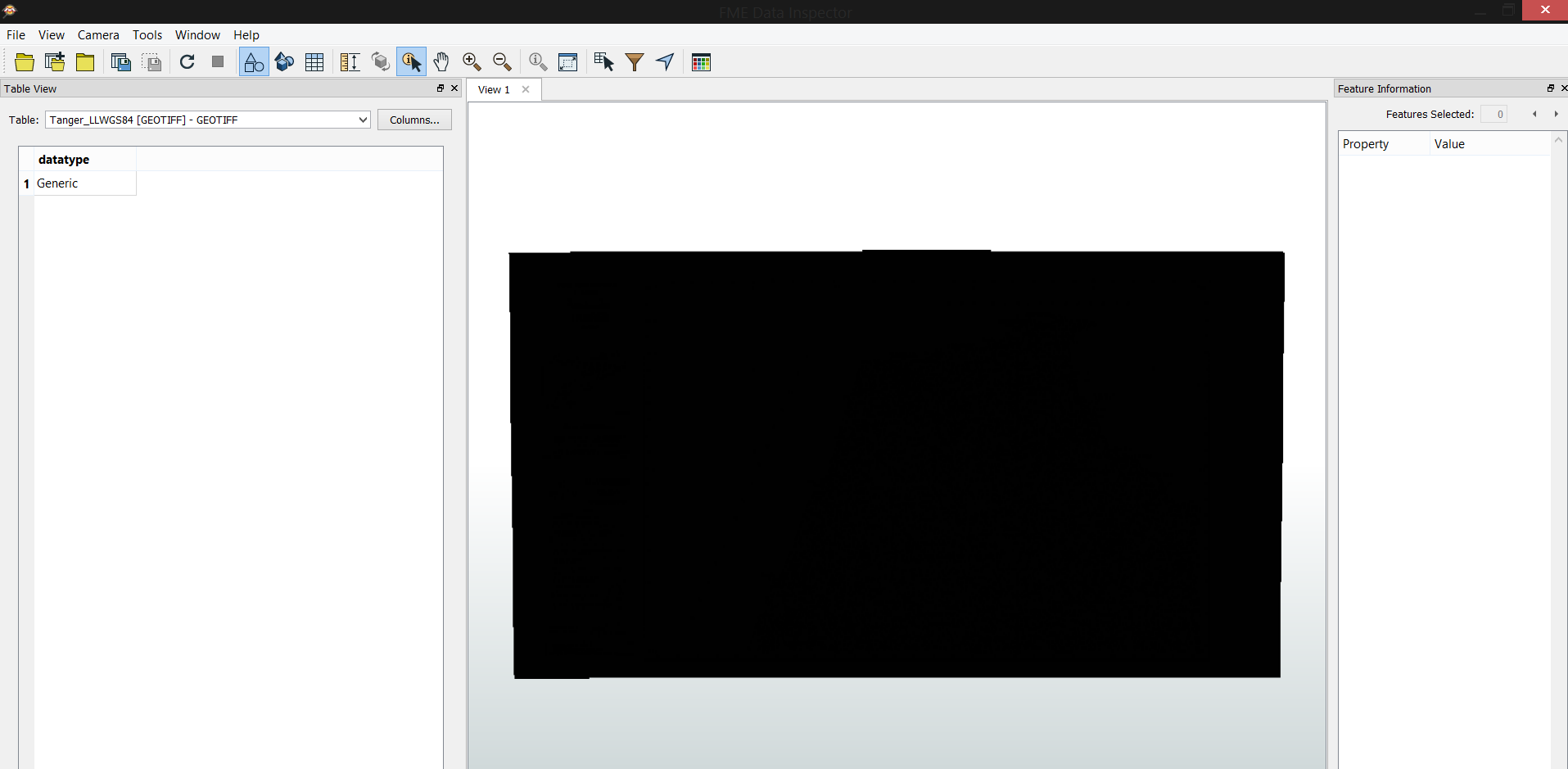
Can't read GeoTIFF files properly - All appears as black

  • March 16, 2018
  • 6 replies
  • 595 views

Forum|alt.badge.img

Hello,


I've geoereferenced a raster map using ArcGIS and exported it as GeoTIFF, however, I can't read it properly in FME data inspector, the image appears all black.


Have anyone before faced the same problem ?


Thank you.

This post is closed to further activity.
It may be an old question, an answered question, an implemented idea, or a notification-only post.
Please check post dates before relying on any information in a question or answer.
For follow-up or related questions, please post a new question or idea.
If there is a genuine update to be made, please contact us and request that the post is reopened.

6 replies

redgeographics
Celebrity
Forum|alt.badge.img+62

Can you share the image with us? Is it supposed to be imagery or elevation data? GeoTIFF has many different settings (bit depth, byte order, indexed or not) and not every application supports all flavors. Generally FME seems to be handling it ok but you may have made a setting that's unsupported.

When you import the image in ArcGIS again, does it look ok?


Forum|alt.badge.img

Can you share the image with us? Is it supposed to be imagery or elevation data? GeoTIFF has many different settings (bit depth, byte order, indexed or not) and not every application supports all flavors. Generally FME seems to be handling it ok but you may have made a setting that's unsupported.

When you import the image in ArcGIS again, does it look ok?

Yes, it appears fine in ArcMAP when I import it, but on data inspector I get everything as black


LizAtSafe
Safer
Forum|alt.badge.img+18
  • Safer
  • March 16, 2018
Yes, it appears fine in ArcMAP when I import it, but on data inspector I get everything as black


Hi @lianaolianov, could you please attach the .TIFF file so we can look at the attributes for it. If you do not want to share the image publicly, you can submit a support case with us and send the file that way.


Thanks


-Liz

Forum|alt.badge.img

Can you share the image with us? Is it supposed to be imagery or elevation data? GeoTIFF has many different settings (bit depth, byte order, indexed or not) and not every application supports all flavors. Generally FME seems to be handling it ok but you may have made a setting that's unsupported.

When you import the image in ArcGIS again, does it look ok?

Hello,


Here is a portion of the image, the same problem persists, the images appears fine in ArcMAP and QGIS but always black in FME Data Inspector


https://drive.google.com/open?id=16wgFVB8eeGfa0pFlXWyvg0qA5IlQU0s5


takashi
Celebrity
  • March 19, 2018

I looked at your raster data. It has 16 bit integer x 3 bands (GRAY16, UINT16, UINT16), the valid value range of each band is 0 to 255, and 256 is defined as Nodata.

FME reads cell values as-is, but FME Data Inspector doesn't seem to support display the band interpretation (GRAY16, UINT16, UINT16) as RGB color. You can check the interpretation and individual cell values on the Feature Information window of FME Data Inspector.

Since the cell values themselves seem to be read correctly, I don't think there is any problem.

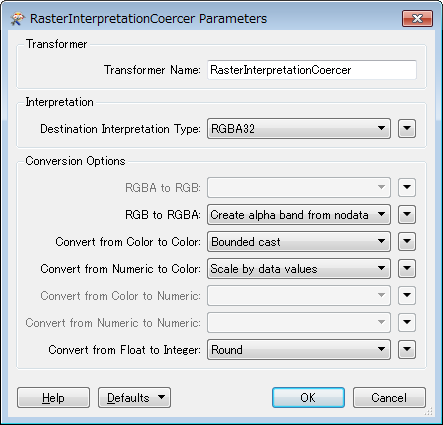
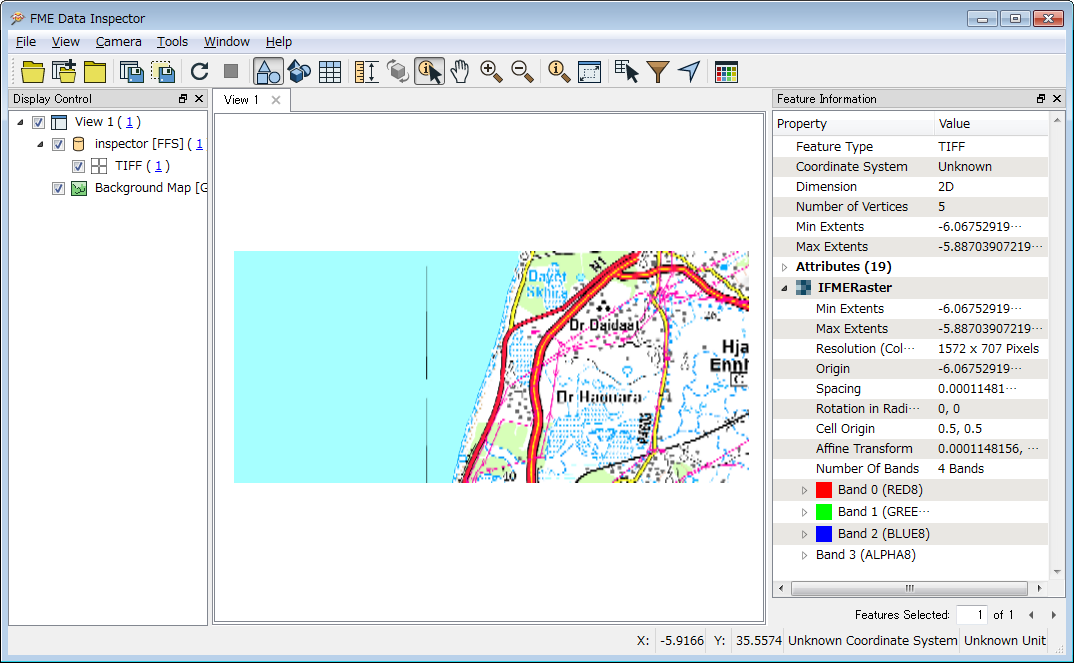
If you need to see colored raster with FME Data Inspector anyway, try using the RasterInterpretationCoercer to change the raster interpretation to RGBA32.


Forum|alt.badge.img

I looked at your raster data. It has 16 bit integer x 3 bands (GRAY16, UINT16, UINT16), the valid value range of each band is 0 to 255, and 256 is defined as Nodata.

FME reads cell values as-is, but FME Data Inspector doesn't seem to support display the band interpretation (GRAY16, UINT16, UINT16) as RGB color. You can check the interpretation and individual cell values on the Feature Information window of FME Data Inspector.

Since the cell values themselves seem to be read correctly, I don't think there is any problem.

If you need to see colored raster with FME Data Inspector anyway, try using the RasterInterpretationCoercer to change the raster interpretation to RGBA32.

It worked fine.


Thank you very much