Question

Can't Add a New .csv Reader after Installing 2019.0

  • April 12, 2019
  • 9 replies
  • 43 views

Forum|alt.badge.img+3

I'm sure I'm overlooking something embarrassingly simple but after adding 2019.0 to my computer (currently also have 2018.1 installed to a different path) I cannot complete addition of a .csv reader. I'm able to preview the input files and they show the correct column names and content, but the 'ok' button is greyed out. . preventing me from ultimately adding the reader. Automatic and Manual attribute definition give the same result. I don't have this issue with the Excel reader. Thanks in advance - pulling my hair out!

This post is closed to further activity.
It may be an old question, an answered question, an implemented idea, or a notification-only post.
Please check post dates before relying on any information in a question or answer.
For follow-up or related questions, please post a new question or idea.
If there is a genuine update to be made, please contact us and request that the post is reopened.


9 replies

Forum|alt.badge.img+3

To clarify - I'm only having this problem in 2019.0. I don't have this issue in 2018.1.


danilo_fme
Celebrity
Forum|alt.badge.img+52
  • Celebrity
  • April 15, 2019

Hi @fme_fan_mike

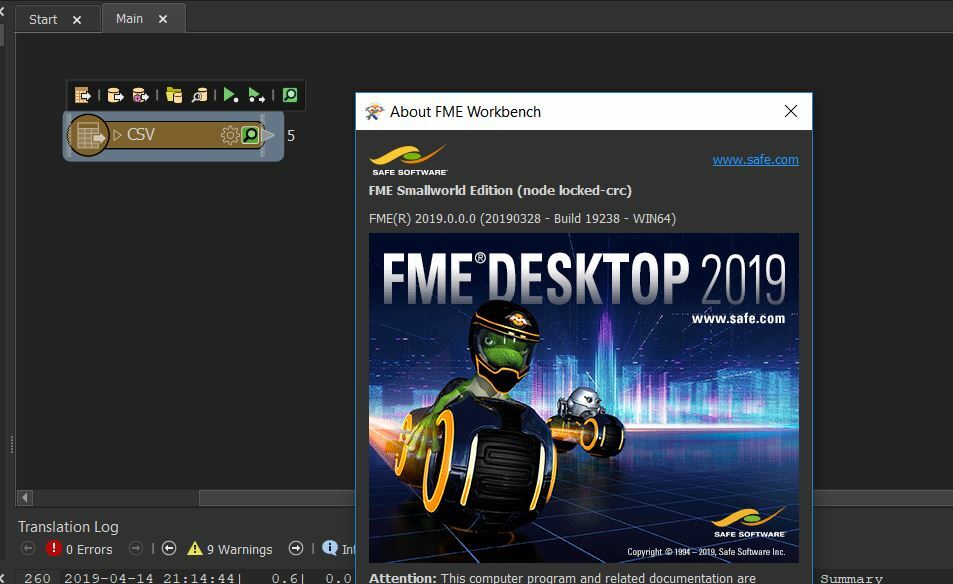
I tried to use in my installation ( local machine ) and in my version FME 2019.0.0.0 - Build 19238 ), and the result was successful:

What is you FME Build?


Thanks,

Danilo


Forum|alt.badge.img+3

Danilo- thanks so much for your reply. I'm on the same version and Build as you. . 2019.0.0.0 - Build 19238. I will try re-installation just as something to try.. will report back later on the outcome.


danilo_fme
Celebrity
Forum|alt.badge.img+52
  • Celebrity
  • April 15, 2019

Danilo- thanks so much for your reply. I'm on the same version and Build as you. . 2019.0.0.0 - Build 19238. I will try re-installation just as something to try.. will report back later on the outcome.

Hi @fme_fan_mike

Excellent. Did you have success after the re-installation?


Thanks,

Danilo


Forum|alt.badge.img+3

Hi @fme_fan_mike

Excellent. Did you have success after the re-installation?


Thanks,

Danilo

Hi @danilo_fme - After re-installation, the issue still exists. I'll contact SAFE Support next. . and will report back the outcome.


Forum|alt.badge.img+3

I have tried a 'repair' installation, then I removed 2019.0 altogether, and performed an upgrade-installation (removing 2018.1) , and still have the issue.


Forum|alt.badge.img+3

And also adding this is on a Windows7 Professional - 64bit, installation.


Forum|alt.badge.img+3

SOLVED!! In the advanced-settings of the CSV-reader Parameters it was necessary to specify the Encoding->Character Encoding. In this case 'fme-system'. Now everything is happy. This is slightly unexpected as I've never previously had to do this. But, am very glad everything is working now.


danilo_fme
Celebrity
Forum|alt.badge.img+52
  • Celebrity
  • April 16, 2019

SOLVED!! In the advanced-settings of the CSV-reader Parameters it was necessary to specify the Encoding->Character Encoding. In this case 'fme-system'. Now everything is happy. This is slightly unexpected as I've never previously had to do this. But, am very glad everything is working now.

Great news :)