


Solved

CSV Writer writing null values for UPRN's > 99.999.999

  • May 12, 2020
  • 11 replies
  • 57 views

miquelrs
Contributor
Forum|alt.badge.img+7

Have FME Desktop 2020. It turns out that writing UPRN's into a CSV doesn't work for values above 99.999.999. Have tried all data types in the writer (real64 is the one that FME sets automatically, but have tried String, int64, etc..). Nothing works.

Can somebody help me please?


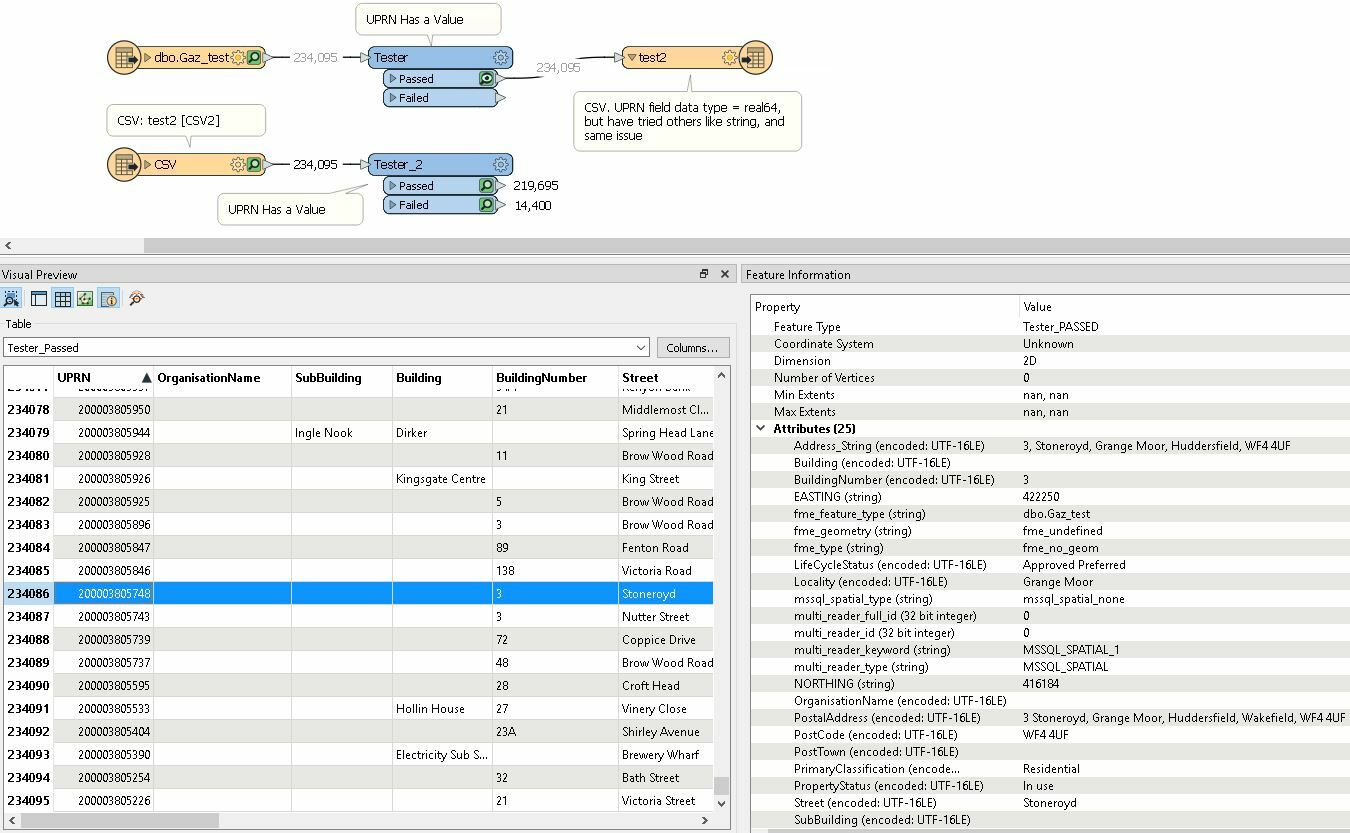
First capture is the output before writing csv (upper workflow):


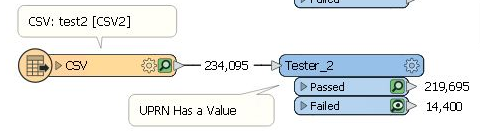
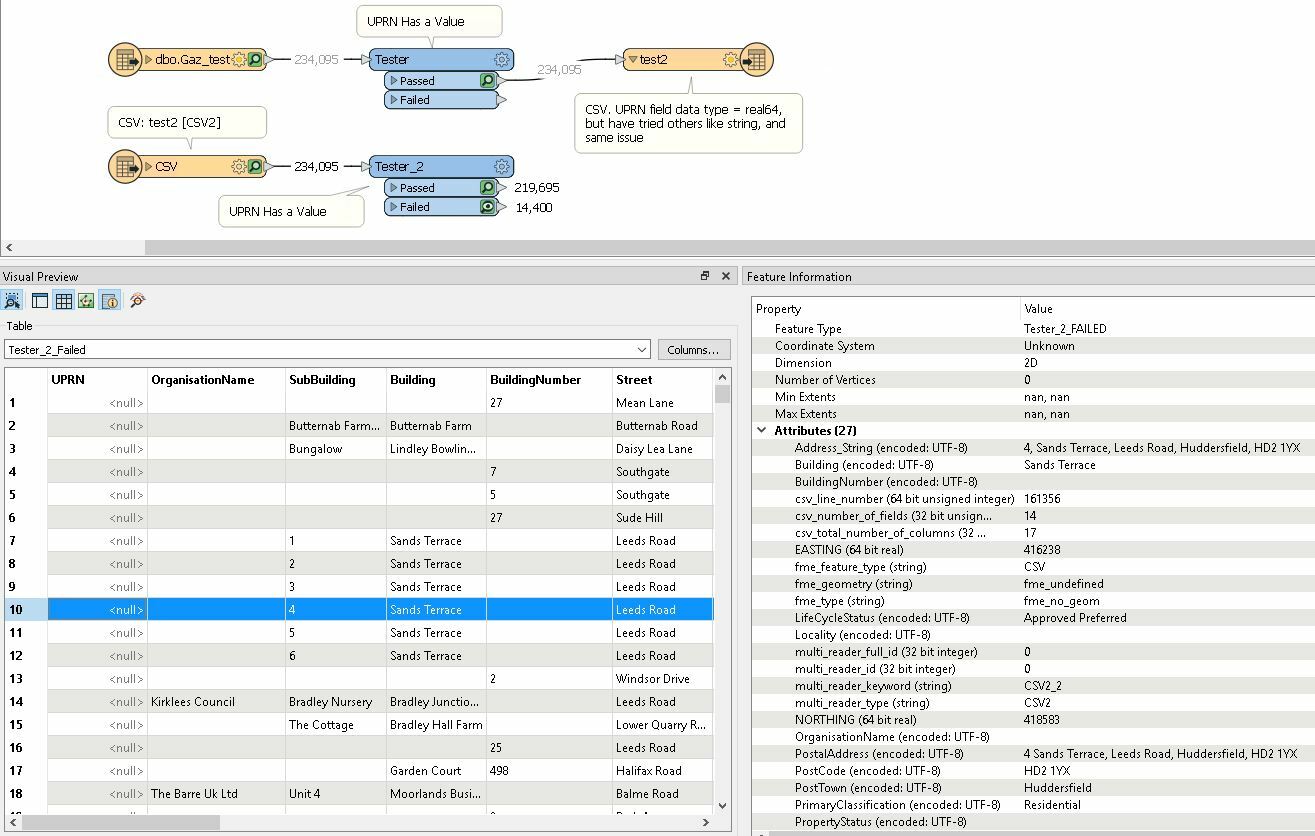
Second capture is the output after reading the CSV (lower workflow). Notice that there are 14400 records with null UPRN.

 

Best answer by takashi

Hi @miquelrs, have you perhaps set data type of UPRN field manually in the CSV reader?

If you set a numeric type (e.g. int32) to the field manually and the value was out of range for the data type, the CSV reader would read it as <null>.

This post is closed to further activity.
It may be an old question, an answered question, an implemented idea, or a notification-only post.
Please check post dates before relying on any information in a question or answer.
For follow-up or related questions, please post a new question or idea.
If there is a genuine update to be made, please contact us and request that the post is reopened.

11 replies

Forum|alt.badge.img+2

CSV will accept just about anything. Can you post a screenshot of some values from the inspector just before the writer?


miquelrs
Contributor
Forum|alt.badge.img+7
  • Author
  • Contributor
  • May 12, 2020

CSV will accept just about anything. Can you post a screenshot of some values from the inspector just before the writer?

Hi, @jlbaker2779, have added screen captures, as requested.


miquelrs
Contributor
Forum|alt.badge.img+7
  • Author
  • Contributor
  • May 12, 2020

Actually, all values missing are like 10.000.000.000 and 200.000.000.000. So quite larger than the 99.999.999 previously stated


Forum|alt.badge.img+2

Hi, @jlbaker2779, have added screen captures, as requested.

Sort your UPRN ascending and then descending on the top, does every record have a value?


If it does have a value, use a tester to test out a single record from the bottom and top like; 4 Sands Terrace Leeds Road. Check if the attribute is only digits, no spaces etc. Then use a expression evaluator to multiply the number by 1 and write to the CSV.


Kind of a work around that should work, but if it's not null and the attribute is all numerical values it should be writing without issue to the column and may need to be looked at by Safe.


takashi
Celebrity
  • Best Answer
  • May 12, 2020

Hi @miquelrs, have you perhaps set data type of UPRN field manually in the CSV reader?

If you set a numeric type (e.g. int32) to the field manually and the value was out of range for the data type, the CSV reader would read it as <null>.


ebygomm
Influencer
Forum|alt.badge.img+46
  • Influencer
  • May 12, 2020

If you are trying to write exactly this value 10.000.000.000 to a field that is set to be a number it will not be written. Are the points actually present in your data?


miquelrs
Contributor
Forum|alt.badge.img+7
  • Author
  • Contributor
  • May 12, 2020

If you are trying to write exactly this value 10.000.000.000 to a field that is set to be a number it will not be written. Are the points actually present in your data?

I added the .'s manually in this post. UPRNs that are missing look like 200003790604 and 10094968720, while the ones that go through are like 83000014


miquelrs
Contributor
Forum|alt.badge.img+7
  • Author
  • Contributor
  • May 12, 2020

Hi @miquelrs, have you perhaps set data type of UPRN field manually in the CSV reader?

If you set a numeric type (e.g. int32) to the field manually and the value was out of range for the data type, the CSV reader would read it as <null>.

Hi @takashi, the reader is a SQL database, and the datatype is set to "float" by default in the reader.


miquelrs
Contributor
Forum|alt.badge.img+7
  • Author
  • Contributor
  • May 12, 2020
Sort your UPRN ascending and then descending on the top, does every record have a value?


If it does have a value, use a tester to test out a single record from the bottom and top like; 4 Sands Terrace Leeds Road. Check if the attribute is only digits, no spaces etc. Then use a expression evaluator to multiply the number by 1 and write to the CSV.


Kind of a work around that should work, but if it's not null and the attribute is all numerical values it should be writing without issue to the column and may need to be looked at by Safe.


All records have originally a value in the step previous to the writer (all UPRNs listed in the first screenshot get to "null" once written as csv.


UPRNs that are missing look like 200003790604 and 10094968720, while the ones that go through are like 83000014

takashi
Celebrity
  • May 12, 2020

Hi @miquelrs, have you perhaps set data type of UPRN field manually in the CSV reader?

If you set a numeric type (e.g. int32) to the field manually and the value was out of range for the data type, the CSV reader would read it as <null>.

I meant this one. Have you checked data type setting in this CSV reader feature type?


miquelrs
Contributor
Forum|alt.badge.img+7
  • Author
  • Contributor
  • May 12, 2020

I meant this one. Have you checked data type setting in this CSV reader feature type?

Great, so that was the issue, with the reader, not with the writer. It was set automatically to int32. I have changed it to int64 and string and those missing UPRNs come through. Thank you very much for your help!