Question

Converting json into excel table

  • June 29, 2016
  • 4 replies
  • 257 views

Forum|alt.badge.img

Hello

I am trying to convert a json file into an excel spreadsheet with each json attribute in it's own column. I am playing around with jsonflattener and attributeexposer however this has been quite difficult. I was wondering if any expert could help.

Many thanks!

@takashi

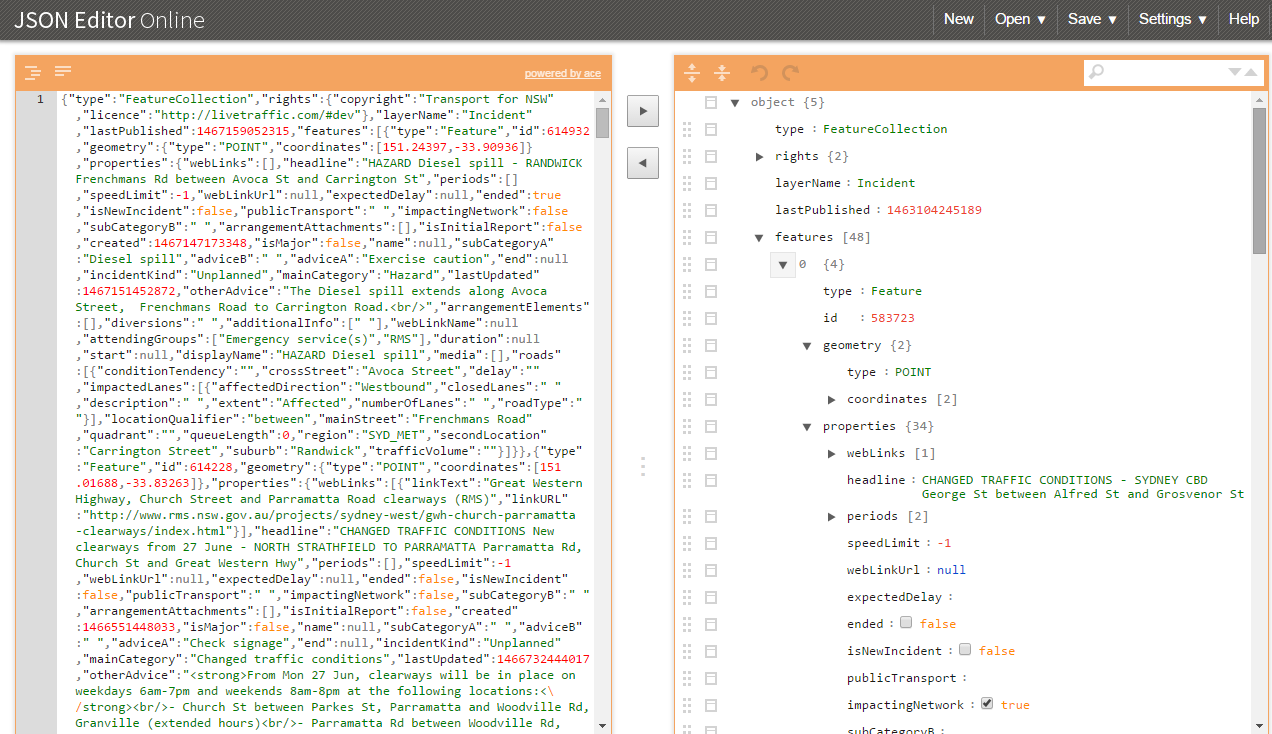
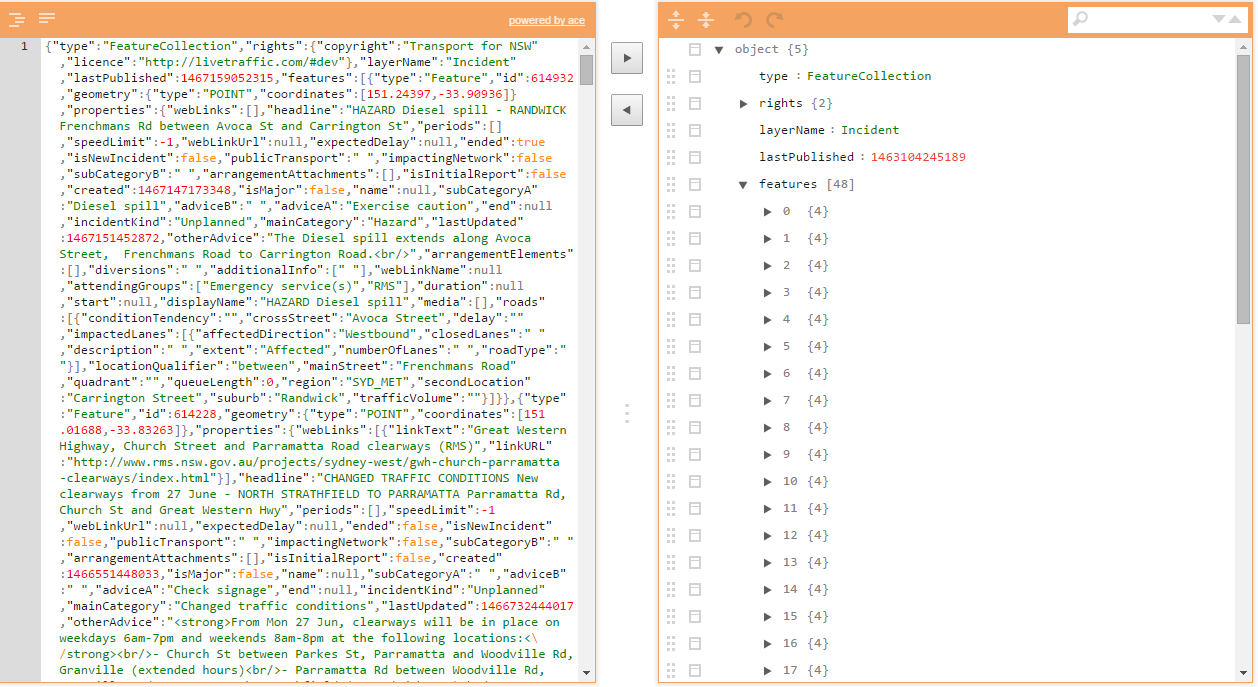
Here is a view of the json file
This post is closed to further activity.
It may be an old question, an answered question, an implemented idea, or a notification-only post.
Please check post dates before relying on any information in a question or answer.
For follow-up or related questions, please post a new question or idea.
If there is a genuine update to be made, please contact us and request that the post is reopened.

4 replies

takashi
Celebrity
  • June 29, 2016

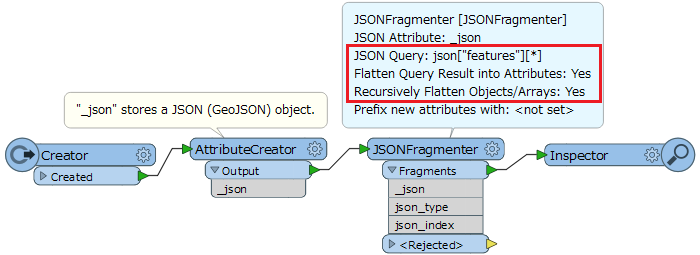
Hi @latias9787, I think the JSONFragmenter would be suitable.

  • JSON Query: json["features"][*]
  • Flatten Query Result into Attributes: Yes
  • Recursively Flatten Objects/Arrays: Yes

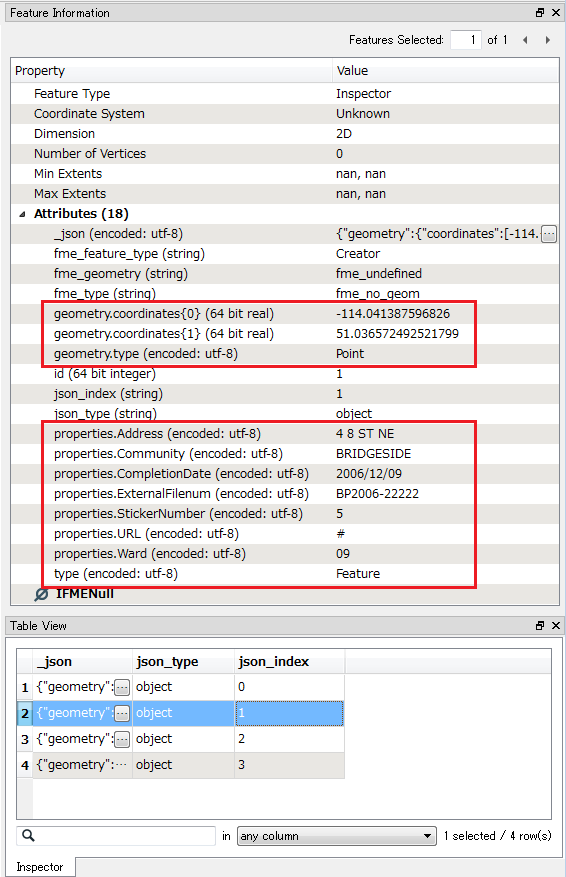
The transformer with this setting flattens every object contained by the "features" array simultaneously. The schema of the objects is a little bit complex. Check the extracted attribute names with the Feature Information window of FME Data Inspector.

In addition, looks like it's a GeoJSON object. If you don't need to flatten "geometry" objects, the GeoJSON reader might be further easier.


Forum|alt.badge.img
  • Author
  • June 29, 2016

Hi takashi

Thanks for the swift response, I am still a bit unsure on what to do, I have attached the JSONFragmenter however no features have been written. I am trying to parse each object's field so that each row would contain a object with the relevant attributed inserted ie type, id, speedlimit. I am just beginning to use fme, thanks so much.


takashi
Celebrity
  • June 29, 2016

Hi takashi

Thanks for the swift response, I am still a bit unsure on what to do, I have attached the JSONFragmenter however no features have been written. I am trying to parse each object's field so that each row would contain a object with the relevant attributed inserted ie type, id, speedlimit. I am just beginning to use fme, thanks so much.

@latias9787, did you check whether the contents in the JSON document are fragmented and flattened by the JSONFragmenter, using FME Data Inspector? If the transformer worked as expected, attributes prefixed by "properties." (e.g. "properties.speedLimit", "properties.webLinkUrl" etc.) must be shown in the Feature Information window when you select a feature in the Table View.


takashi
Celebrity
  • June 29, 2016

Hi takashi

Thanks for the swift response, I am still a bit unsure on what to do, I have attached the JSONFragmenter however no features have been written. I am trying to parse each object's field so that each row would contain a object with the relevant attributed inserted ie type, id, speedlimit. I am just beginning to use fme, thanks so much.

This is a simplified demo. The source JSON document can be fragmented and flattened with the JSONFragmenter, and you can check the result with the FME Data Inspector (Feature Information window). See also the attachment: jsonfragmenter-example.fmw (FME 2016.1)

FME Data Inspector - Feature Information

You can see the flattened attributes here.