


Question

SmallWorld - More Options

  • May 24, 2019
  • 5 replies
  • 35 views

pratap
Contributor
Forum|alt.badge.img+12

When I looked at the below link

https://knowledge.safe.com/articles/48316/importing-into-smallworld.html


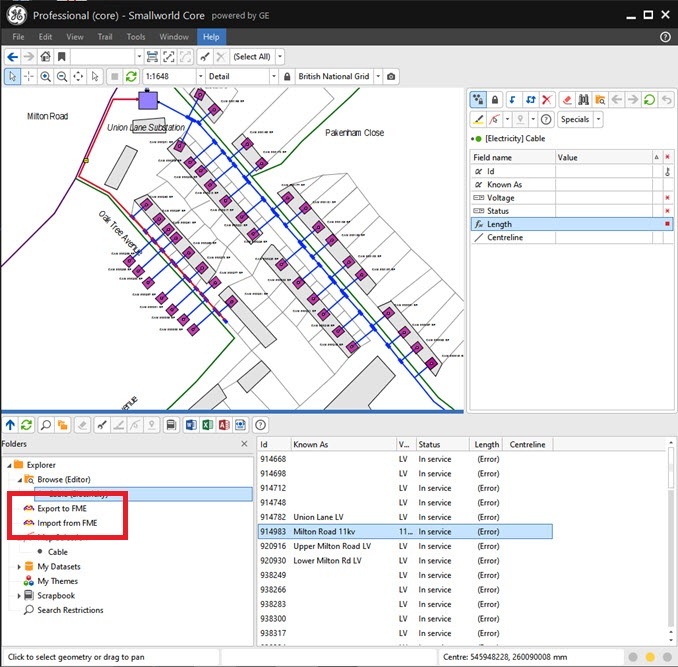
I came across the options "Export to FME" and "Import from FME" in Folders dialogue box

Does anyone used these options (refer image at red polygon)???
 

If yes could you kindly provide some information about uses/functions/requirements to use them

Thank you

Pratap

This post is closed to further activity.
It may be an old question, an answered question, an implemented idea, or a notification-only post.
Please check post dates before relying on any information in a question or answer.
For follow-up or related questions, please post a new question or idea.
If there is a genuine update to be made, please contact us and request that the post is reopened.

5 replies

zzupljanin
Contributor
Forum|alt.badge.img+5
  • Contributor
  • May 24, 2019

Hello,


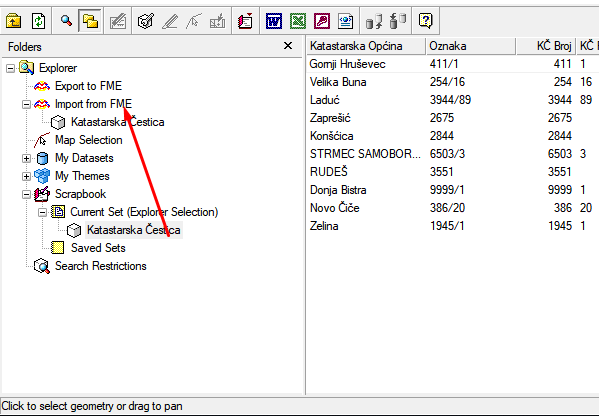
so these two slots in explorer in sw are here for you to only import/export only selected collections of objects.


You just drag and drop collection from My Datasets. All objects inside it will get:

1. Added as writer in FME (if you add collection to Export to FME)

2. Added as reader in FME (if you add collection to Import from FME)


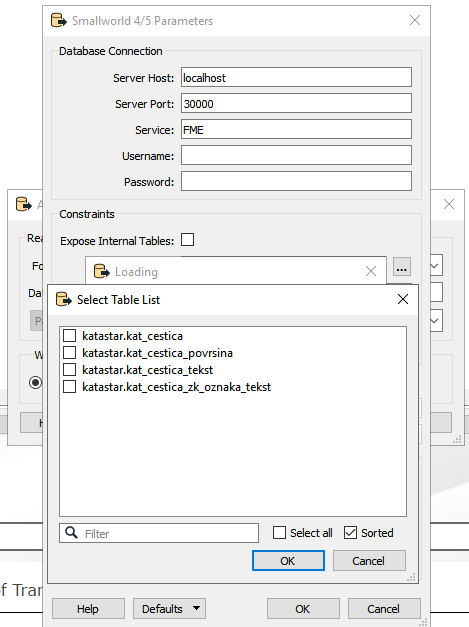
Of course, you need to add SW4/5 Reader or Writer and choose Table list (only collection that are in these two slots will be shown).


This is particulary usefull when you want to use only few objects of sw in fme (You don't have to read whole database). Then you:

1. Select objects of interest in SW

2. Put them in Scrapbook

3. From Scrapbook drag collections (one by one) to Import from FME


Try it, and give us your insight.


Cheers.


pratap
Contributor
Forum|alt.badge.img+12
  • Author
  • Contributor
  • May 27, 2019

Thank you @zzupljanin

Could you kindly explain further

3. From Scrapbook drag collections (one by one) to Import from FME

Pratap


zzupljanin
Contributor
Forum|alt.badge.img+5
  • Contributor
  • May 27, 2019

Thank you @zzupljanin

Could you kindly explain further

3. From Scrapbook drag collections (one by one) to Import from FME

Pratap

Certainly,


Please look at the example.


I have features of interest (in Scrapbook) that I want to work with in FME.

I'll just drag them to Import to FME.


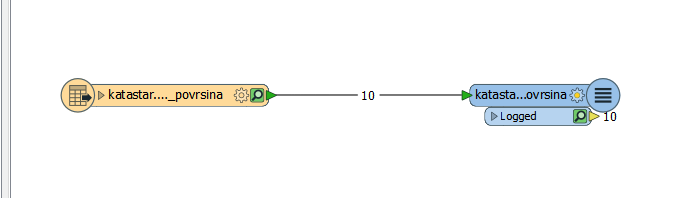
Inside FME: only selected collections are visible as tables to read. When running workspace, only these features went trough Reader although SW database consist of thousands of data.


Like I've said. Very practical, very timesaving, you don't have to read whole database if you work only with some data.


pratap
Contributor
Forum|alt.badge.img+12
  • Author
  • Contributor
  • May 28, 2019

Certainly,


Please look at the example.


I have features of interest (in Scrapbook) that I want to work with in FME.

I'll just drag them to Import to FME.


Inside FME: only selected collections are visible as tables to read. When running workspace, only these features went trough Reader although SW database consist of thousands of data.


Like I've said. Very practical, very timesaving, you don't have to read whole database if you work only with some data.

Hi,

I have added from scrapbook to "Import from FME". It is same as per your screenshot. But I'm not sure how to bring this collection as reader in FME???


zzupljanin
Contributor
Forum|alt.badge.img+5
  • Contributor
  • May 29, 2019

Hi,

I have added from scrapbook to "Import from FME". It is same as per your screenshot. But I'm not sure how to bring this collection as reader in FME???

It's the same procedure as in https://knowledge.safe.com/articles/48316/importing-into-smallworld.html


1. Add SW Reader

2. Go to parameters

3. Go to Table List: Pick tables to read