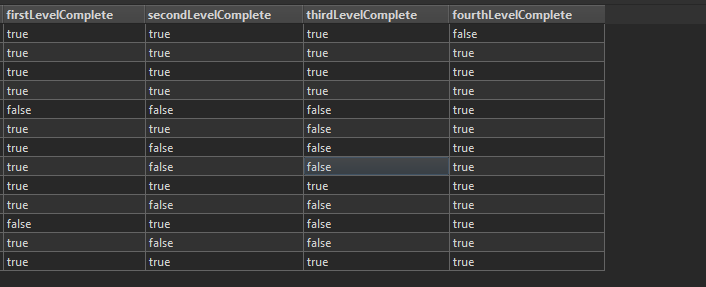
I'm having a problem writing to Azure Cosmos DB where I format the attributes as in the image below and use the Azure Cosmos DB writer to write to the DB. When I test connection and write it says all good however when I go to view the data I get this error and the data hasn't been written.
A fatal error has occurred. Check the logfile above for details
Failed to specify the feature index as constraints on the reader
Cosmos DB (DocumentDB) Reader: Request failed with HTTP status 400. The message from the server is: 'Cross partition query is required but disabled. Please set x-ms-documentdb-query-enablecrosspartition to true, specify x-ms-documentdb-partitionkey, or revise your query to avoid this exception.
Any help would be very much appreciated!
Thanks
Joe
Best answer by gerhardatsafe
Hi @joe_p,
Are you trying to view the data within FME or in the Azure Portal? If you are trying to view the data in FME with one of the visual preview options I could imagine that the Reader used to do that is just using the default settings with Cross partition query disabled.
Can you try to read the data with newly added Reader setting the Cross partition query to enabled, like described in this question:
The underlying API expects a JSON array, therefore if the parameter starts with [" we just use the literal string entered and if there is only a single value we wrap it as an array with ["<your_string>"]. So likely the partition key is more complex in this scenario and needs to be entered as an array.
This post is closed to further activity.
It may be an old question, an answered question, an implemented idea, or a notification-only post.
Please check post dates before relying on any information in a question or answer.
For follow-up or related questions, please post a new question or idea.
If there is a genuine update to be made, please contact us and request that the post is reopened.
Are you trying to view the data within FME or in the Azure Portal? If you are trying to view the data in FME with one of the visual preview options I could imagine that the Reader used to do that is just using the default settings with Cross partition query disabled.
Can you try to read the data with newly added Reader setting the Cross partition query to enabled, like described in this question:
The underlying API expects a JSON array, therefore if the parameter starts with [" we just use the literal string entered and if there is only a single value we wrap it as an array with ["<your_string>"]. So likely the partition key is more complex in this scenario and needs to be entered as an array.
Thankyou @gerhardatsafe that works I can now read the database and can confirm nothing is being written.
I have this error when writing now:
2020-02-26 23:15:02| 1.0| 0.0|WARN |Cosmos DB (DocumentDB) Writer: Request failed with HTTP status 400. The message from the server is: 'The partition key supplied in x-ms-partitionkey header has fewer components than defined in the the collection.'
I'm certain I am using the correct partition key so not sure what else this could be, do you have any ideas?
Thankyou @gerhardatsafe that works I can now read the database and can confirm nothing is being written.
I have this error when writing now:
2020-02-26 23:15:02| 1.0| 0.0|WARN |Cosmos DB (DocumentDB) Writer: Request failed with HTTP status 400. The message from the server is: 'The partition key supplied in x-ms-partitionkey header has fewer components than defined in the the collection.'
I'm certain I am using the correct partition key so not sure what else this could be, do you have any ideas?
Thanks
Joe
Could it be that the partition key is an array and not just a single value? The underlying API expects a JSON array, therefore if the parameter starts with [" we just use the literal string entered and if there is only a single value we wrap it as an array with ["<your_string>"].
Could it be that the partition key is an array and not just a single value? The underlying API expects a JSON array, therefore if the parameter starts with [" we just use the literal string entered and if there is only a single value we wrap it as an array with ["<your_string>"].
Can you share an example of your partition key?
That did it! Thanks @gerhardatsafe I changed the partition key to the username attribute and it is now writing perfectly.