




Question

DWG Writer - Points with block name to INSERTS and Lines to lines not blocks

  • February 3, 2020
  • 1 reply
  • 191 views

cws
Contributor
Forum|alt.badge.img

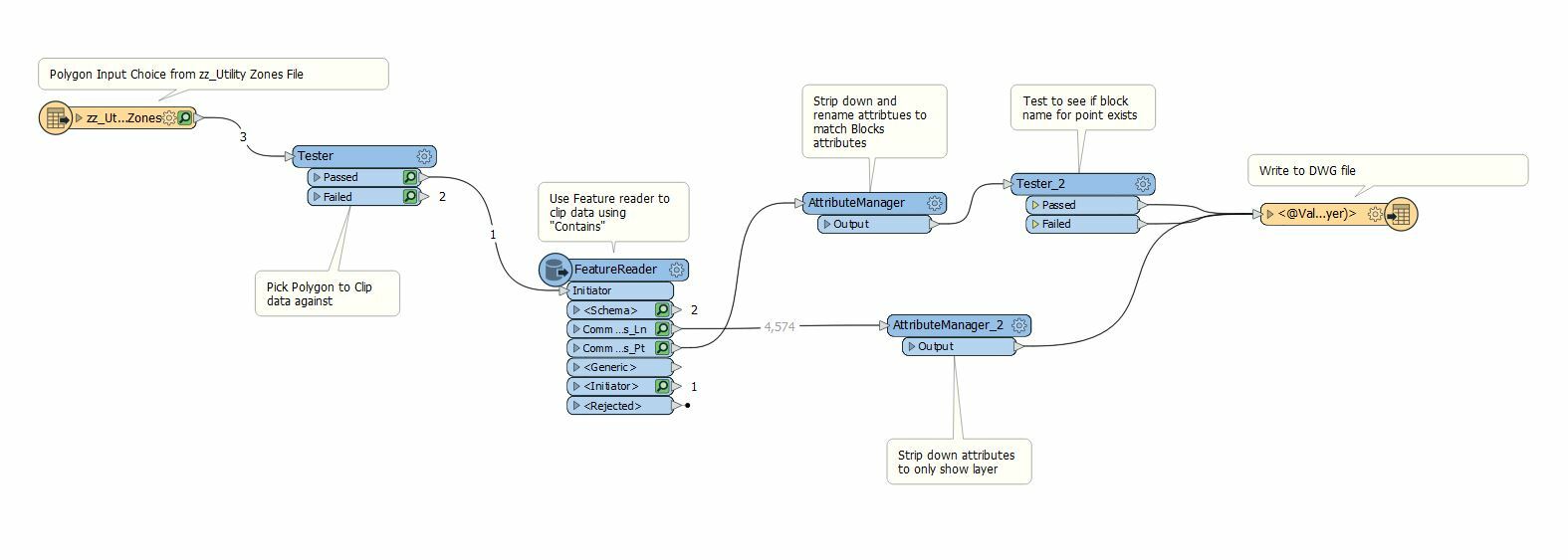
I am creating a tool to clip a dataset (ESRI FGDB with multiple feature classes) then write the data to a dwg file with the following:

1 - any point feature with a block name in the attributes to the corresponding block in the Template file.

2 - any point feature without a block name in the attributes to be an ACAD point in the layer specified in the attributes

3 - any line feature to be a 3d polyline / 3d line in the layer specified in the attributes.

So far i have been able to achieve each of these separately but cannot get the required output in a single file.

Sample workspace below:
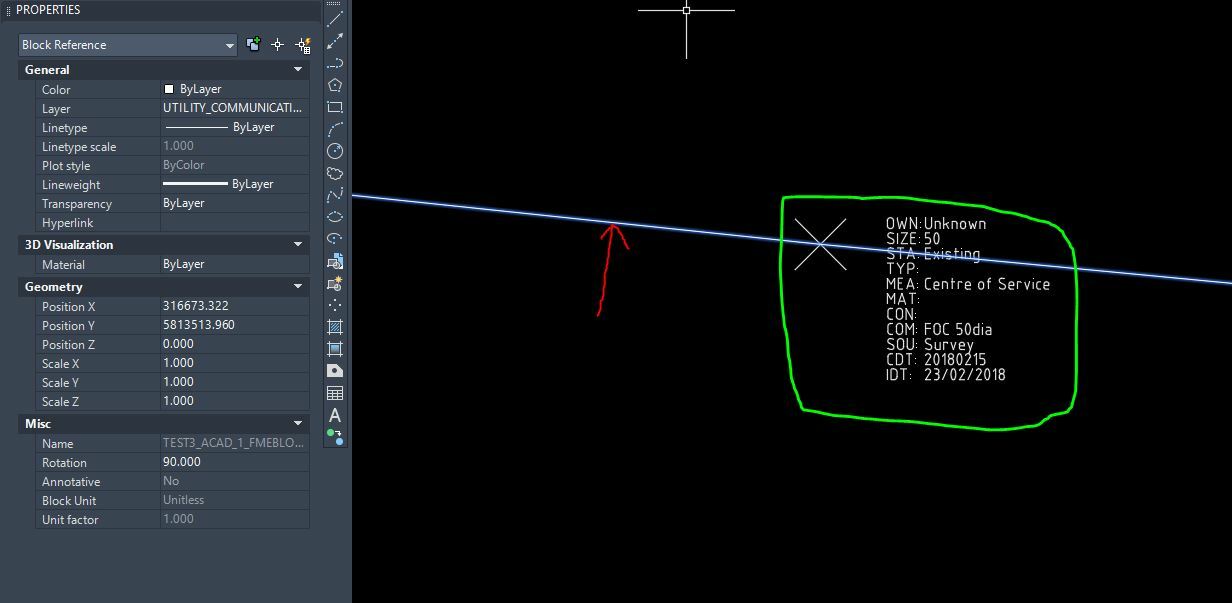
Below is an example output:

Red arrow - shows the line represented as a block --> this needs to be a 3dpoly or line

Green Square - shows the block attribute for the point with block value in attributes. --> this is correct

 

This post is closed to further activity.
It may be an old question, an answered question, an implemented idea, or a notification-only post.
Please check post dates before relying on any information in a question or answer.
For follow-up or related questions, please post a new question or idea.
If there is a genuine update to be made, please contact us and request that the post is reopened.

1 reply

nampreetatsafe
Safer
Forum|alt.badge.img+13

Hi @cws! I found an answer by daveatsafe in another post that might help here: https://knowledge.safe.com/questions/85438/dwg-block-to-polyline.html

If you have User Attributes defined in your DWG feature types, and the writer Attribute Output is set to Inserts, FME will convert all the output features to blocks ...change the Attribute Output to Extended Entity Data to prevent this. FME will also write any aggregate features to DWG as blocks. Using a Deaggregator on the features before writing will prevent this.

I hope this helps!


