
Solved

CSV Reader: can source file can be parametrized?

  • March 19, 2018
  • 3 replies
  • 43 views

Forum|alt.badge.img

Hi all,

I am doing my first steps with FME.

I am trying to parametrize a CSV reader as follow:
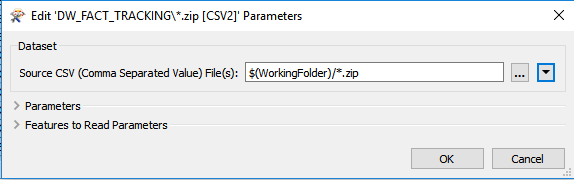
But parameter is replaced by its value:
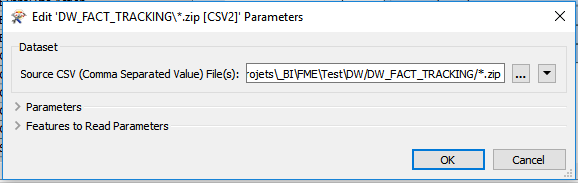
How to do this?

Many thanks for your help!

Best answer by erik_jan

The parameter shows the default value of the WorkingFolder parameter.

But at runtime, the parameter is used.

This post is closed to further activity.
It may be an old question, an answered question, an implemented idea, or a notification-only post.
Please check post dates before relying on any information in a question or answer.
For follow-up or related questions, please post a new question or idea.
If there is a genuine update to be made, please contact us and request that the post is reopened.

3 replies

erik_jan
Contributor
Forum|alt.badge.img+26
  • Contributor
  • Best Answer
  • March 19, 2018

The parameter shows the default value of the WorkingFolder parameter.

But at runtime, the parameter is used.


redgeographics
Celebrity
Forum|alt.badge.img+62

Normally if you add a reader FME will automatically add a parameter for the source file(s), this can then be used to parameterize your input.

If you want to keep one part of the path in a different parameter you may want to consider creating a private one (Workingfolder) and referencing that in the Source dataset parameter, like this:

First I create the private parameter, then added the reader which came with the automatically generated parameter SourceDataset_CSV2, pointing to the full path of the csv file used to create the reader. Then I edited that parameter to use my Workingfolder parameter and added the wildcard.


Forum|alt.badge.img
  • Author
  • March 19, 2018

Dear redgeographics, dear erik_jan,

Many thanks for your help!

Even if the parameter is replaced in the editor, it is well used on runtime.






