Question

ArcGIS Server kmz to file?

  • September 23, 2019
  • 5 replies
  • 59 views

Forum|alt.badge.img
This post is closed to further activity.
It may be an old question, an answered question, an implemented idea, or a notification-only post.
Please check post dates before relying on any information in a question or answer.
For follow-up or related questions, please post a new question or idea.
If there is a genuine update to be made, please contact us and request that the post is reopened.


5 replies

redgeographics
Celebrity
Forum|alt.badge.img+62

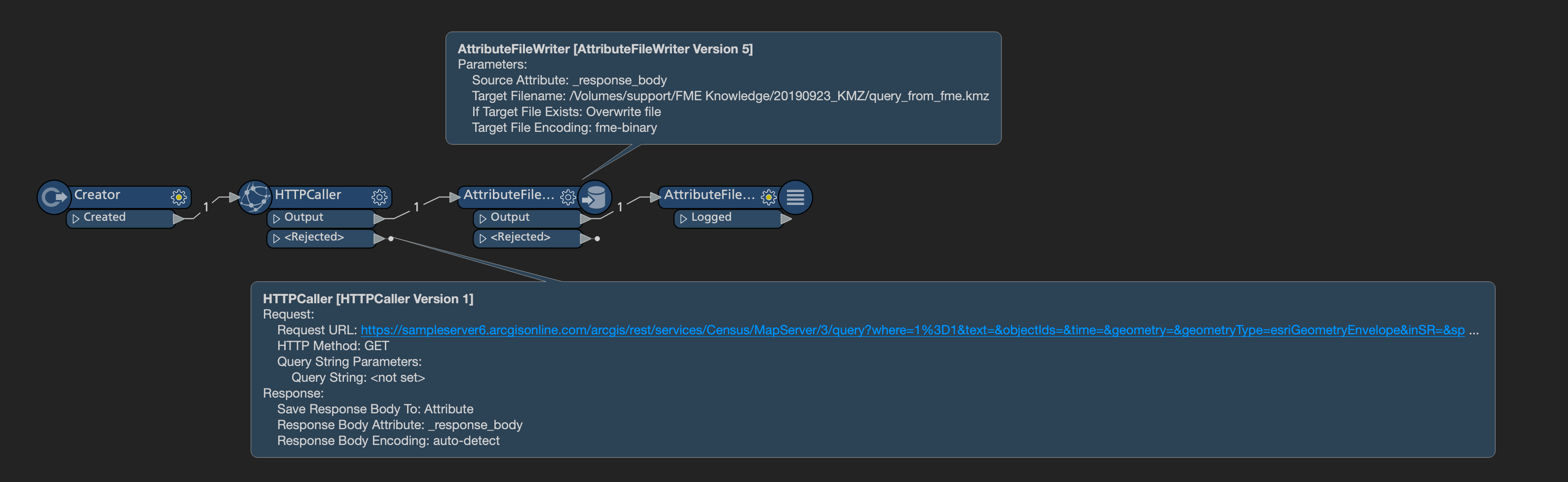
First a HTTPCaller, I just pasted your entire url in there. It'll save the response in the attribute _response_body. Then an AttributeFileWriter to write that to a .kmz file, make sure to set the encoding to fme_binary.


Forum|alt.badge.img
  • Author
  • September 24, 2019

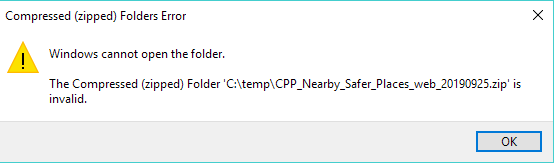
Thanks @redgeographics that works for that sample url. Unfortunately, only returning a 1kb KMZ for our web service. Same parameters but the layer https://sampleserver6.arcgisonline.com/arcgis/rest/services/Census/MapServer/3 being replaced with our own.


redgeographics
Celebrity
Forum|alt.badge.img+62

Thanks @redgeographics that works for that sample url. Unfortunately, only returning a 1kb KMZ for our web service. Same parameters but the layer https://sampleserver6.arcgisonline.com/arcgis/rest/services/Census/MapServer/3 being replaced with our own.

Could you check inside that KMZ? (rename it to .zip and then simply unzip it) I wonder if there might be a clue in there.


Forum|alt.badge.img
  • Author
  • September 24, 2019

The response body is:

<!DOCTYPE html>


<html>


<head>


<script src="login/config/dojo.js"></script>


<script src="jsapi/dojo/dojo.js"></script>


<script>


require(["login", "dojo/domReady!"], function(login) {


login.run();


});


</script>


</head>


<body>


</body>


</html>


From https://developers.arcgis.com/rest/services-reference/kml-output-and-operations.htm

"KML options are not available when services are secured using token based authentication. "


redgeographics
Celebrity
Forum|alt.badge.img+62

The response body is:

<!DOCTYPE html>


<html>


<head>


<script src="login/config/dojo.js"></script>


<script src="jsapi/dojo/dojo.js"></script>


<script>


require(["login", "dojo/domReady!"], function(login) {


login.run();


});


</script>


</head>


<body>


</body>


</html>


From https://developers.arcgis.com/rest/services-reference/kml-output-and-operations.htm

"KML options are not available when services are secured using token based authentication. "

Aha! It looks like it's an authentication issue. If you are using token based authentication it looks like you might be out of luck, if you use another method you'll have to set that up in the HTTPCaller.