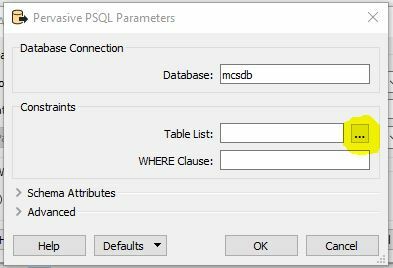



I get the following error when trying to access a Pervasive SQL database
Starting translation...
FME 2018.0.0.0 (20180308 - Build 18284 - WIN32)
FME Database Edition (node locked-crc)
Temporary License: 16 days left.
Machine host name is: cmcclain
Operating System: Microsoft Windows 10 64-bit (Build 16299)
Copyright (c) 1994 - 2018, Safe Software Inc.
Safe Software Inc.
Creating reader for format: Pervasive PSQL
Trying to find a DYNAMIC plugin for reader named `PERVASIVE'
Loaded module 'PERVASIVE' from file 'C:\\apps\\FME\\plugins/FME_ADO.dll'
FME API version of module 'PERVASIVE' matches current internal version (3.8 20180209)
Pervasive Reader: Read 0 DEF line(s). Found 0 attribute(s)
Pervasive Reader: Opening `mcsdb' for read operation
Pervasive Reader: Connection failed. Connection string `Provider=MSDASQL;DSN=mcsdb'. Provider error `(-2147217843) [PSQL][ODBC Client Interface][LNA][PSQL][SQL Engine][Data Record Manager]Invalid user authorization specification.'
Failed to open reader
Failed to obtain any schemas from reader 'PERVASIVE' from 1 datasets. This may be due to invalid datasets or format accessibility issues due to licensing, dependencies, or module loading. See logfile for more information
FME Session Duration: 0.3 seconds. (CPU: 0.1s user, 0.1s system)
END - ProcessID: 5376, peak process memory usage: 40568 kB, current process memory usage: 40528 kB
Failed to obtain any schemas from reader 'PERVASIVE' from 1 datasets. This may be due to invalid datasets or format accessibility issues due to licensing, dependencies, or module loading. See logfile for more information
Program Terminating
Translation FAILED.
Workspace generation failed. Parameter file was C:\\Users\\cmcclain\\AppData\\Local\\Temp\\FME_1522349455173_6808.