

Puzzle 1
The first puzzle requires the user to examine a dataset to find a hidden keyword:
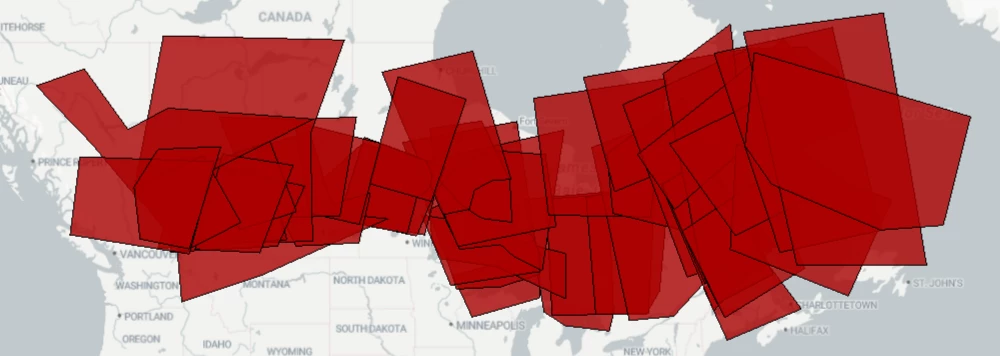
The records in the data can be overlaid to show a keyword. All of the data is on the same layer, but it does have a Zone attribute to distinguish it.
Therefore, it's simple to overlap the data using Zone as a group-by attribute, then look for records with 2 or more overlaps:
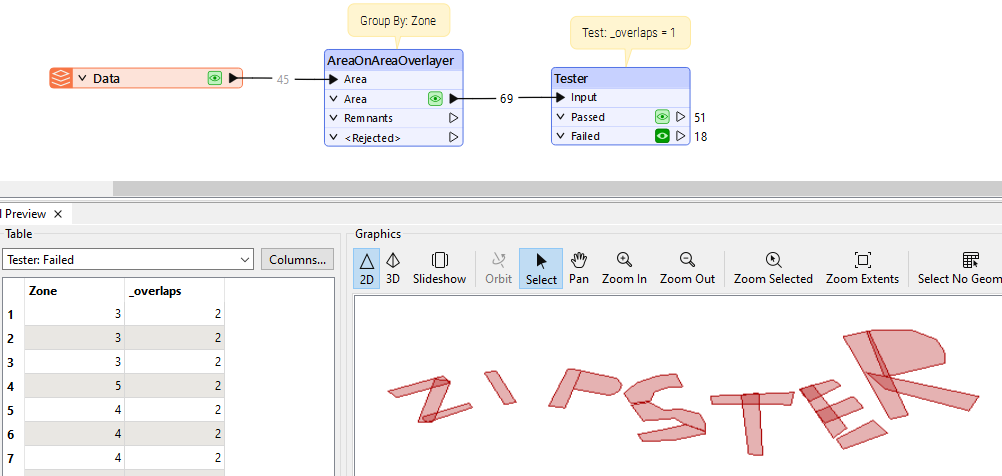
So, enter zipster into the text field to receive the first clue.
Clue
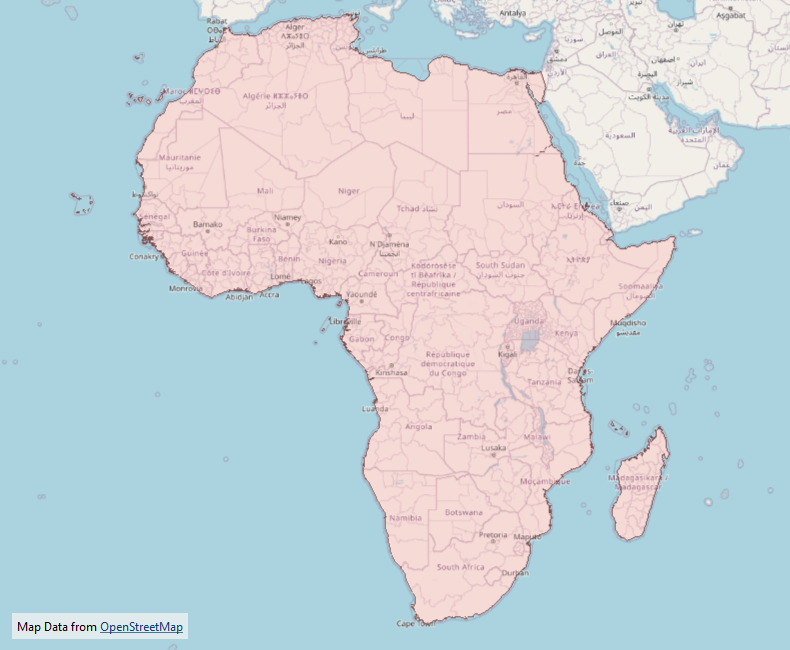
- The actual clue is a dataset. In this case it is a map of the continent of Africa.
- The wide area covered is meant to show that this location is the most basic for this set of puzzles.
Bonus Clue
- The bonus clue for this puzzle states: As in any treasure hunt, X marks the spot!
- This tells the player that the location of the treasure can be identified by the shape of an X.
Notes
- Zipster, of course, is the mechanical partner of the FME Lizard.
Puzzle 2
The second puzzle is another dataset from which a hidden code can be deduced:
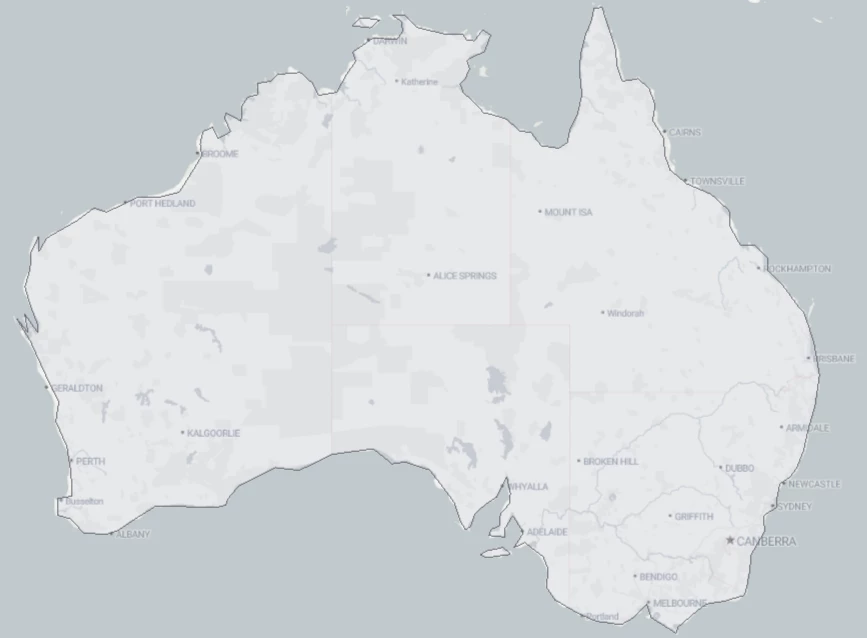
The dataset is a basic map of Australia. There is an equation that tells you how to calculate the keyword:
(Number of Vertices / Number of Parts) * (Number of Holes + Number of List Elements)
Using the various transformers available in FME, it's a simple task to calculate these numbers:
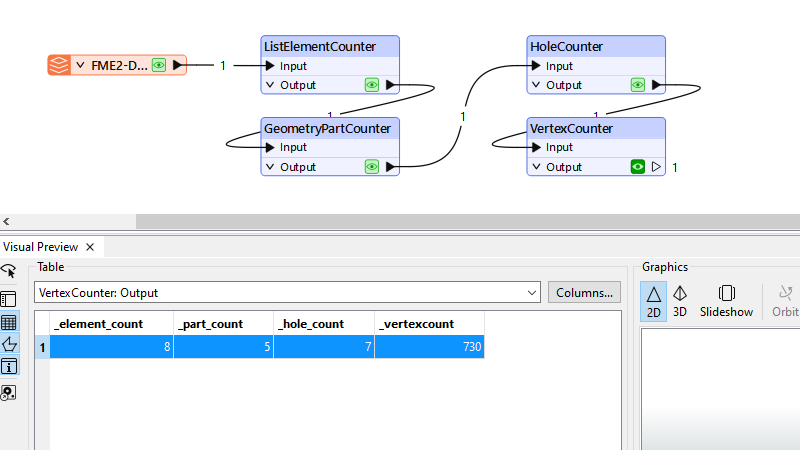
That gives us:
(730 / 5) * (7 + 8) = 2190
So, enter 2190 into the text field to receive the second clue.
Clue
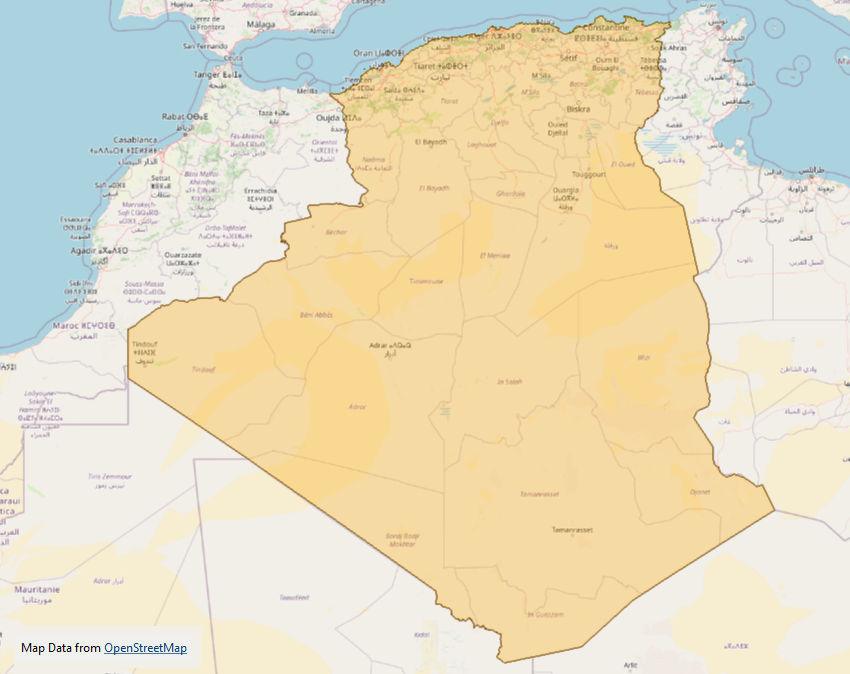
- The actual clue is another dataset, this time it's the outline of the country of Algeria (country).
Bonus Clue
- The bonus clue for this puzzle is: "Just so you know, Greenbeard’s treasure is buried on land, not lost at sea in Davy Jones’ locker."
- Basically, it tells you outright that the treasure is buried on land, and is not lost at sea.
Notes
- The sole feature in the dataset is an Aggregate geometry. The parts are major land areas (including islands). The holes represent cities. The list elements represent states.
- Did you notice that the source dataset also has an attribute that provides a bonus guess code?!
Puzzle 3
The third puzzle is a dataset of points to be used in a "shortest route" calculation:
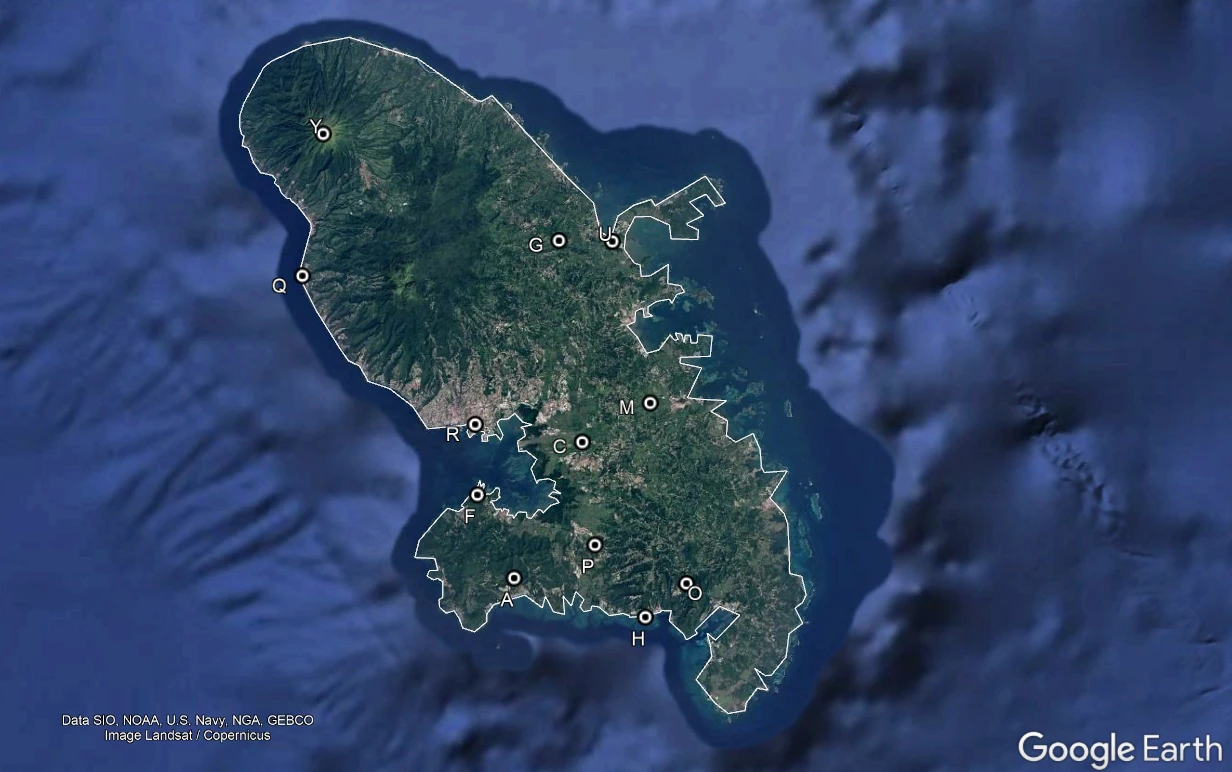
The points represent locations visited by Greenbeard on the island of Martinique. The task is to calculate the shortest route between these points.
There are some basic rules for the task:
- Greenbeard’s journey must visit all locations.
- There is no fixed start or end. He can start and finish at any point.
- All journeys are from one point to another. No road network is needed.
- Lizards can only travel in straight lines! No-one knows why!
- Lizards can’t swim, so routes cannot pass over the coastline.
In short, we are using straight lines, not a road network. So the first task is to create our network. We create a line from each point to every other point. But the straight lines cannot pass over the coastline, so we must drop those features that intersect the coastline.
The from-to path should include all points in the source data. It doesn't matter if the path passes over the coastline, since only the points are of interest:
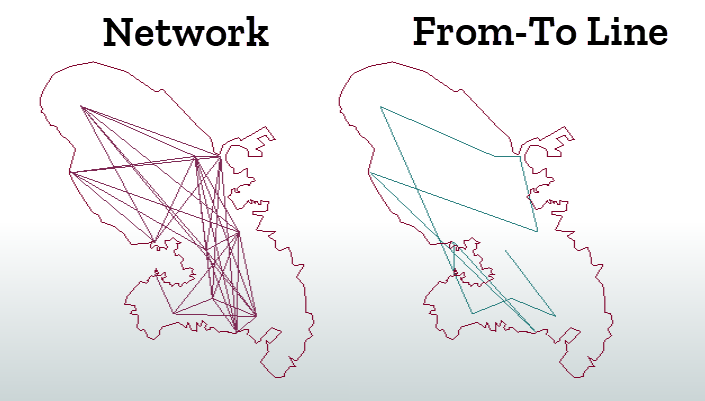
Now we feed this information into a ShortestPathFinder transformer. The parameters allow the From-To lines to be reordered (even the start/end points):
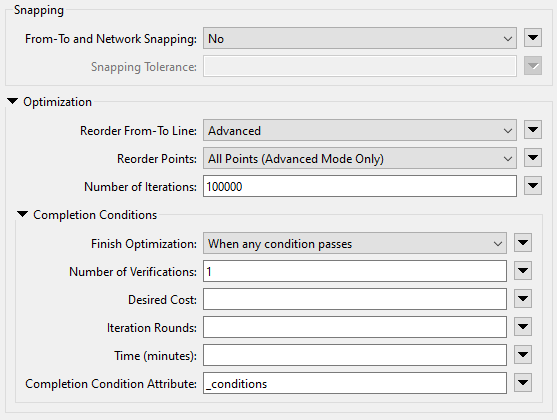
This gives us this sequence of features:
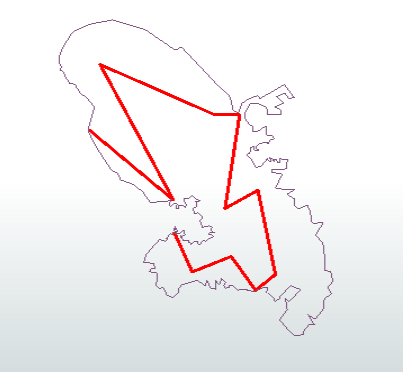
Using the ID letters for these points, we get the order:
QRYGUCMOHPAF
So, enter QRYGUCMOHPAF or FAPHOMCUGYRQ into the text field to receive the third clue.
Clue
- The actual clue is a dataset. In this case it is a map of the province of Algeria called Oran.
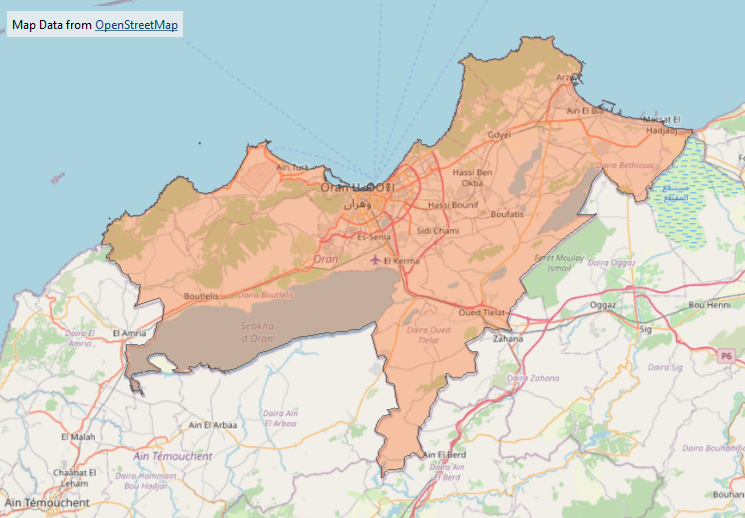
Bonus Clue
- The bonus clue for this puzzle states: There are 4 sets of puzzles and 4 corners to an X. Coincidence?!
- This is meant to show how each set of puzzles returns the end vertex of part of an X shape.
Notes
- The code can be either QRYGUCMOHPAF or FAPHOMCUGYRQ. Those are the same routes, just reversed.
- Notice the line from Y to Q can't be used, because it passes (ever so slightly) over the coastline provided.
Puzzle 4
The next puzzle is also provided in the form of a dataset:

The goal is to examine the data to find out how some point features are being "hidden" among a jumble of nonsense, and then give a name to the point features.
The trick is that there is not one table, but two. The first is a spatial data table, the second a plain attribute table.
Each record in the spatial table has its own unique ID. The attribute table shows which IDs should be strung together to create chains or even a polygon.
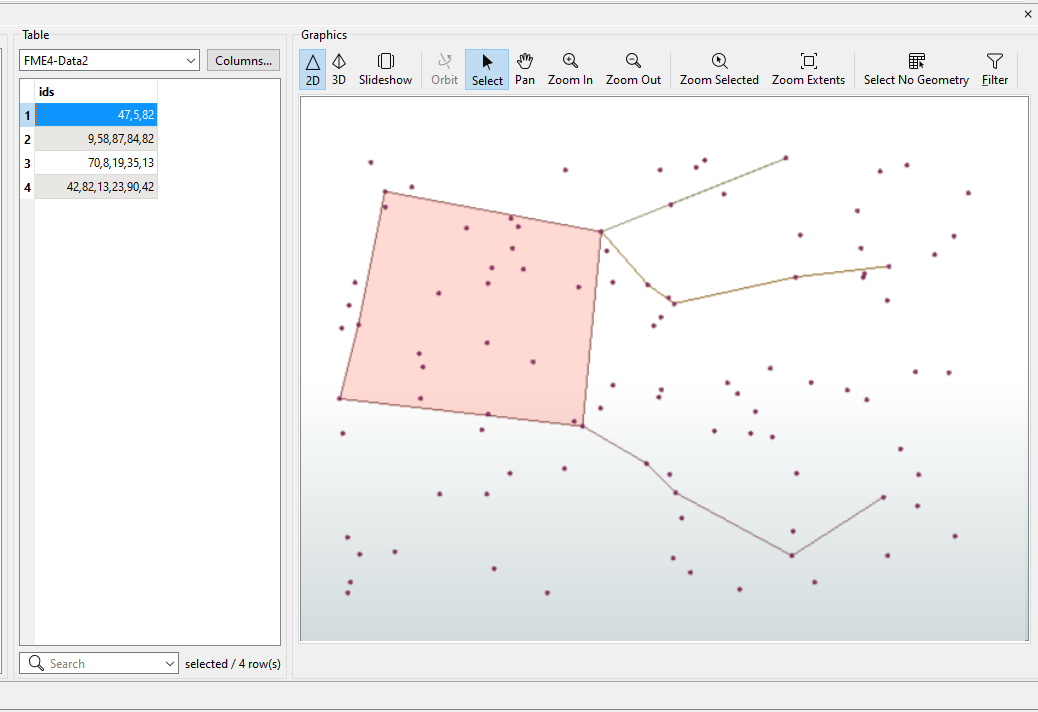
Having got the main set of features, we have to give it a name. The only clue we have is that it is not a lizard, but very close to one. In fact, it is the star constellation Pegasus, which is a neighbour to the constellation Lacerta (Lizard).
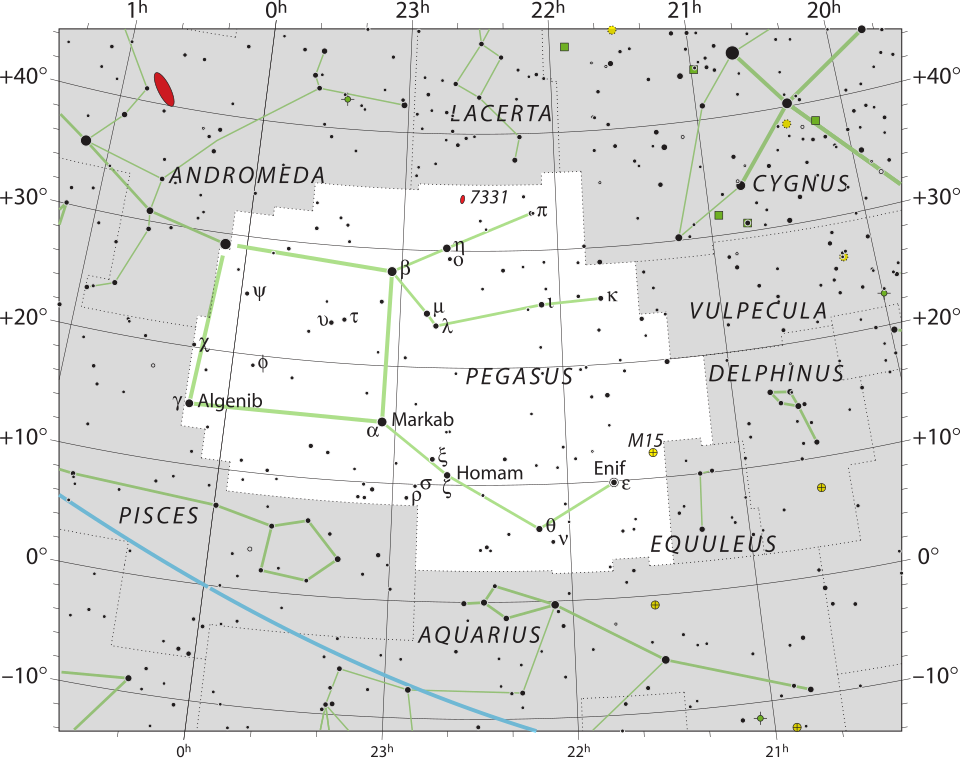
IAU and Sky & Telescope magazine (Roger Sinnott & Rick Fienberg), CC BY 3.0, via Wikimedia Commons.
So, enter pegasus into the text field to receive the fourth clue.
Clue
- The actual clue is a dataset. In this case it is a map of the city of Oran, Algeria.
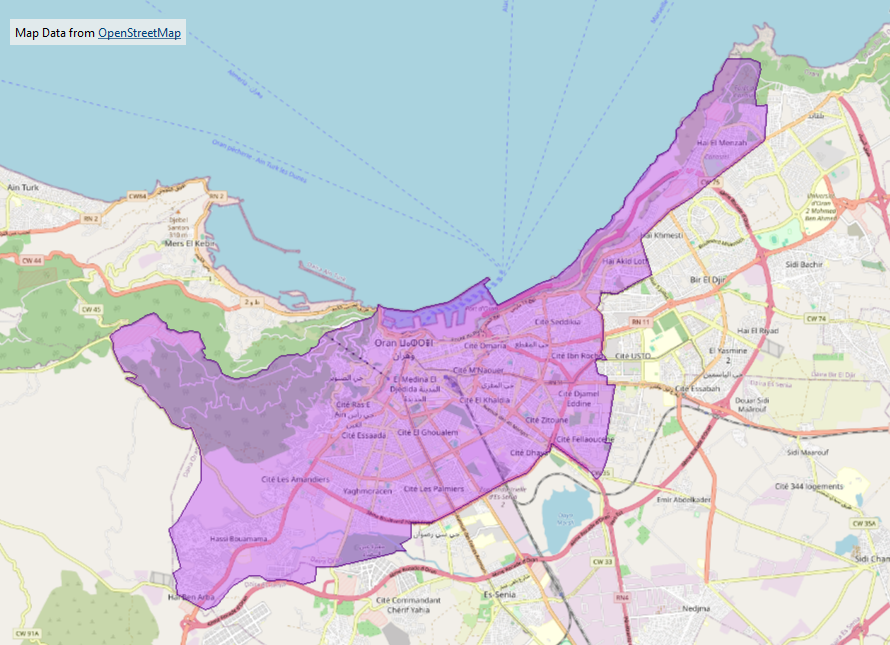
Bonus Clue
- The bonus clue for this puzzle states: The coordinate system is…. just good old LL-WGS84. But you probably realized that already. But did you know that lizards only transform data in 2D planar coordinates? Not geographic coordinates!
- The point here is that the final calculation of the X-shape and centre should be carried out using 2D planar transformations.
Notes
- Obviously, I'm not using the correct coordinate system for the Pegasus constellation. But you will hopefully understand that it is a constellation from its general shape.
Puzzle 5
The final puzzle requires the user to rebuild a dataset to find a hidden keyword:
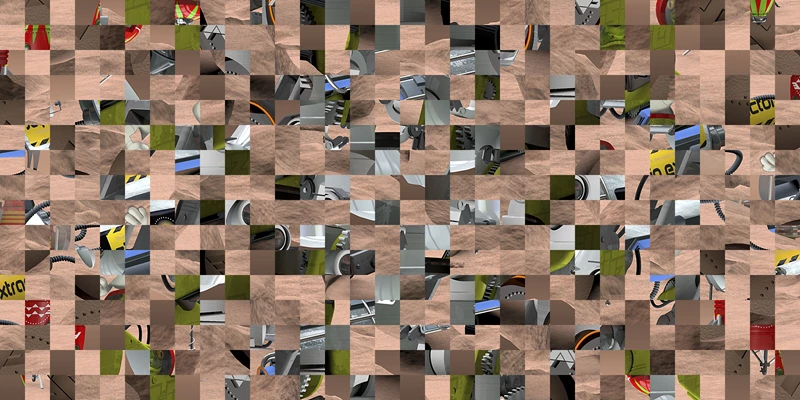
There is a keyword hidden in the image itself, but you'll never find it while the image is scrambled like this.
Therefore, the task is to unscramble the image by reversing the steps taken to get it to this state. Greenbeard states that the steps taken were:
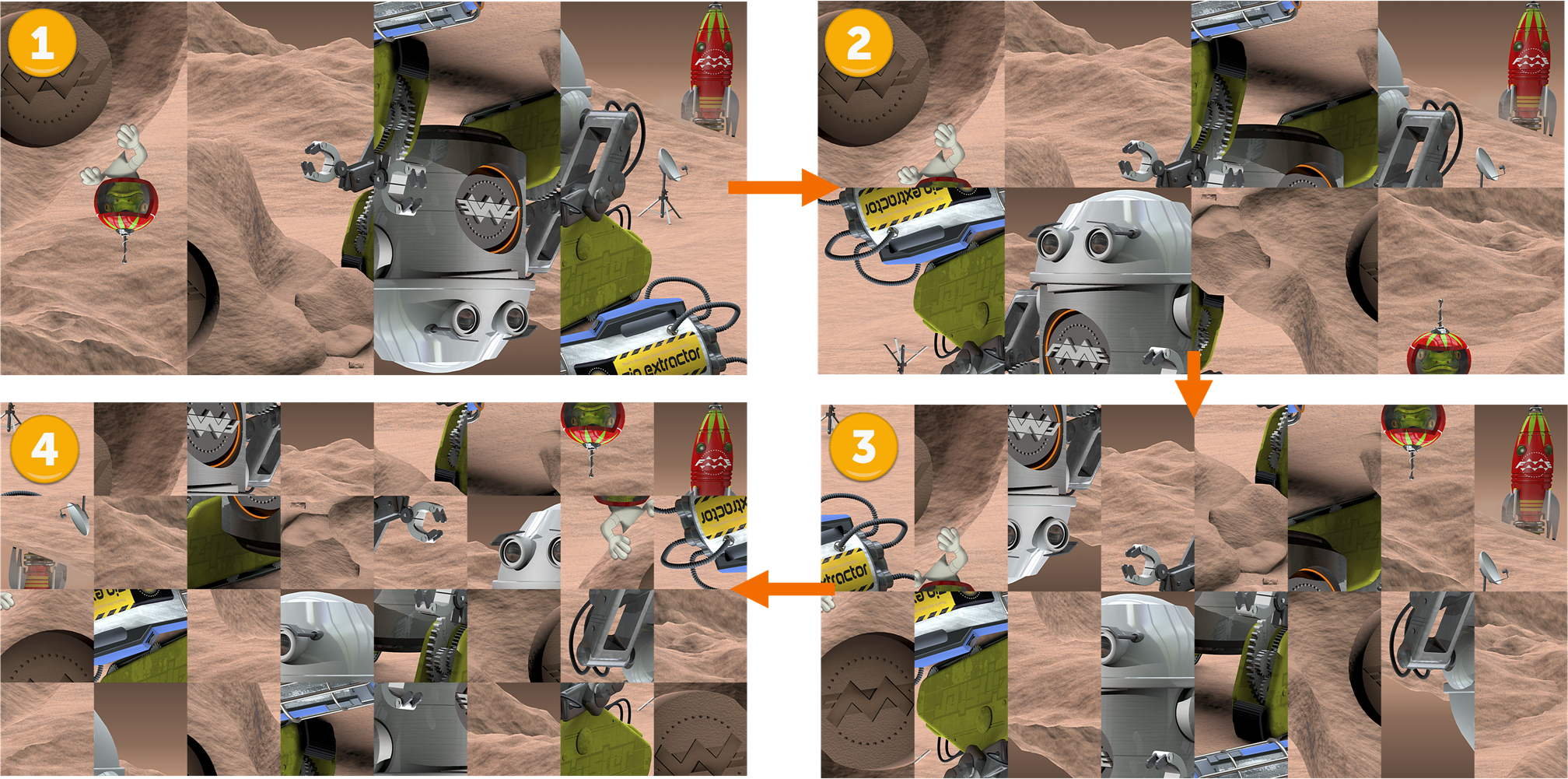
- I tiled the original image into 4 columns.
- I rotated the even-numbered columns by 180 degrees.
- I tiled the image into 2 rows.
- I rotated the even-numbered rows by 180 degrees.
- I repeated the above 3 more times, doubling the number of rows and columns each time.
Basically, the image was divided up into tiles, the tiles rotated, and the process repeated. During each iteration, the number of rows and columns was doubled. Here are the first four iterations:
What's most important is that rotation takes place around the centre point of each feature. The easiest method was to rotate around 0,0 and then offset the tile back into position:
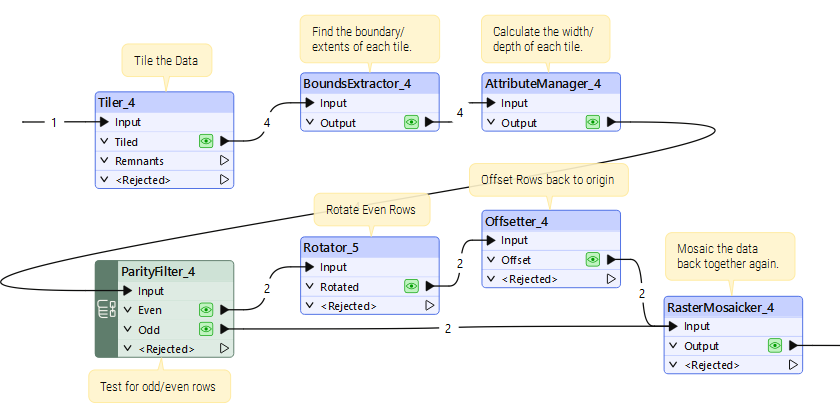
So, carry out those steps in reverse and you have the original image and can start looking for hidden text:
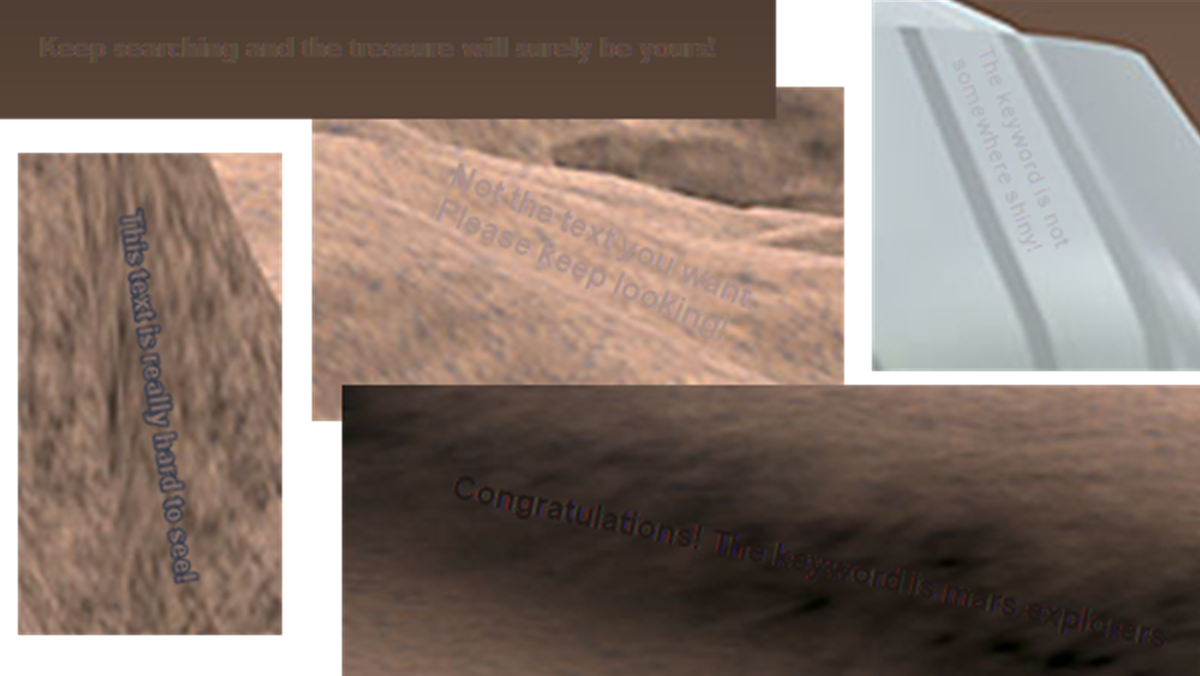
There are various pieces of hidden text:
- Keep searching and the treasure will surely be yours!
- Not the text you want. Please keep looking!
- This text is really hard to see!
- The keyword is not somewhere shiny!
- Congratulations! The keyword is mars explorers
So, enter mars explorers into the text field to receive the final clue.
Clue
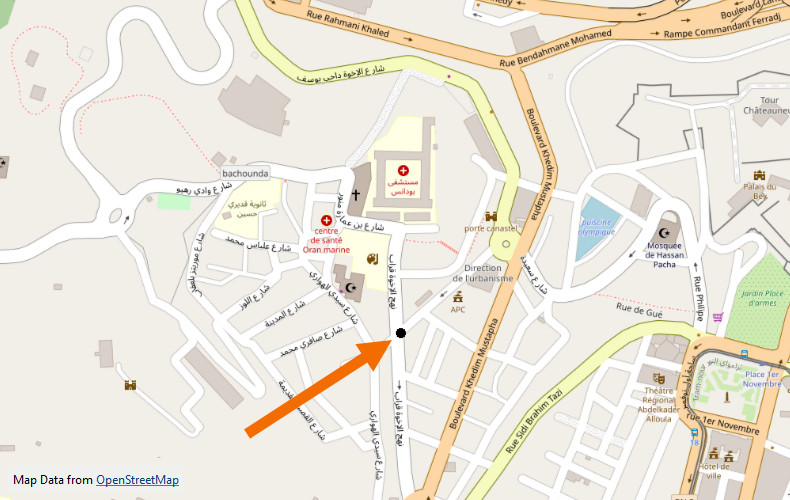
- The actual clue is a dataset. In this case it is a point within the city of Oran, Algeria.
- Because it is an actual position, in data, this is the most accurate of all the available clues.
Bonus Clue
- As a level 5 puzzle, there is no bonus clue here.
Notes
- Is the text hard to find or even read in the image? Well, yes. But I only have to click "Scan Text" in the Windows image viewer, and most of it lights up automatically! So I have to make it fairly hard to find to combat AI-type tools.
- My workspaces involved 8 steps of processing. It was impossible to run all 8 steps (especially with caching turned on) because there was always insufficient memory. So, I had to carry out the first 4 steps, for example, save the data, then read it back to do the final 4 steps separately.