We currently use the FME App but this requires our users to authenticate in FME Form and then upload this webconnection to FME Flow. And these users are logged out after a period of time.
What are other company solutions for Flow connections to Autodesk? Didn't we look at the right documentation?
Best answer by desiree_at_safe
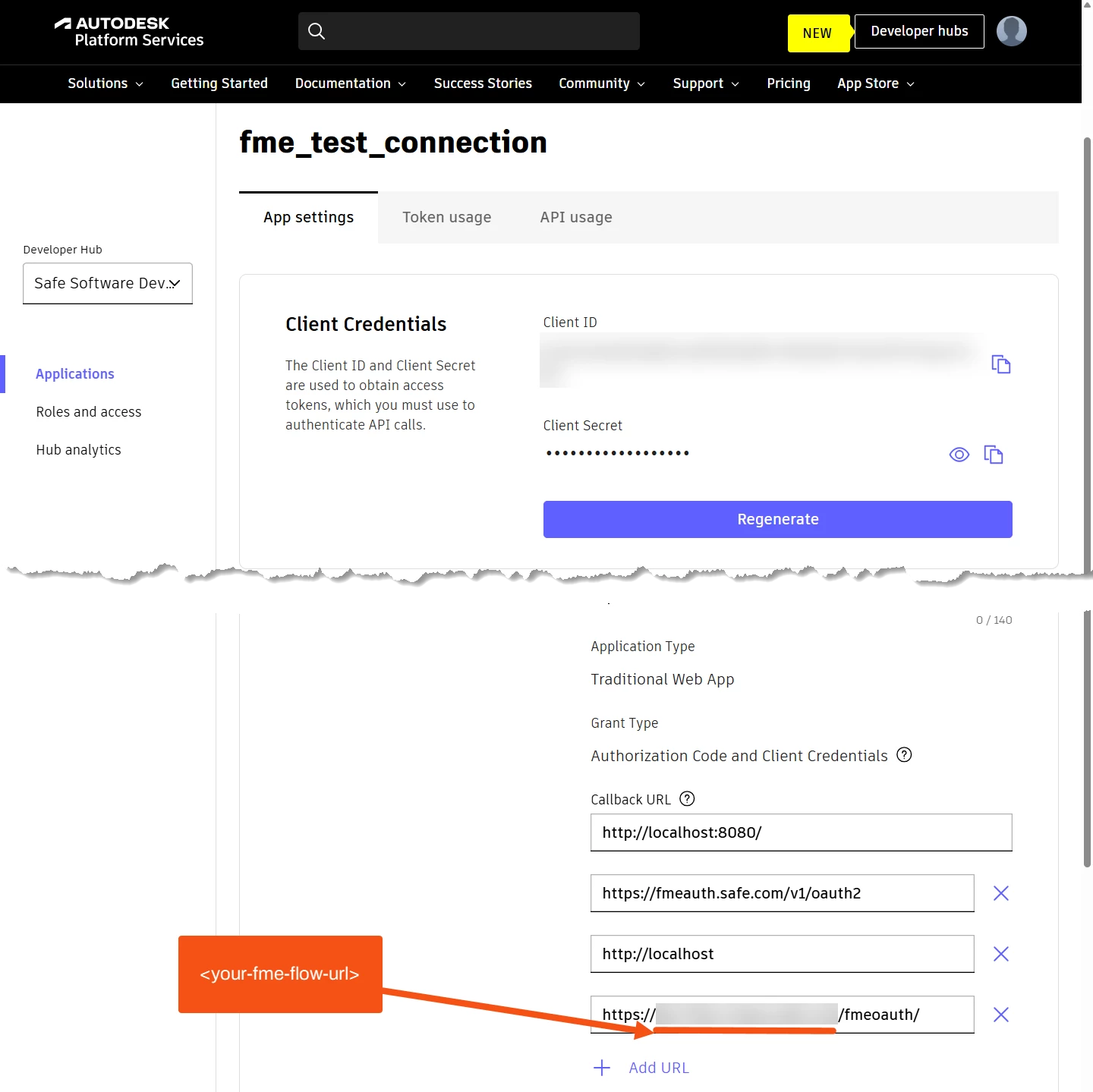
Hi @jkr_wrk! Apologies on the confusion there! We’re working on updating our article to include Flow configurations, but if I understand your post correctly, you should be able to authenticate and authorize this web connection in Flow without having to upload the connection from Form every time.
https://<your-fme-flow-url>/fmeoauth Replacing <your-fme-flow-url> with your actual FME Flow URL
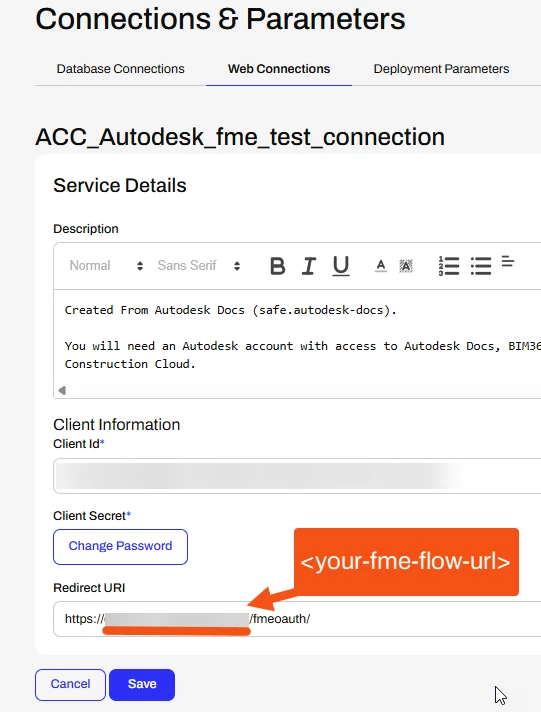
Modify your web service in FME Flow to use that Flow specific URL
Connections & Parameters>Web connections>Manage Web services
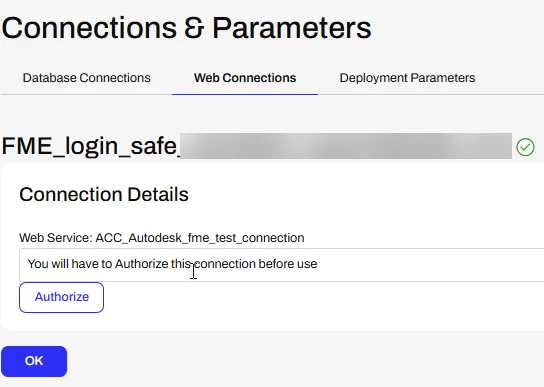
Reauthenticate Web Connection in Flow - which can be reauthenticated any time the access token expires
Connections & Parameters>Web connections>[select your web connection]>Authorize
The reauthentication in Flow will definitely save your users from having to upload a connection from Form every time!
Besides that, we’re still investigating the functionality of this application on Flow, as it seems that there are some limitations on what the API can do there. However, if you run into any particular issues, please let us know!
This post is closed to further activity.
It may be an old question, an answered question, an implemented idea, or a notification-only post.
Please check post dates before relying on any information in a question or answer.
For follow-up or related questions, please post a new question or idea.
If there is a genuine update to be made, please contact us and request that the post is reopened.
Hi @jkr_wrk! Apologies on the confusion there! We’re working on updating our article to include Flow configurations, but if I understand your post correctly, you should be able to authenticate and authorize this web connection in Flow without having to upload the connection from Form every time.
https://<your-fme-flow-url>/fmeoauth Replacing <your-fme-flow-url> with your actual FME Flow URL
Modify your web service in FME Flow to use that Flow specific URL
Connections & Parameters>Web connections>Manage Web services
Reauthenticate Web Connection in Flow - which can be reauthenticated any time the access token expires
Connections & Parameters>Web connections>[select your web connection]>Authorize
The reauthentication in Flow will definitely save your users from having to upload a connection from Form every time!
Besides that, we’re still investigating the functionality of this application on Flow, as it seems that there are some limitations on what the API can do there. However, if you run into any particular issues, please let us know!