Solved

FME 2020: “Schemamapper” tool fails to map Arabic fonts,

  • January 3, 2021
  • 2 replies
  • 53 views

jamal
Forum|alt.badge.img+5

FME 2020: “Schemamapper” tool fails to map Arabic fonts,


I couldn’t figure out why the “Schemamapper” tool fails to map Arabic fonts
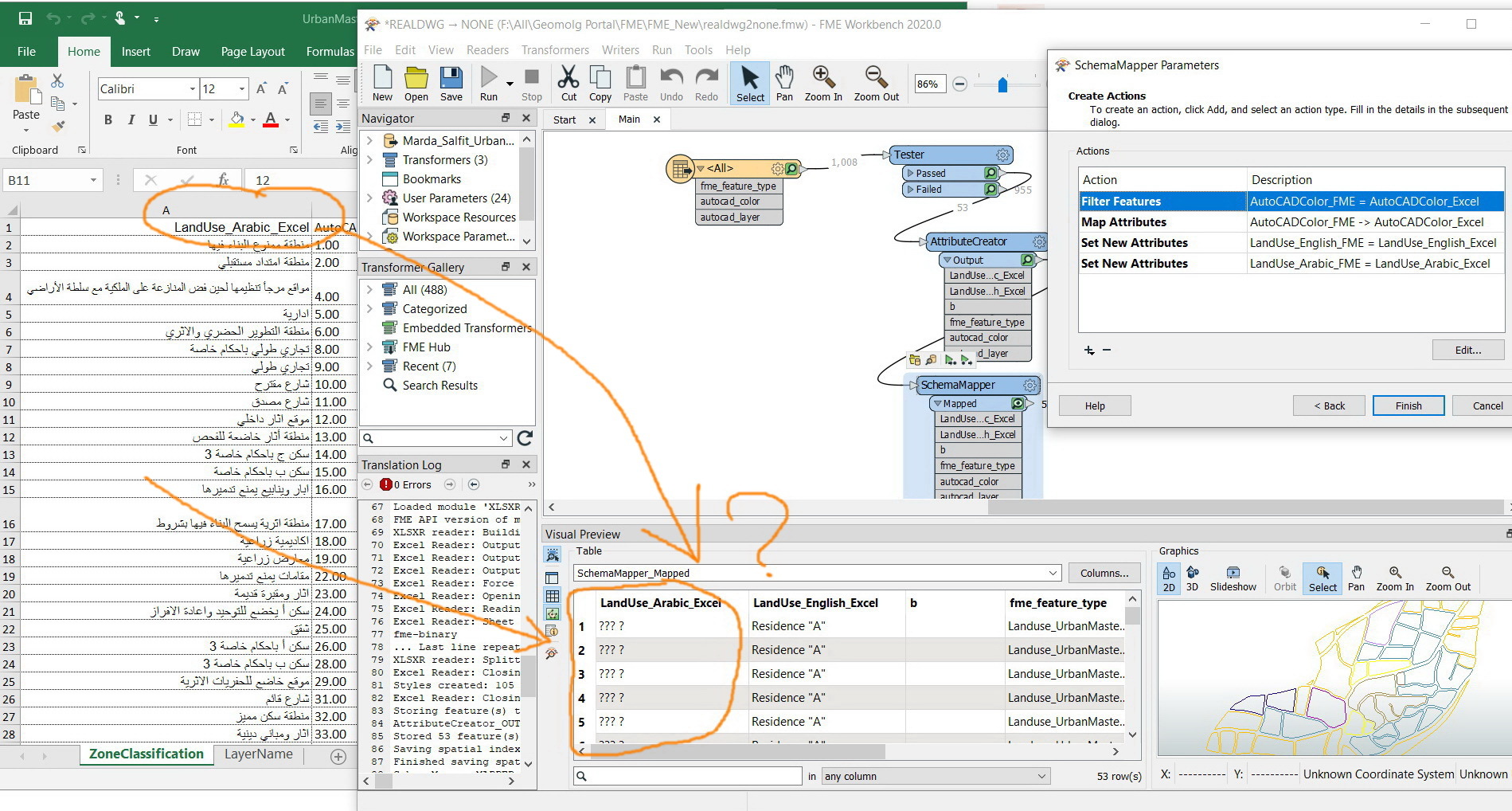
 

Clip_160

Best answer by rahulsharma

Hi @jamal

Can you check the following

  • what is the current locale? does it understand Arabic characters?
  • Are the values before the SchemaMapper correct when logged(not in Data Inspector)?
  • can the locale be switched to either Arabic or UTF-8 on the current OS?

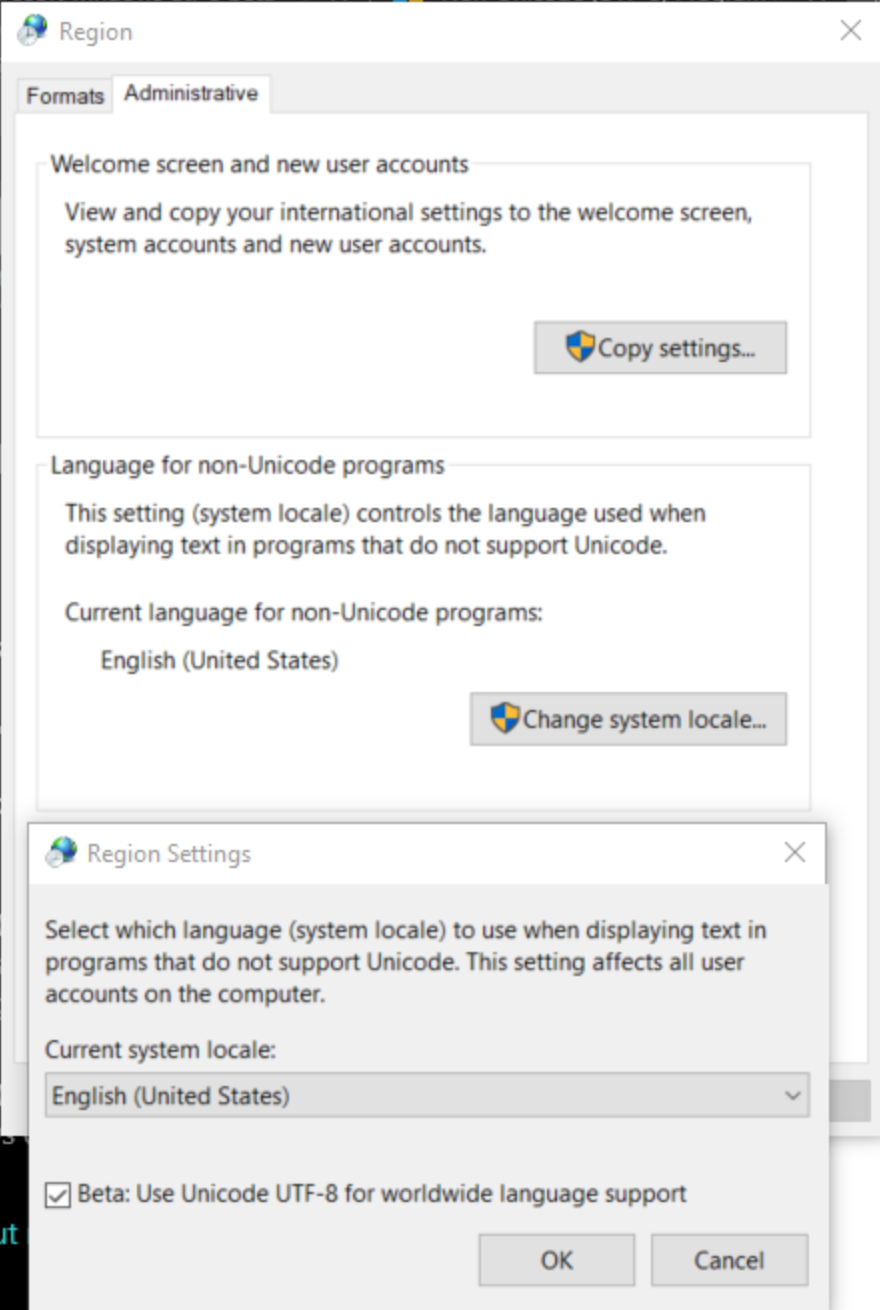
If you are on Windows 10, enable "Enable UTF-8 worldwide language support"

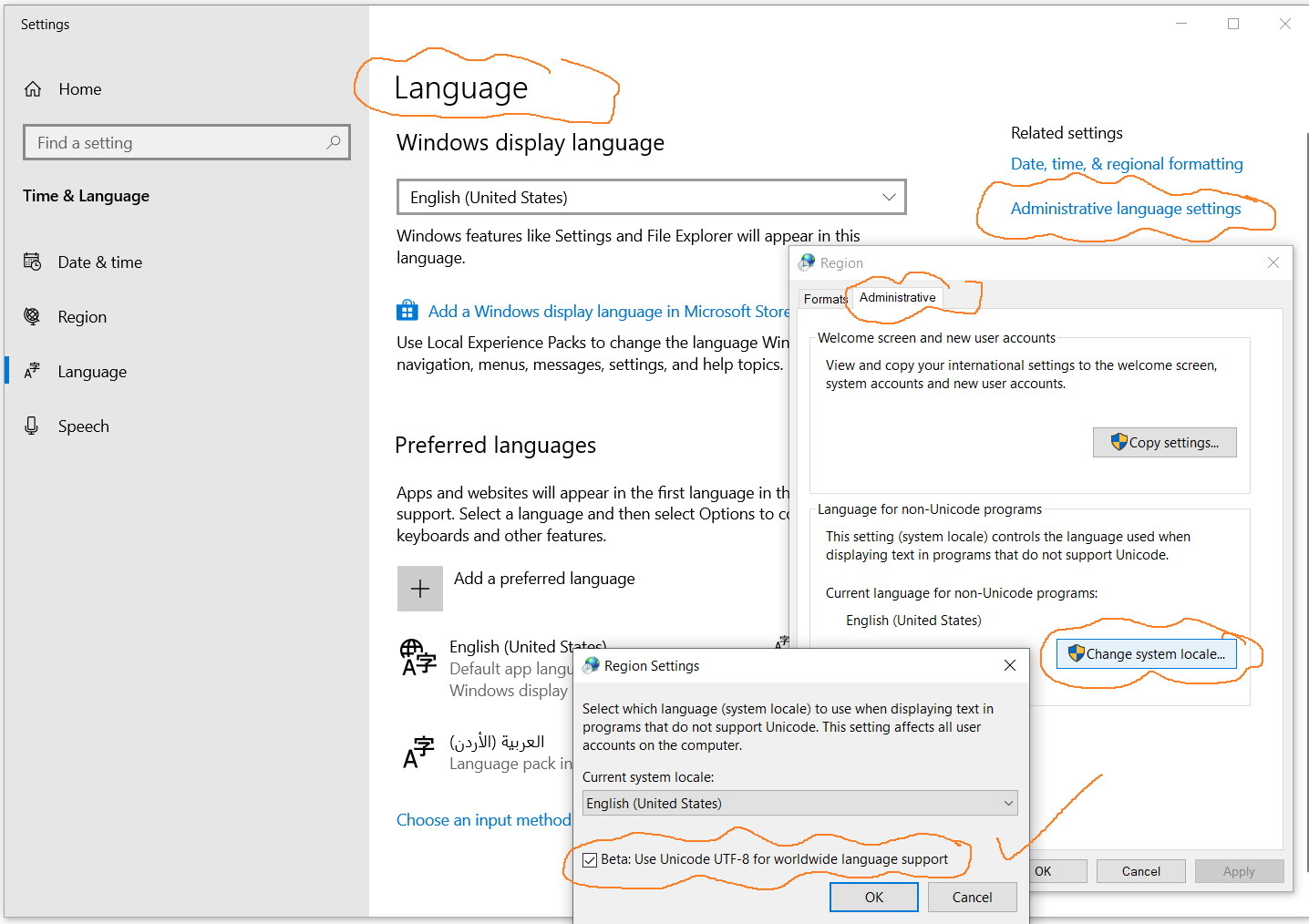
Go to Settings and then: All Settings -> Time & Language -> Language -> "Administrative Language Settings"


This post is closed to further activity.
It may be an old question, an answered question, an implemented idea, or a notification-only post.
Please check post dates before relying on any information in a question or answer.
For follow-up or related questions, please post a new question or idea.
If there is a genuine update to be made, please contact us and request that the post is reopened.

2 replies

rahulsharma
Safer
Forum|alt.badge.img+10
  • Safer
  • Best Answer
  • January 4, 2021

Hi @jamal

Can you check the following

  • what is the current locale? does it understand Arabic characters?
  • Are the values before the SchemaMapper correct when logged(not in Data Inspector)?
  • can the locale be switched to either Arabic or UTF-8 on the current OS?

If you are on Windows 10, enable "Enable UTF-8 worldwide language support"

Go to Settings and then: All Settings -> Time & Language -> Language -> "Administrative Language Settings"


jamal
Forum|alt.badge.img+5
  • Author
  • January 10, 2021

Thank you rahulsharma. It works fine

Best

Jamal

 Clip_185 

Clip_184