


Question

XML invalid character reference.

  • January 27, 2026
  • 5 replies
  • 53 views

eric_armitage
Contributor
Forum|alt.badge.img+11

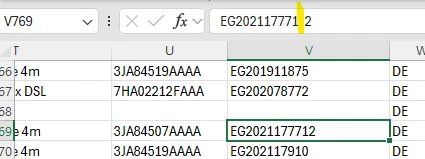
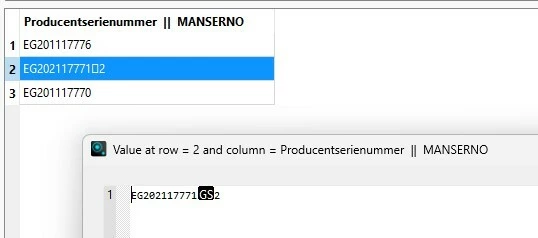
I am having an issue converting data from an Excel file to xml due to an invalid character reference. In Excel the character appears as a space but as a square or “GS” when read in FME (see images). I am trying to build a validation tool that will find cells in the Excel file that contain these special characters. How do i find these characters using for example  test filter, attribute validator or stringsearcher etc
 

5 replies

danilo_fme
Celebrity
Forum|alt.badge.img+54
  • Celebrity
  • January 27, 2026

Hello ​@eric_armitage 


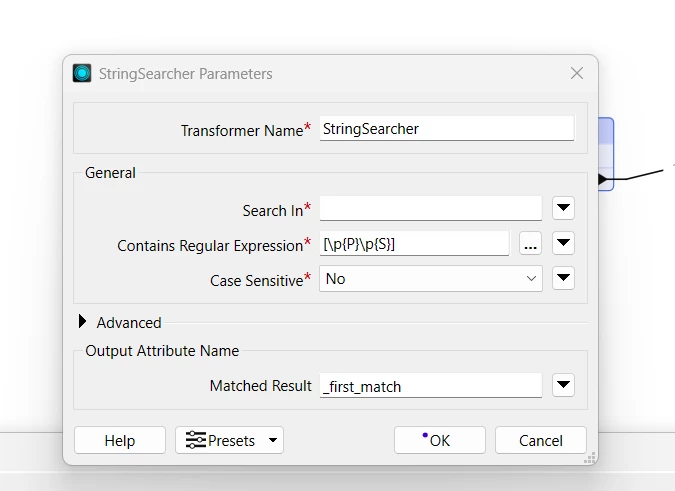
I simulated using the StringSearcher - like this:

[\p{P}\p{S}]


Thanks in Advance,

Danilo


ebygomm
Influencer
Forum|alt.badge.img+46
  • Influencer
  • January 27, 2026

That particular character is a group separator I think (hence the GS)

The regex to find it is [\x1d]

Regex I’ve used in the past to remove this and other non printable characters is

[\x{0000}-\x{001f}]

I don’t think they come under the category of punctuation, math symbols, dingbats etc. so wouldn’t be captured with the previously posted regex.


ebygomm
Influencer
Forum|alt.badge.img+46
  • Influencer
  • January 27, 2026

If that doesn’t pick it up, it’s worth running it through a TextEncoder set to Encoding Type URL to see if you can determine what character it is


eric_armitage
Contributor
Forum|alt.badge.img+11
  • Author
  • Contributor
  • January 28, 2026

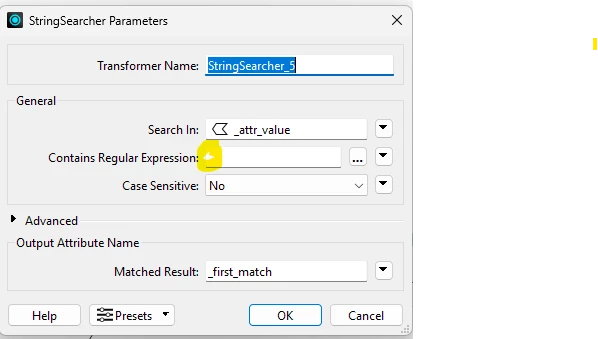
Thanks for the replies. I solved it by copy/pasting the “GS” character from the FME inspector to the regular expression box in the stringsearcher.  Its not visible in the parameters window but its there and finds the characters in the input file.


ebygomm
Influencer
Forum|alt.badge.img+46
  • Influencer
  • January 28, 2026

Just make sure it’s well documented if going the copy paste route, there are any number of characters that get rendered as a