


Hi there,
I am assessing a dataset for changes that took place since 2012. This data contains these two fields of interest:
- change_date
- reason_for_change
change_date contains multiple dates that a separated by a comma and reason_for_change contains strings of change types separated by a comma.
An example of the data structure is
Feature 1:
change_date: 2016-10-20
reason_for_change: New
Feature 2:
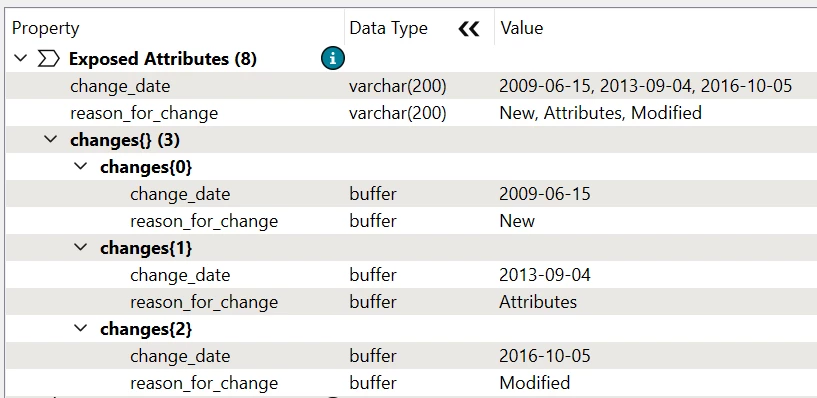
change_date: 2009-06-15, 2013-09-04, 2016-10-05
reason_for_change: New, Attributes, Modified
Feature 3:
change_date: 2010-09-11, 2014-04-09
reason_for_change: New, Attributes
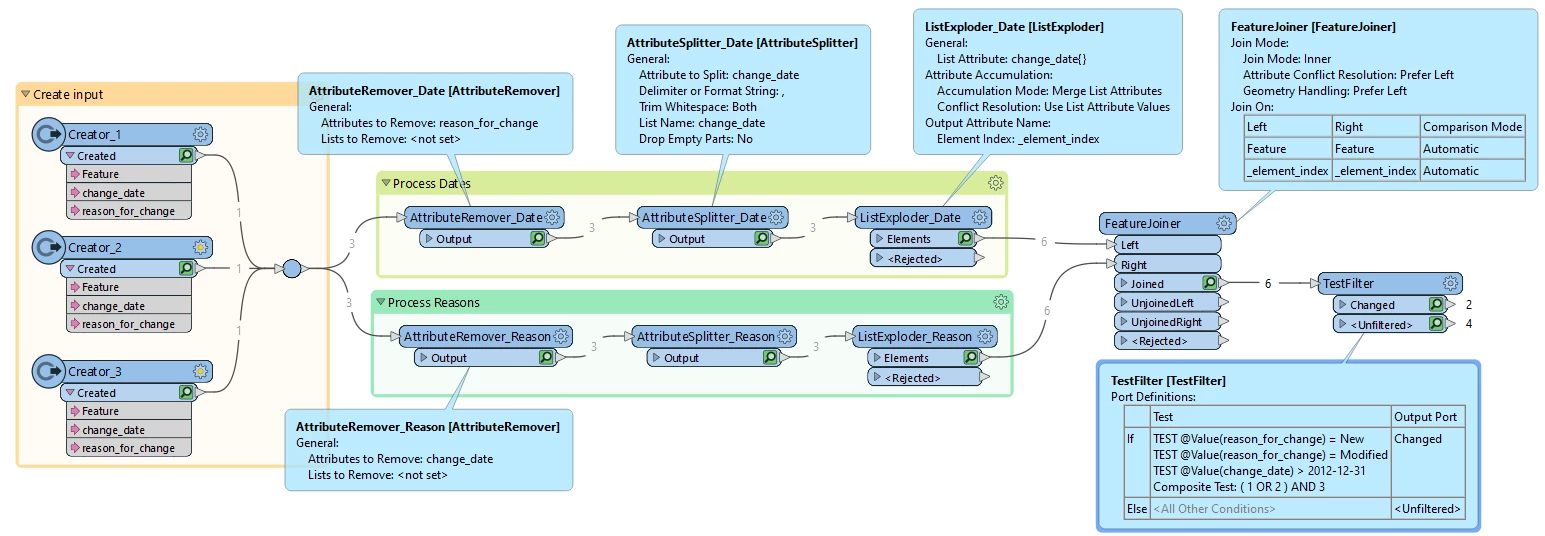
Is it possible within FME to pair each individual reason for change to a change date and then test if it matches the follow conditions of reason_for_change = New or Modified and change date greater than 2012-12-31?
Using the three examples above, feature 1 and 2 should be highlighted as a change since feature 1 is new in 2016 and feature 2 had it’s geometry modified in 2016.
So far I have used a Attribute Splitter on each field to split by comma. But then I’m not sure where to go from there with the resulting lists. Do I need to first check the max number of list elements then manually expose ‘n’ number of list elements into new paired attributes? For example date1, change1, date2, change2, date3, change3. Then perform a test on each one of those pairs or is there a more elegant way of exposing the correct number of list elements?
Thanks