Best Answer

Salesforce Writer Issue???

  • May 22, 2021
  • 7 replies
  • 57 views

crowleyb
Contributor
Forum|alt.badge.img+4

I have a Salesforce custom object with 2 master-detail fields that both have read/write permissions. When I attempt to write to this object, I receive the "REQUIRED_FIELD_MISSING:Required fields are missing:" error. The two fields referenced are the 2 master-detail fields. The fields and the data are present when the write occurs but for some reason I receive this error. Any ideas?

Best answer by chrisatsafe

Screen Shot 2021-05-26 at 10.25.39 AM

Interesting, okay thanks for digging into that a bit more. I'm going to convert this thread to a case so our support team can investigate this and report it to our development team as a bug. Thanks for bringing this to our attention.

This post is closed to further activity.
It may be an old question, an answered question, an implemented idea, or a notification-only post.
Please check post dates before relying on any information in a question or answer.
For follow-up or related questions, please post a new question or idea.
If there is a genuine update to be made, please contact us and request that the post is reopened.


7 replies

chrisatsafe
Contributor
Forum|alt.badge.img+2
  • Contributor
  • May 25, 2021

Hi @crowleyb​ ,

Are you using an automatic, manual, or dynamic attribute definition? Additionally, can you confirm that the field names in the writer feature type match the API name for the fields in the Salesforce Object Manager?


crowleyb
Contributor
Forum|alt.badge.img+4
  • Author
  • Contributor
  • May 25, 2021

Thanks @chrisatsafe​. I actually added the reader to the workspace so I could use the copy from reader option to add the writer. So, the API names for the fields do appear correctly


crowleyb
Contributor
Forum|alt.badge.img+4
  • Author
  • Contributor
  • May 26, 2021

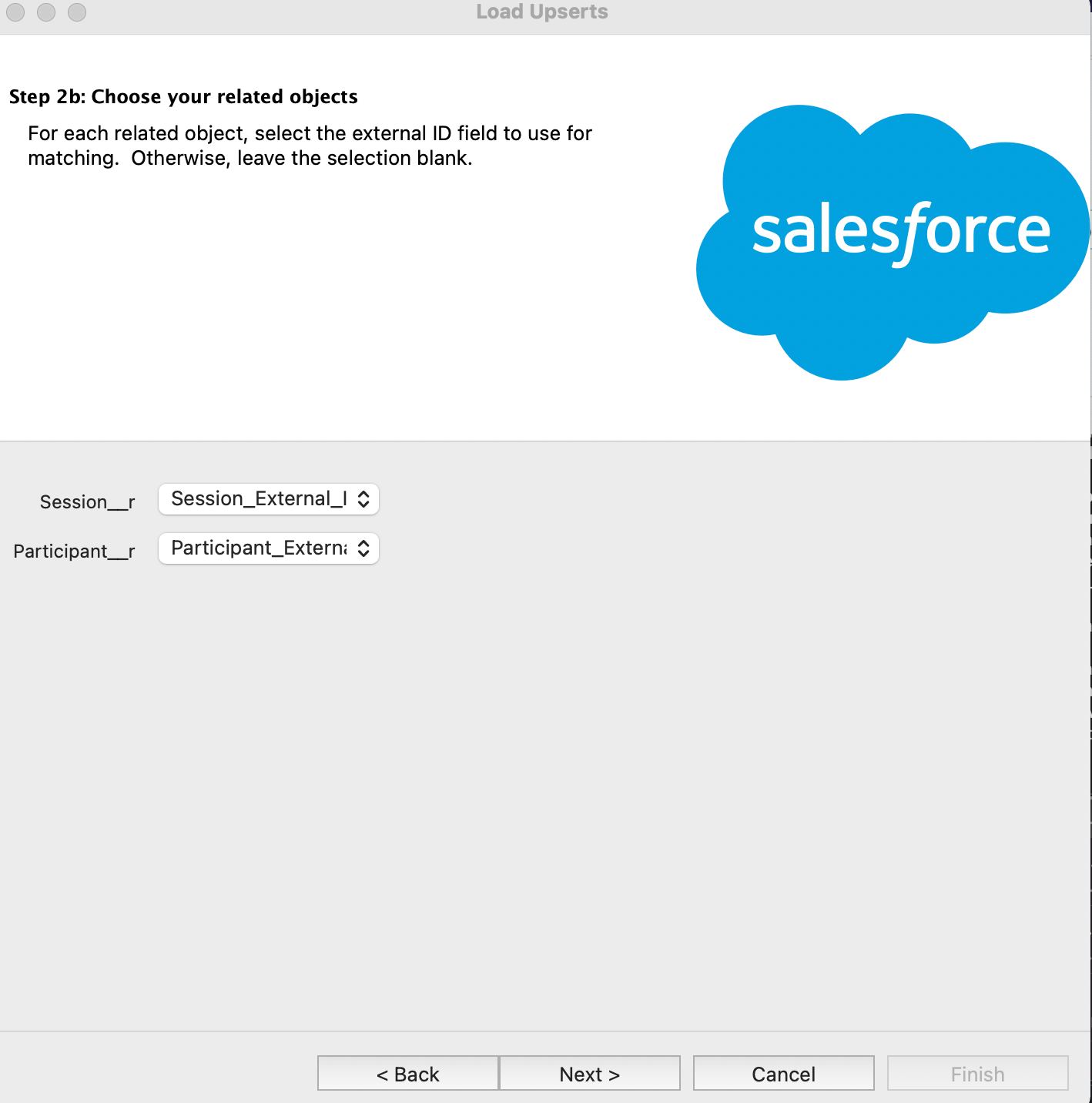
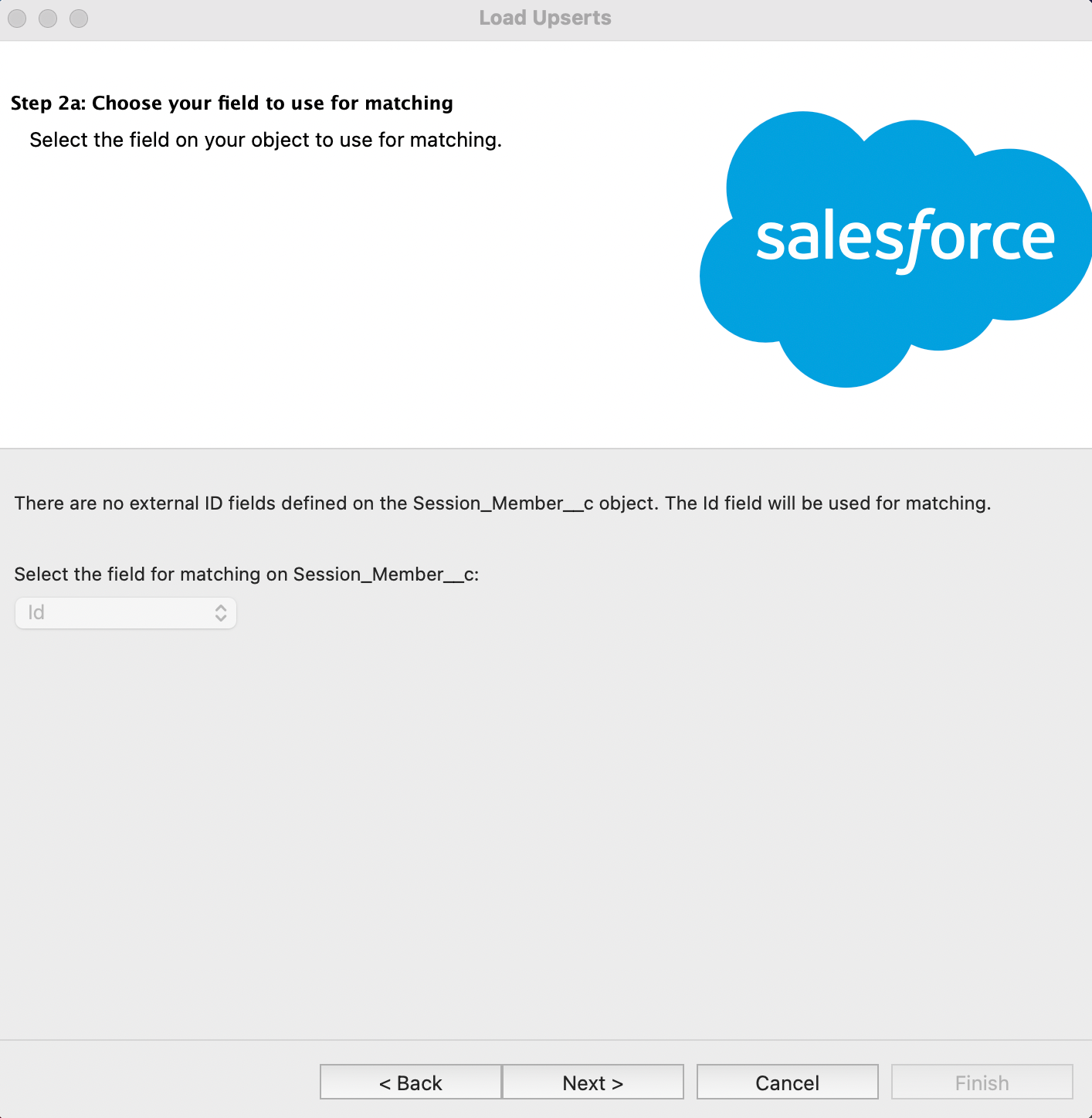
@chrisatsafe​ - I was able to successfully use the data loader to my custom object. It appears the issue is the Salesforce writer does not recognize the external IDs (the related objects) I've established for the 2 Master-Detail data types I'm using. When using data loader, I have the ability to select the relationship (see attached images). I think that is the problem. The FME Salesforce writer does not recognize the external IDs or in the UPSERT setting options, I'm not referencing them properly.Screen Shot 2021-05-26 at 10.18.44 AMScreen Shot 2021-05-26 at 10.16.33 AM


crowleyb
Contributor
Forum|alt.badge.img+4
  • Author
  • Contributor
  • May 26, 2021

Screen Shot 2021-05-26 at 10.25.39 AM


chrisatsafe
Contributor
Forum|alt.badge.img+2
  • Contributor
  • Best Answer
  • May 26, 2021

Screen Shot 2021-05-26 at 10.25.39 AM

Interesting, okay thanks for digging into that a bit more. I'm going to convert this thread to a case so our support team can investigate this and report it to our development team as a bug. Thanks for bringing this to our attention.


crowleyb
Contributor
Forum|alt.badge.img+4
  • Author
  • Contributor
  • May 26, 2021

Interesting, okay thanks for digging into that a bit more. I'm going to convert this thread to a case so our support team can investigate this and report it to our development team as a bug. Thanks for bringing this to our attention.

Great. Thank you.


tyricores
  • November 11, 2021

You can try another platform when working with Salesforce. I see that your problem has already been solved here, in general I can just advise a good software when working with it, it`s revenue intelligence software. Here you can quickly get information all the analytics data that`s connected with transactions. Moreover, the statistics cover all the tools which you work with (social networks, mail, etc.). All settings can be customized As far as my experience is concerned - I`ve been using the platform for over a year now, so can confidently talk about its strengths.