Question

ProjectWiseWSGConnector to move files from local machine

  • July 27, 2020
  • 1 reply
  • 20 views

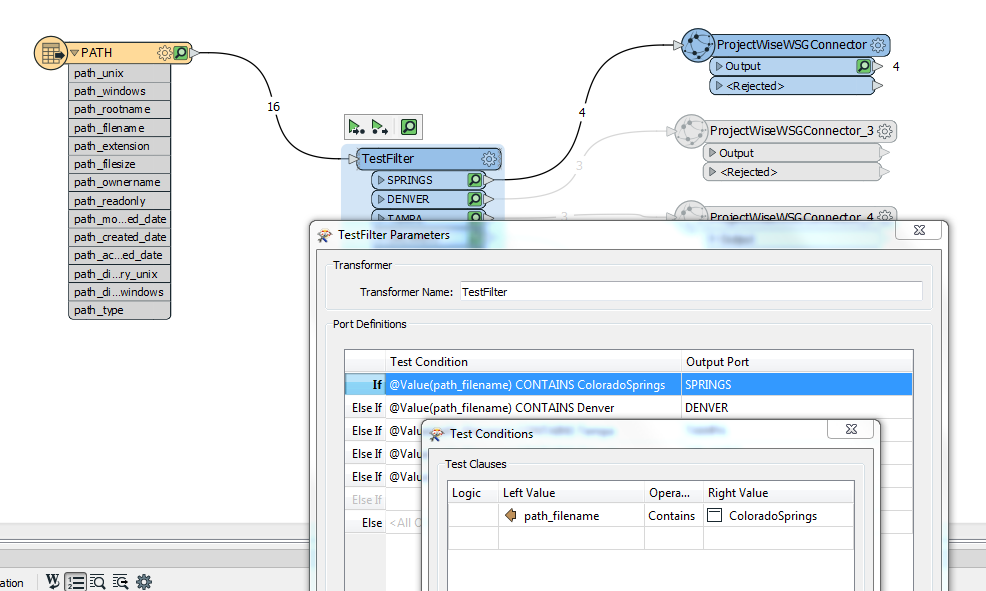
Hi. I have a bunch of xlsx files that are created daily that need to be loaded to PW. They are all in the same directory so I used a TestFilter to separate them out. I can't select the 'File' option on the PW Connector b/c the date changes everyday and the Folder option won't work either. I did have some surface success with Attribute, but the files are corrupt when they land in PW. I am a bit of a newbie, so any help would be appreciated.

This post is closed to further activity.
It may be an old question, an answered question, an implemented idea, or a notification-only post.
Please check post dates before relying on any information in a question or answer.
For follow-up or related questions, please post a new question or idea.
If there is a genuine update to be made, please contact us and request that the post is reopened.

1 reply

andreaatsafe
Safer
Forum|alt.badge.img+15

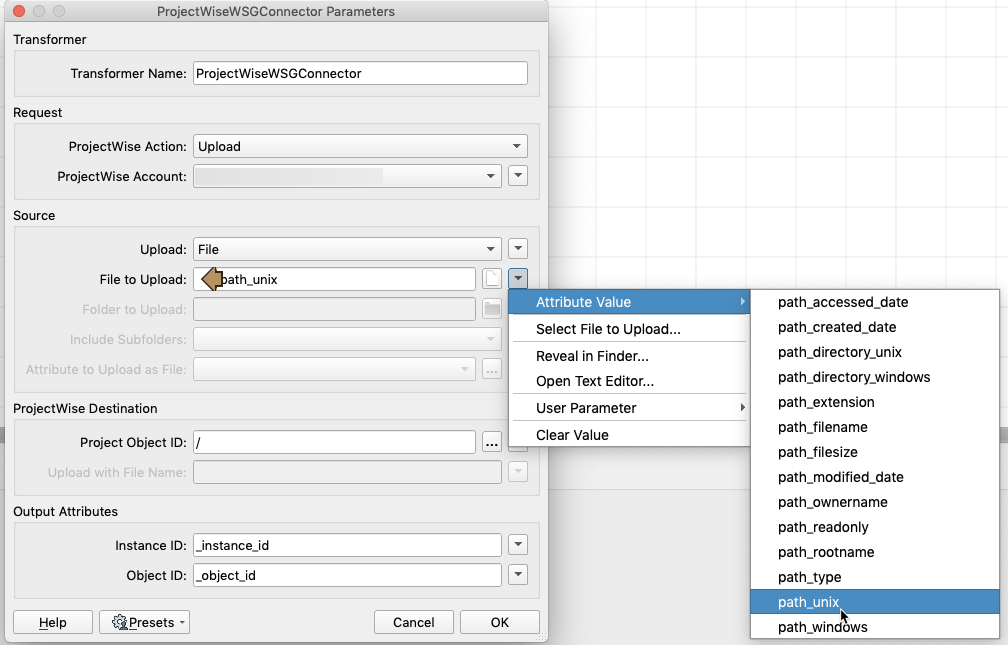
If you select the "File" option to upload, you can supply it with an attribute that has the path and file name.

To do this: As you are already using the Directory and File path reader, in the ProjectWiseWSGConnector you should be able to specify the path_unix attribute which holds the path and filename (so you don't need to know the name of the file if it's changing each day):


Hopefully this should work, and you can specify the output folder for the project object ID.

- Andrea