
Question

OBJ to Cesium Texture Problem

  • August 15, 2019
  • 1 reply
  • 60 views

Hi, I found some problems after the conversion from OBJ to Cesium using FME.


The original OBJ model like this:
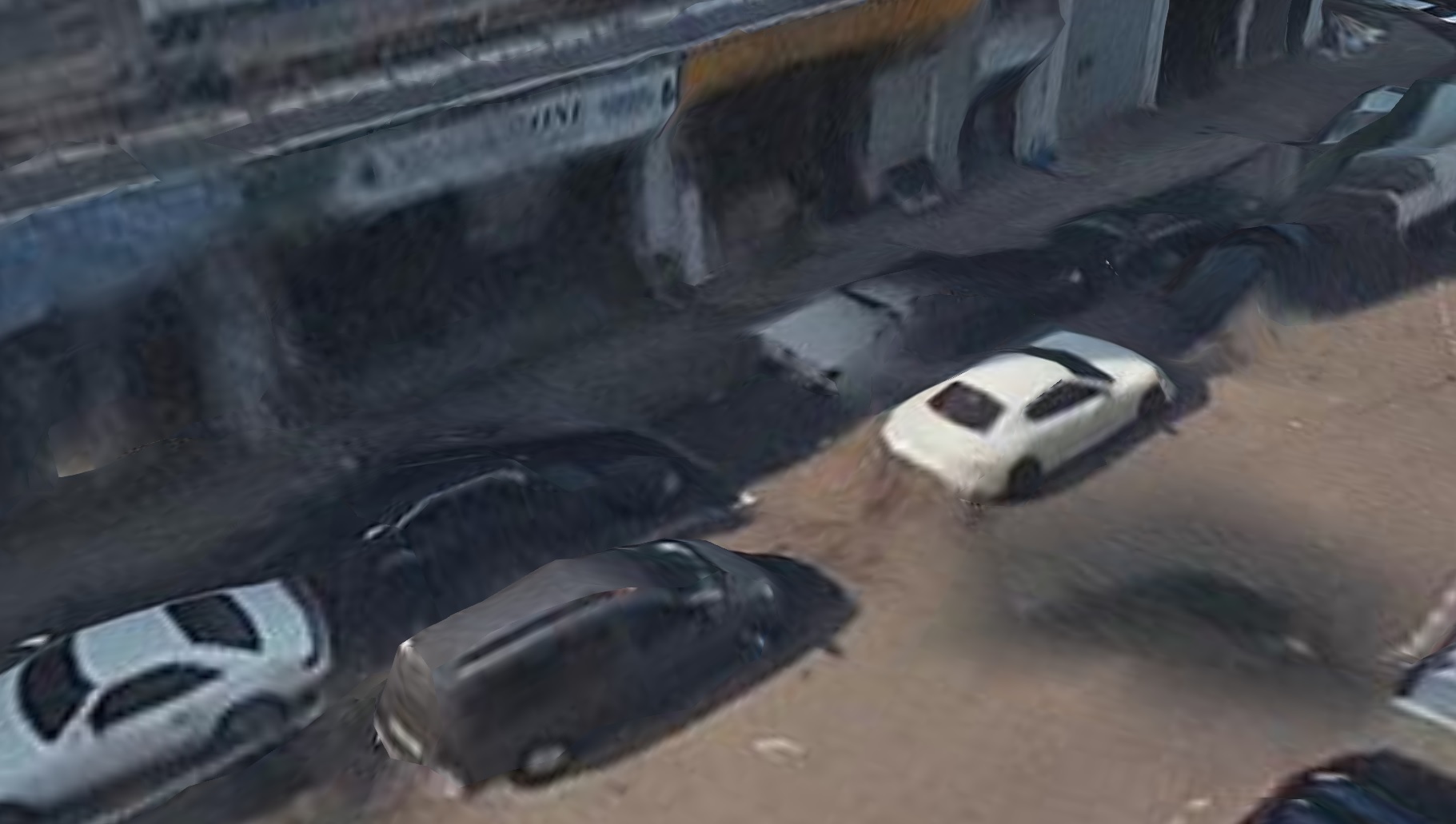
 

But after the conversion, the model in Cesium like this:
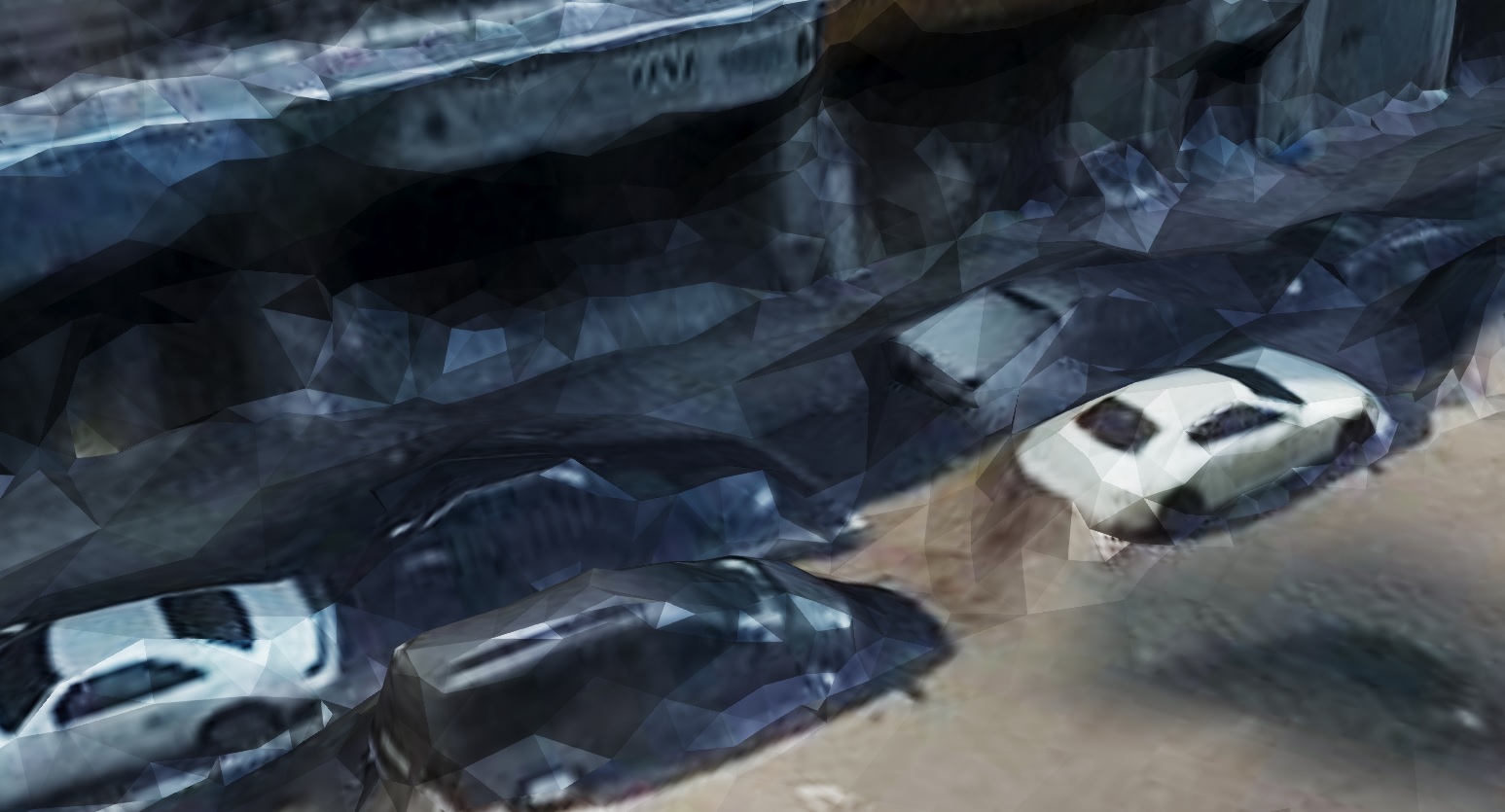
 

The geometry is checked and it is matched to original. But the color tone of texture seems to be edited. How can I solve this problem?


This post is closed to further activity.
It may be an old question, an answered question, an implemented idea, or a notification-only post.
Please check post dates before relying on any information in a question or answer.
For follow-up or related questions, please post a new question or idea.
If there is a genuine update to be made, please contact us and request that the post is reopened.

1 reply

virtualcitymatt
Celebrity
Forum|alt.badge.img+47

Hi @ben_nion,


I suspect the issue is related to the Environment in Cesium in combination with the b3dm files themselves. I've experienced that objects, when written from FME appear shiny in Cesium (https://knowledge.safe.com/questions/81028/3dtiles-gltf-reflective-surfaces.html ). The issue arises (I think) because FME adds a default metallic factor and default roughness factor to the models on output. I've experienced this when writing out to gltF 2.0 which, as I understand it, is what b3dm is based on. Because of these default values being set by FME all models appear shiny and reflect the sunlight. This is obviously not wanted in a triangulated mesh as it highlights each triangle as you've shown above.

I'm hoping that this issue gets fixed, or that a method is developed for setting these factors on an appearance - @daveatsafe mentions in my linked post that they might be looking into it.

You could consider using this open source tool, based on node.js to try and convert your obj instead: https://github.com/PrincessGod/objTo3d-tiles

