



Solved

Not able to update a field in a FGDB using FeatureWriter

  • May 17, 2024 11:08 PM UTC
  • 2 replies
  • 168 views

nea
Contributor
Forum|alt.badge.img+9

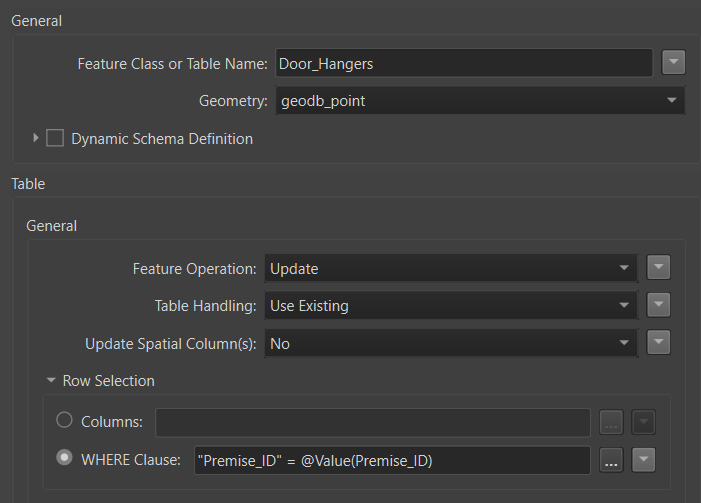
II read from a FGDB do some processing then I want to write back (update) to a field in the same FGDB.  I have a FeatureHolder immediately  after reading the FGDB to force complete reading before writing.  The Where clause  make sure I only update records with matching PremiseIDs (original source data and stream data).  I only want to update one field but I don’t see how to specify that field in the FeatureWriter.  In a AttributeManager before the writer I remove all other attributes than the one I want written.  Not working.
 

Best answer by frro

Hi,

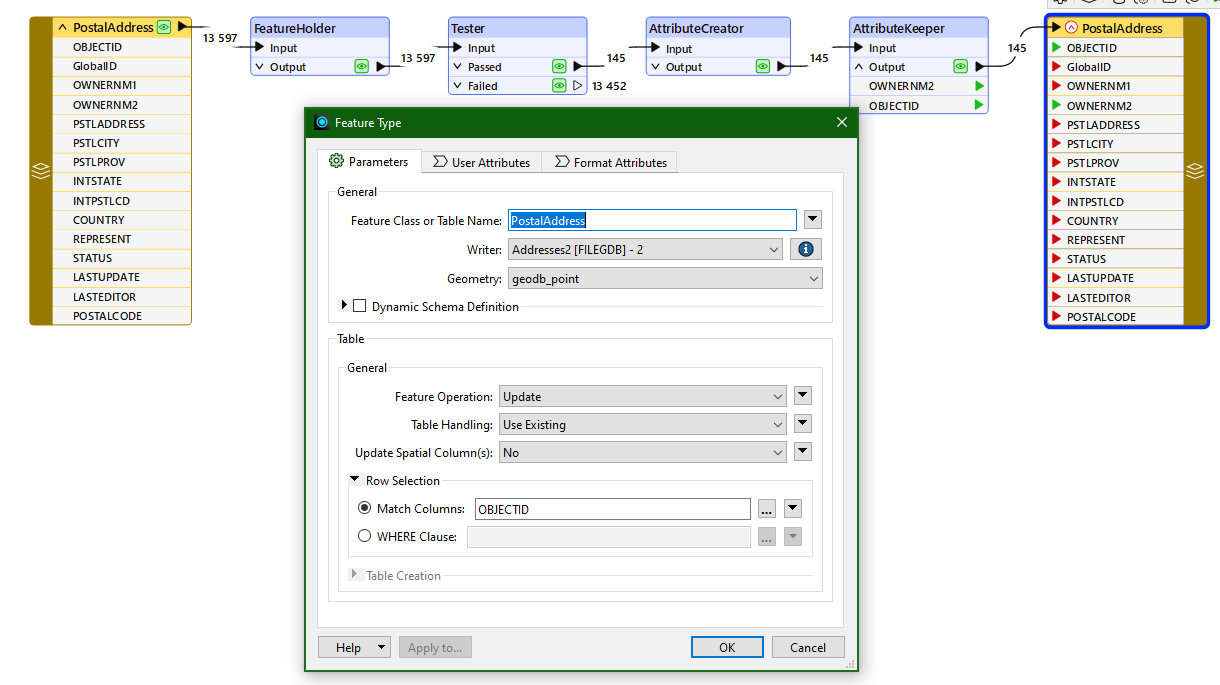
I believe it’s better to use OBJECTID under Columns for updates.

Only let through the update features and just keep the OBJECTID and the Premise_ID attributes and you should be fine.

This works for me:


Cheers!

View original
This post is closed to further activity.
It may be an old question, an answered question, an implemented idea, or a notification-only post.
Please check post dates before relying on any information in a question or answer.
For follow-up or related questions, please post a new question or idea.
If there is a genuine update to be made, please contact us and request that the post is reopened.

2 replies

frro
Supporter
Forum|alt.badge.img+17
  • Supporter
  • Best Answer
  • May 20, 2024 12:39 PM UTC

Hi,

I believe it’s better to use OBJECTID under Columns for updates.

Only let through the update features and just keep the OBJECTID and the Premise_ID attributes and you should be fine.

This works for me:


Cheers!


nea
Contributor
Forum|alt.badge.img+9
  • Author
  • Contributor
  • May 21, 2024 3:08 PM UTC

Thank you so much.  This worked great!!   This makes so much sense to use the OBJECTID field.  So with this update option there is no way to specify a field to update.  In my case It is OK.  I’m just use to the SQL type Update which allows for specifying a field. 


Thanks again.