Question

Microstation .cel file rotation

  • March 25, 2015
  • 2 replies
  • 32 views

Forum|alt.badge.img
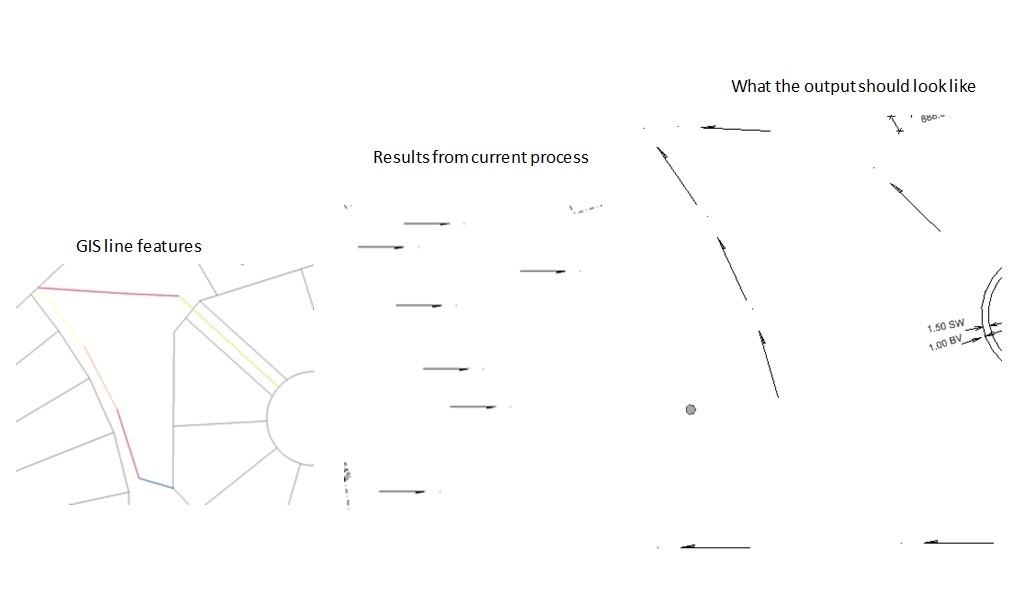
I have a data conversion issue.  I'm updating a .DGN from GIS data.  The feature i'm trying to update is a line feature in GIS but has a specific .CEL file associated with it in the Microstation file so the feature looks the way it should.


I currently have the feature passing through a CenterPointReplacer (in order to associate the feature to a .cel file it needs to be a point) then a DGNStyler to choose the appropraite .cel file.  In the DGNStyler I choose FME_Rotation for the Cell Rotation but the cells still come in at the same angle.  I'm not sure if this is caused by the fact that i'm trying to rotate a point feaure?
 

This post is closed to further activity.
It may be an old question, an answered question, an implemented idea, or a notification-only post.
Please check post dates before relying on any information in a question or answer.
For follow-up or related questions, please post a new question or idea.
If there is a genuine update to be made, please contact us and request that the post is reopened.

2 replies

pratap
Contributor
Forum|alt.badge.img+12
  • Contributor
  • March 26, 2015
Calculate angle between the points and add the rotation to igds_rotation attribute.

Forum|alt.badge.img
  • Author
  • March 27, 2015
Thanks, I used the AzimuthCalculator and it worked.