


Best Answer

JSON Splitter

  • November 29, 2019
  • 3 replies
  • 332 views

soothsayers
Contributor
Forum|alt.badge.img+7

Hello,

I am new to JSON formatted strings and have spent a few hours trying to split out some content with JSON Extractors and Fragmenters with no luck. I have an array of 10 "items" which I need splitting into separate features.
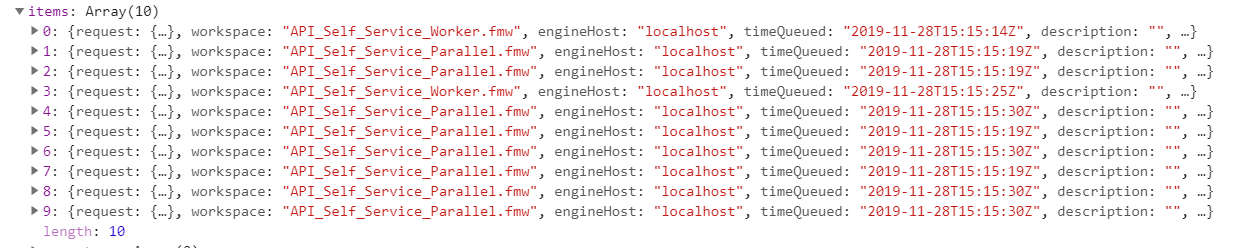
 

What I need to pull from each item is the publishedParameters list (as a split list) and WorkspacePath.
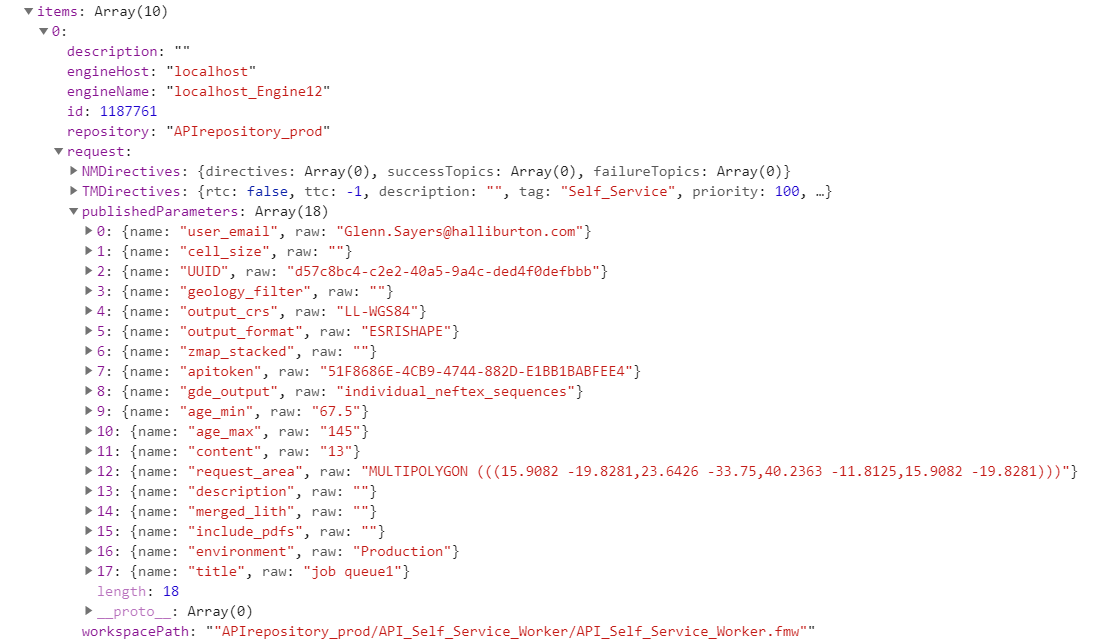
 

So they resulting objects should be formatted as such:

Item# ¦ WorkspacePath ¦ publishedParameters

0 ¦ "APIrepository_prod....." ¦ "name": "user_email", raw: "Glenn.sayers@halliburton.com"

0 ¦ "APIrepository_prod....." ¦ "name": "cell_size", raw: ""

0 etc.

1 ¦ "APIrepository_prod....." ¦ "name": "_layers_other", raw: ""

1 ¦ "APIrepository_prod....." ¦ "name": "_layers_gde", raw: "present_nonclipped.gde_drainage,..."

1 etc.


I have attached the full JSON in a text file.

Many thanks,

Glenn
Best answer by soothsayers

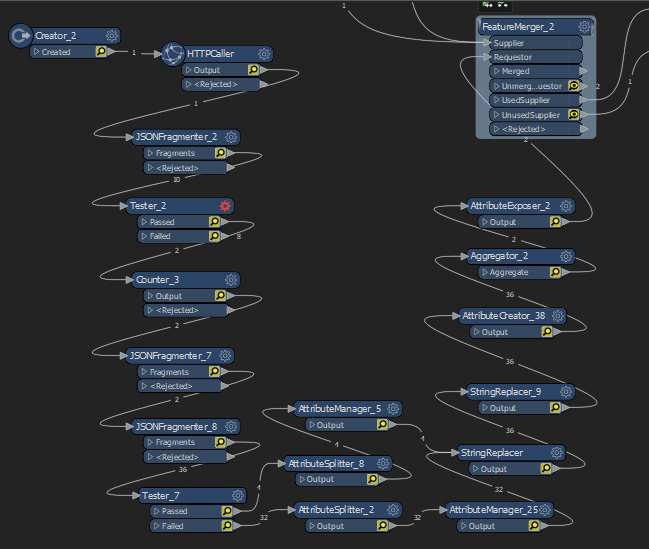
Thanks for your help guys, I have now got this working. It's not exactly how your examples worked but they were very useful. I used something similar to your multiple JSONFragmenter example @takashi, filtered out just the WorkspacePaths I needed, then crucially set a counter on them.


Splitting out the request.publishedParameters shown in the list in your image @daveatsafe, I could then aggregate them back up based on the Counter result. Finally I then could expose the request.publishedParameters to get the attributes needed to FeatureMerge other incoming data based on these attributes! Wonderful!

This post is closed to further activity.
It may be an old question, an answered question, an implemented idea, or a notification-only post.
Please check post dates before relying on any information in a question or answer.
For follow-up or related questions, please post a new question or idea.
If there is a genuine update to be made, please contact us and request that the post is reopened.

3 replies

daveatsafe
Safer
Forum|alt.badge.img+20
  • Safer
  • November 29, 2019

Hi @soothsayers,

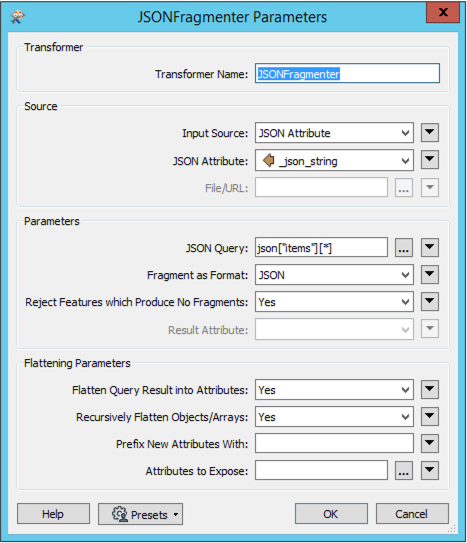
Please try the following settings in the JSONFragmenter:


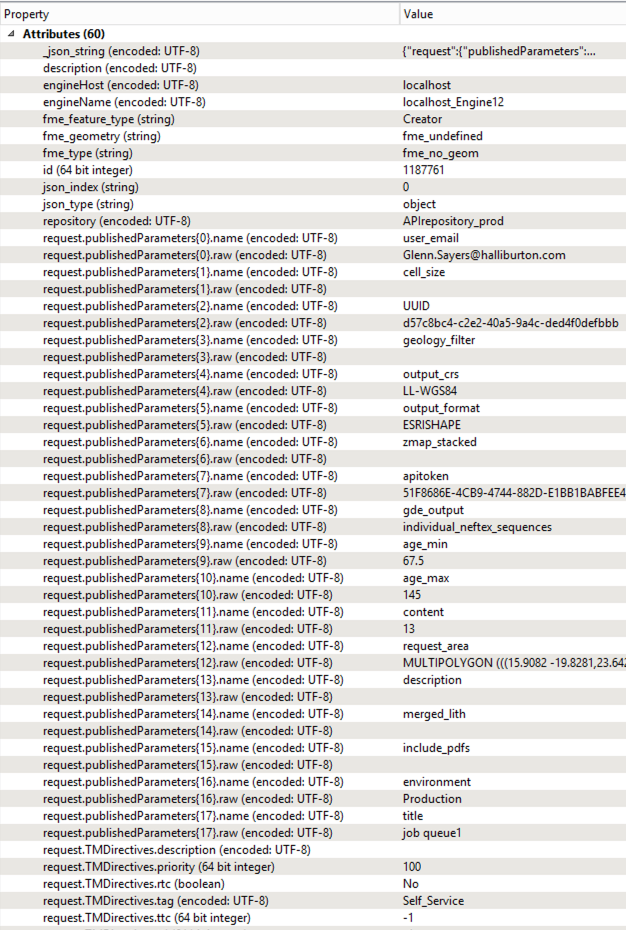
This will produce the following results:


You can use the JSONTemplater to create the new JSON in the format you want, or a ListConcatenator to merge the list elements into a formatted string.


takashi
Celebrity
  • November 30, 2019

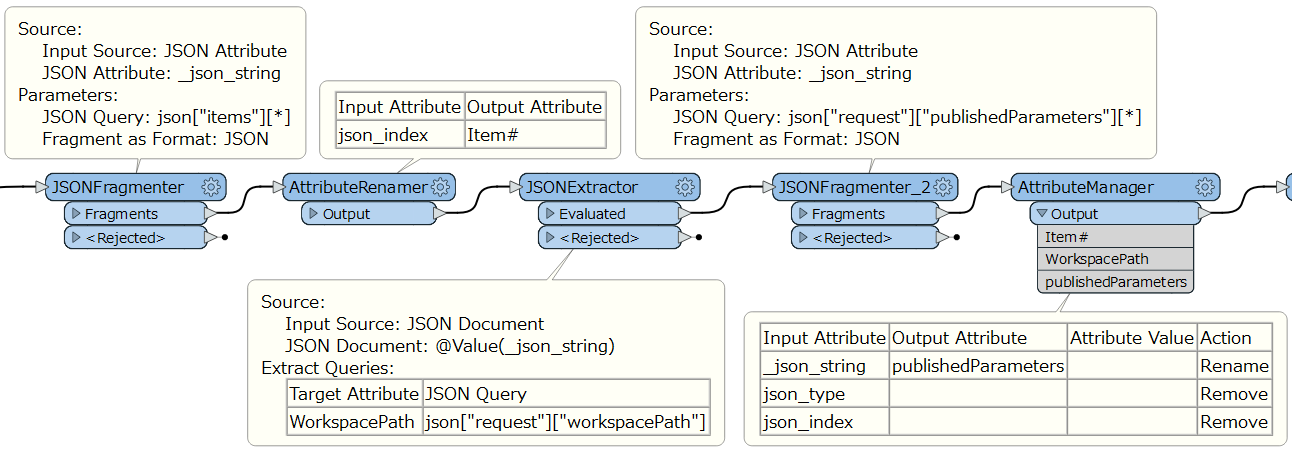
Hi @soothsayers, if I understood your requirement correctly, this workflow might help you.


soothsayers
Contributor
Forum|alt.badge.img+7
  • Author
  • Contributor
  • Best Answer
  • December 4, 2019

Thanks for your help guys, I have now got this working. It's not exactly how your examples worked but they were very useful. I used something similar to your multiple JSONFragmenter example @takashi, filtered out just the WorkspacePaths I needed, then crucially set a counter on them.


Splitting out the request.publishedParameters shown in the list in your image @daveatsafe, I could then aggregate them back up based on the Counter result. Finally I then could expose the request.publishedParameters to get the attributes needed to FeatureMerge other incoming data based on these attributes! Wonderful!