Question

How to select files for reader using a filter?

  • May 19, 2020
  • 2 replies
  • 126 views

I have a shp-file containing Picture frames with attributes showing the name of the frame. I want to use this shp-file to select the correct raster images for the TIFF-reader. There are so many that it would take me some time to select the right ones...


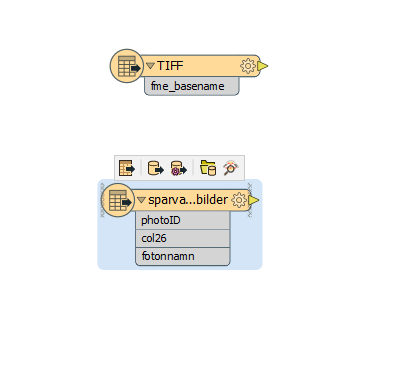
Fme_basename, the name of the TIFF-Picture in my folder


photoID, corresponding name of the Picture in a subset of Pictures that I want to select for the reader

This post is closed to further activity.
It may be an old question, an answered question, an implemented idea, or a notification-only post.
Please check post dates before relying on any information in a question or answer.
For follow-up or related questions, please post a new question or idea.
If there is a genuine update to be made, please contact us and request that the post is reopened.

2 replies

erik_jan
Contributor
Forum|alt.badge.img+26
  • Contributor
  • May 19, 2020

You can use this workflow:

Use a reader for the Shape file.

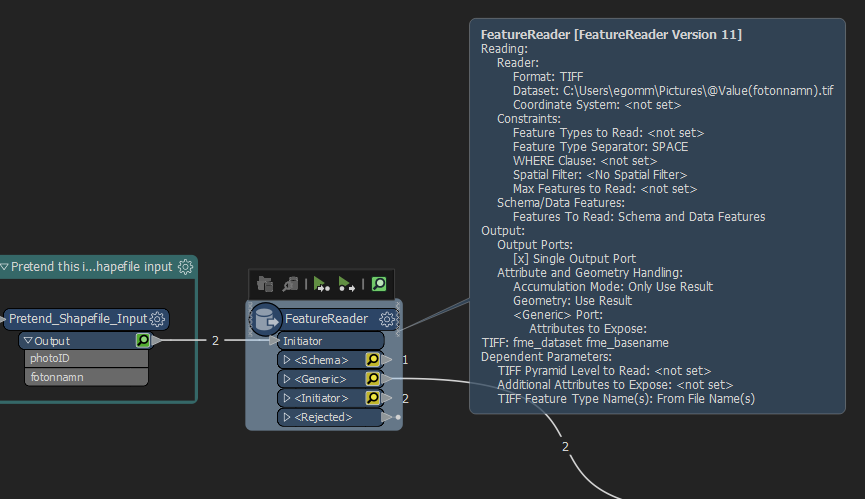
Follow this with a FeatureReader transformer (transformer that act as a reader, but with an initiator) and use the name from the Shape file as parameter for the Tiff file in the FeatureReader.

That would read only those Tiff files that are mentioned in the Shape file.

Hope this helps.


ebygomm
Influencer
Forum|alt.badge.img+46
  • Influencer
  • May 19, 2020

You can use the shapefile in conjunction with a featurereader to read the correct tif files. You just need to configure the Dataset parameter to use the name held in the fotonnamn attribute. Are all the photos in the same folder? It's still possible if they are but building the dataset string is slightly more complicated