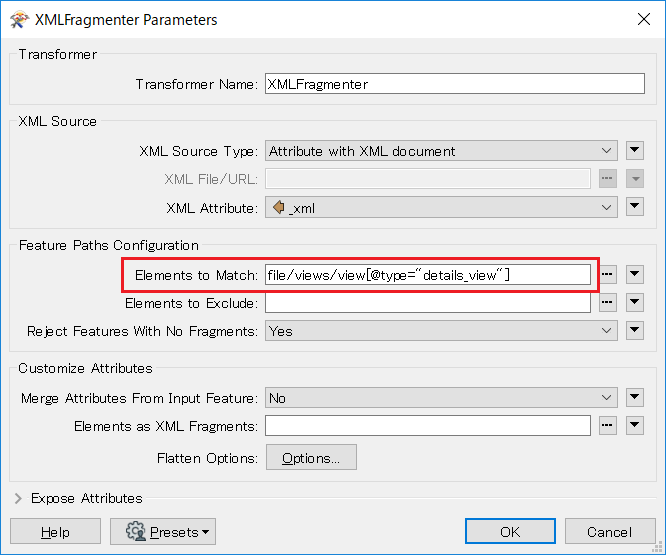
Yes - another XML question - however - taking the XML below - how do I extract the values just from the 'details_view' - i.e. I want the 'USER' data. I tried the flattening which could work, but I don't know how to differentiate between the two 'views'.
<?xml version="1.0" encoding="utf-8" standalone="yes"?>
<file>
      <views>
        <view type="summary_view">
          <nodes>
            <node>
              <properties>
                <property type="field_name">DATE_CREATED</property>
                <property type="field_data" year="2019" month="3" day="12" hour="11" minute="21" second="52" millisecond="938" offsetMinutes="0" normalized="True">2019-03-12T11:21:52.938+00:00</property>
              </properties>
            </node>
          </nodes>
        </view>
        <view type="details_view">
          <nodes>
            <node>
              <properties>
                <property type="field_name">USER</property>
                <property type="field_data">myusername</property>
              </properties>
            </node>
          </nodes>
        </view>
      </views>
</file>
Any help would be gladly received...
Ramo