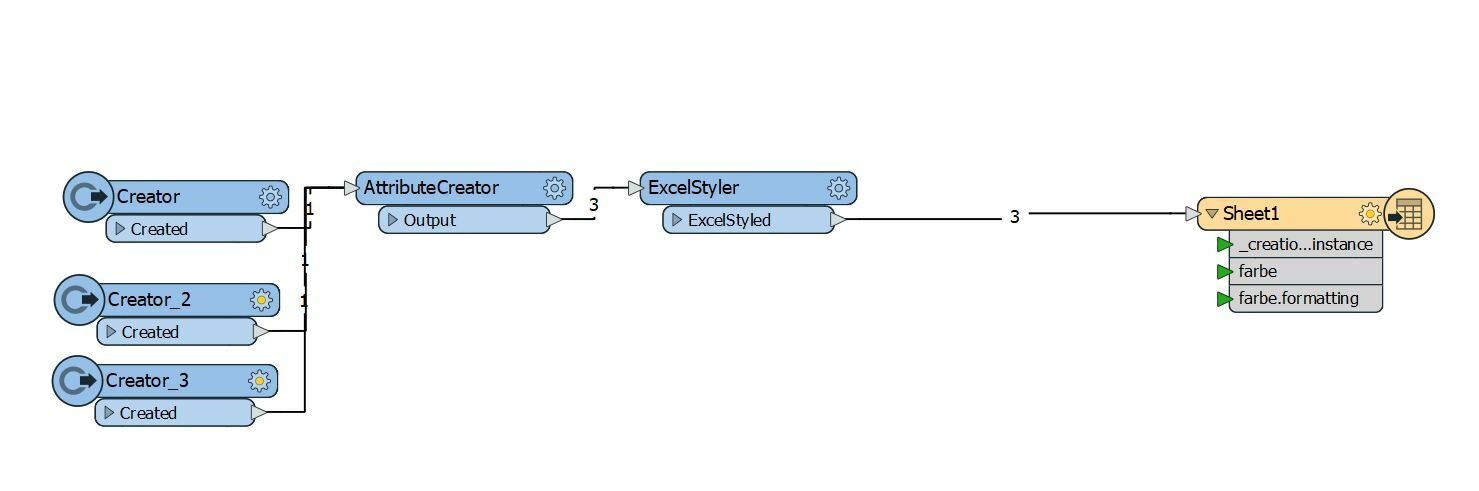
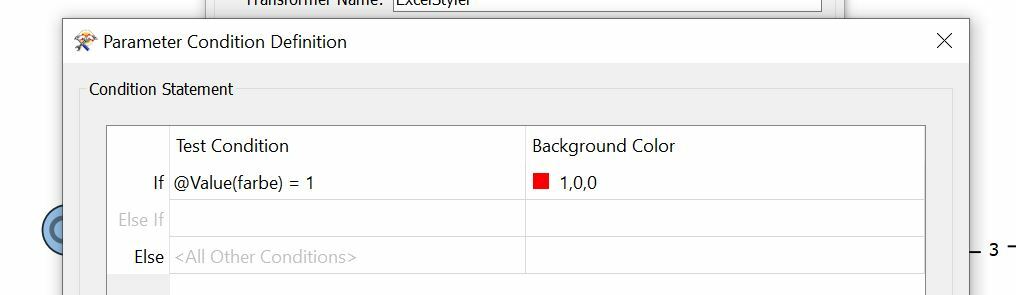
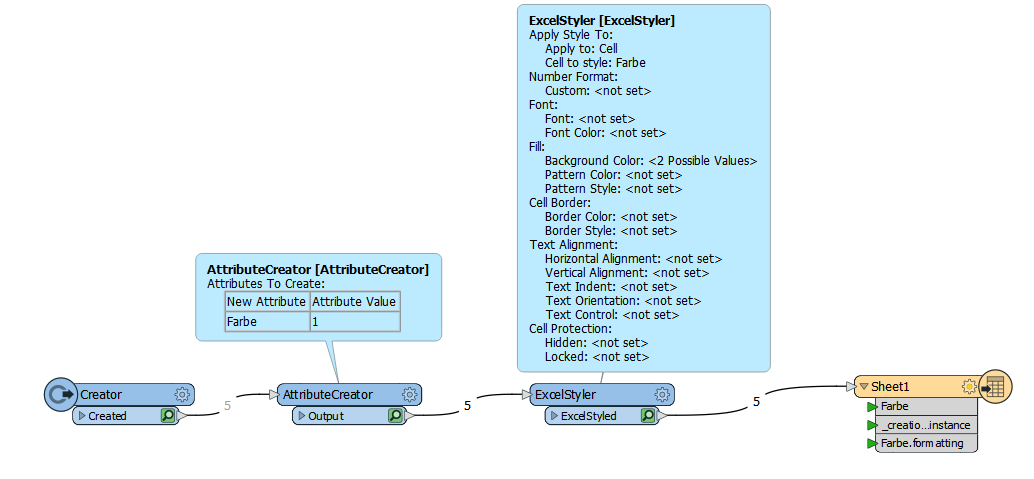
When cell xy is 1 --> colour background set to red.
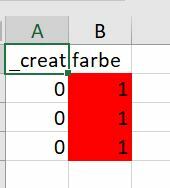
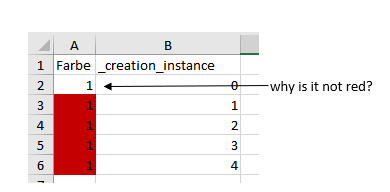
It is working in many cases only the first row doesn't turn red. What am I doing wrong?
Result in Excel:
Thanks for your help. :)

This post is closed to further activity.
It may be an old question, an answered question, an implemented idea, or a notification-only post.
Please check post dates before relying on any information in a question or answer.
For follow-up or related questions, please post a new question or idea.
If there is a genuine update to be made, please contact us and request that the post is reopened.
I dont know the reason - maybe any dll with different version.
I test it futher. With the Inspector everything is working, but without the same problem happens. Then I downloaded the new version (2020.0.3-b20252) and everything is fine. Thanks for your support!
After moving on, I got the problem back. I think it's a bug. @safesoftware can you look into it?
Hi @connecter,
I was only able to reproduce this issue with FME build 20218 when the workspace was not saved. I also tested the latest FME 2020.1 version (build 20594) with an unsaved workspace and was not able to reproduce the issue.
With build 20218, after I saved the workspace and re-ran the workspace to a new Excel sheet, the first cell was coloured as expected.
Could you confirm what version (including the build) of FME you are using? If you are using a workspace that was initially created in build 20218 but are using a newer version of FME, could you ensure you update your writer so that the version is updated or add a brand new writer to your workspace?
I was only able to reproduce this issue with FME build 20218 when the workspace was not saved. I also tested the latest FME 2020.1 version (build 20594) with an unsaved workspace and was not able to reproduce the issue.
With build 20218, after I saved the workspace and re-ran the workspace to a new Excel sheet, the first cell was coloured as expected.
Could you confirm what version (including the build) of FME you are using? If you are using a workspace that was initially created in build 20218 but are using a newer version of FME, could you ensure you update your writer so that the version is updated or add a brand new writer to your workspace?
- Andrea
Hi @andreaatsafe,
thanks for testing and your answer. I install the beta (FME(R) 2020.1.0.0 (20200626 - Build 20588 - WIN64)) and everything is fine. In Version 2020 (FME(R) 2020.0.3.0 (20200605 - Build 20252 - WIN64)) the problem pops up sometimes. I delete the write and at a new one. Here are my testresults:
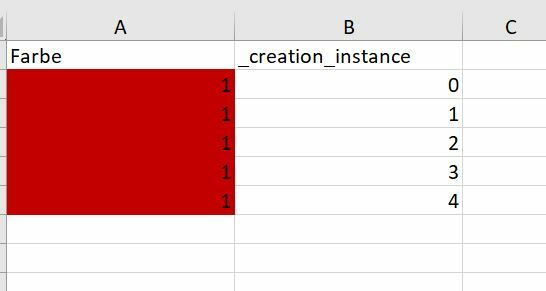
When you duplicate the Excelwrite and split the sheets by a column on some pages (sheets/Tabelle see screenshot below) the first row isn't coloured
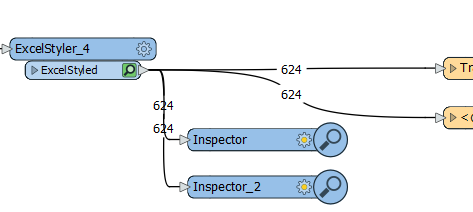
The Inspector has an effect on the output (C= first row coloured, NC = no colour):
No Inspector:
Tabelle 1: C
2: C
3: C
4: C
5: NC
6: C
7: C
One Inspector:
Tabelle 1: C
2: C
3: C
4: NC
5: NC
6: NC
7: C
Two Inspectors:
Tabelle 1: C
2: C
3: NC
4: NC
5: NC
6: NC
7: NC
I don't change anything expect the Inspector(s). I saved the workflow every time before I rerun the workflow and I delete the existed Excelsheet.
I can't share the new workflow- sorry. :(
But it looks like you change the Excelwriting in the new beta, so I go with the beta until it is release as stable version.
thanks for testing and your answer. I install the beta (FME(R) 2020.1.0.0 (20200626 - Build 20588 - WIN64)) and everything is fine. In Version 2020 (FME(R) 2020.0.3.0 (20200605 - Build 20252 - WIN64)) the problem pops up sometimes. I delete the write and at a new one. Here are my testresults:
When you duplicate the Excelwrite and split the sheets by a column on some pages (sheets/Tabelle see screenshot below) the first row isn't coloured
The Inspector has an effect on the output (C= first row coloured, NC = no colour):
No Inspector:
Tabelle 1: C
2: C
3: C
4: C
5: NC
6: C
7: C
One Inspector:
Tabelle 1: C
2: C
3: C
4: NC
5: NC
6: NC
7: C
Two Inspectors:
Tabelle 1: C
2: C
3: NC
4: NC
5: NC
6: NC
7: NC
I don't change anything expect the Inspector(s). I saved the workflow every time before I rerun the workflow and I delete the existed Excelsheet.
I can't share the new workflow- sorry. :(
But it looks like you change the Excelwriting in the new beta, so I go with the beta until it is release as stable version.
Hi @connecter,
Thanks for letting me know that one of the 2020.1 betas is working for you.
Apologies I was not clearer in my earlier message, but you can now upgrade to the officially released version of FME 2020.1 build 20594 here: https://www.safe.com/support/downloads/