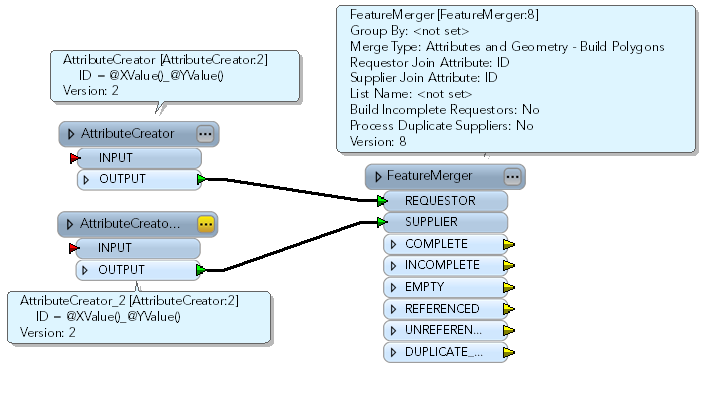
Example if point A from shape 1 and point B from shape 2 have the same X,Y and i want to copy an attributevalue from point B point A

Question
Copy attributevalue
I have 2 shapefiles (points). How can i copy the attributevalue from shape 1 to shape 2 if the points have the same geometry.
This post is closed to further activity.
It may be an old question, an answered question, an implemented idea, or a notification-only post.
Please check post dates before relying on any information in a question or answer.
For follow-up or related questions, please post a new question or idea.
If there is a genuine update to be made, please contact us and request that the post is reopened.
It may be an old question, an answered question, an implemented idea, or a notification-only post.
Please check post dates before relying on any information in a question or answer.
For follow-up or related questions, please post a new question or idea.
If there is a genuine update to be made, please contact us and request that the post is reopened.