Question

Conditionally join tables

  • Jul 25, 2019 1:56 PM UTC
  • 2 replies
  • 160 views

Hi,

i have two tables, one containing a code list and the meaning of each code:

Code


Meaning


500


Grass


501


Tree


502


Street


The other table, coming from the land survey team, contains the coordinates and the code of the point.

X


Y


Code


51XXXXX1


9XXXXXXX1


501


51XXXXX2


9XXXXXXX2


500


51XXXXX3


9XXXXXXX3


500


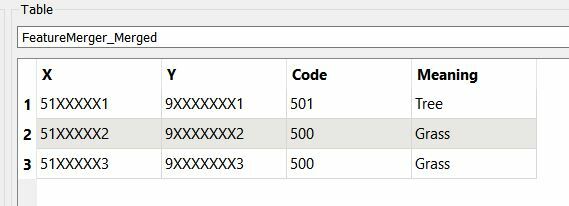
I want the meaning of each code in this table is added in a new column:

X


Y


Code


Meaning


51XXXXX1


9XXXXXXX1


501


Tree


51XXXXX2


9XXXXXXX2


500


Grass


51XXXXX3


9XXXXXXX3


500


Grass


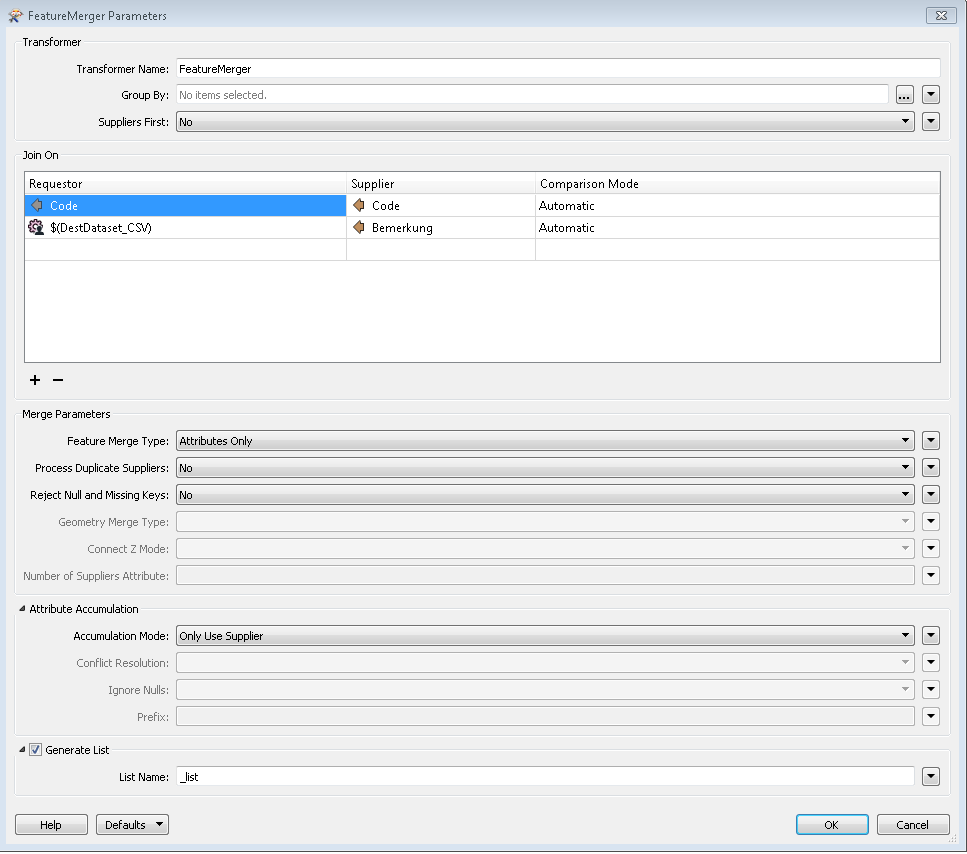
I m new to FME, usually i would do this with a script, e.g. in QGIS. My FeatureMerge options so far look like:
Any hints are welcome!

Thank you!

This post is closed to further activity.
It may be an old question, an answered question, an implemented idea, or a notification-only post.
Please check post dates before relying on any information in a question or answer.
For follow-up or related questions, please post a new question or idea.
If there is a genuine update to be made, please contact us and request that the post is reopened.

2 replies

danilo_fme
Celebrity
Forum|alt.badge.img+58
  • Celebrity
  • Jul 25, 2019 3:14 PM UTC

Hi @meyerlor

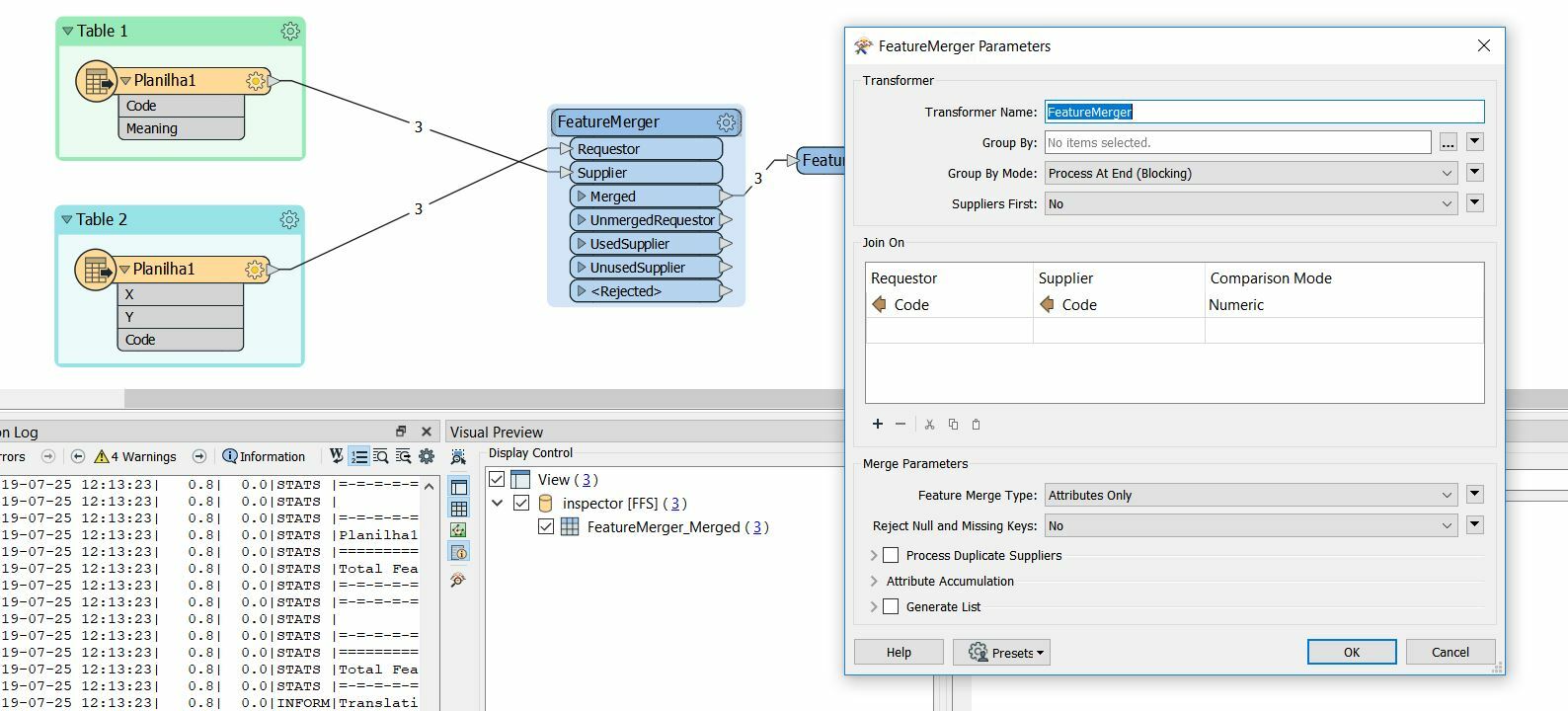
I used this configuration on transformer FeatureMerger:

The result:


Thanks,

Danilo


erik_jan
Contributor
Forum|alt.badge.img+26
  • Contributor
  • Jul 25, 2019 3:39 PM UTC

For FME 2018 and newer, you can use the FeatureJoiner instead of the FeatureMerger.

The FeatureJoiner is faster and more intuitive to use.


If both tables are in a database, I would use the SQLCreator and have the database execute the join.

The SQL would look something like:

Select survey.*, lookup.meaning

from survey, lookup

where survey.code = lookup.code;


Hope this helps.