


Solved

Strange behavior on SurfaceDraper

  • January 13, 2026
  • 12 replies
  • 114 views

knigge
Contributor
Forum|alt.badge.img+4

Greetings everyone,

I have a large number of 2D polygons for which I want to determine the Z value. I also have a DTM (digital terrain model).

Now I have observed the following: If I take only one polygon and, using the FeatureReader, read in only exactly those triangles of the DTM that are touched by the polygon in 2D, and then determine the Z values of the polygon using the SurfaceDraper (always carrying forward only z_max and using that as the Z value via the 3D_Forcer), I get different Z values than when I first create a buffer around the polygon and then pass the buffer to the FeatureReader and include the triangles around the polygon in the SurfaceDraper.

The triangles from the DTM do not touch each other.

There are deviations of several meters, depending on how strongly the terrain height varies around the polygon.

It seems as if the SurfaceDraper somehow takes the surrounding terrain into account, even if it does not touch the polygon.

It cannot be due to the tolerance; I have already experimented with that.

Does anyone know this behavior?

Best answer by daveatsafe

Hi ​@knigge,

The SurfaceDraper will generate its own surface from the vertices of the DGM triangles in order to drape the polygon. This may not exactly match the original triangulation. Using a more extended set of DGM triangles will provide a different, possibly more accurate, surface.

To ensure the closest match to the original triangulation, please send the DGM triangles to the Breaklines input of the SurfaceDraper. This will force the new surface edges to conform to the original edges (although more may be added), and should give a more consistent result.

12 replies

knigge
Contributor
Forum|alt.badge.img+4
  • Author
  • Contributor
  • January 14, 2026

If necessary, I can provide a small example dataset.


knigge
Contributor
Forum|alt.badge.img+4
  • Author
  • Contributor
  • January 14, 2026

I am currently observing that this is also related to whether the polygon that is supposed to receive the Z-values lies within a single DTM triangle or is intersected by multiple triangles.

If the polygon lies entirely within one triangle, the Z-value assignment works, as long as the neighboring triangles are not taken into account.

However, as soon as the polygon lies within multiple triangles, the Z-value assignment is no longer accurate.


knigge
Contributor
Forum|alt.badge.img+4
  • Author
  • Contributor
  • January 14, 2026

Here is a small sample.

If I use all 5 DGM triangles I get a Z-value from 53.135048715967386 and if I just use the triangle with the OID = 1067733 I get a value from 51.585430000182555 (the correct value).


My settings for the Draper are:

Surface Tolerance: 0.005

Preserve Deluanay by Adding Points

Breakline Tolerance: AUTO

Method: Model

Interpolation Method: Automatic

Replace Z


max_h
Enthusiast
Forum|alt.badge.img+23
  • Enthusiast
  • January 14, 2026

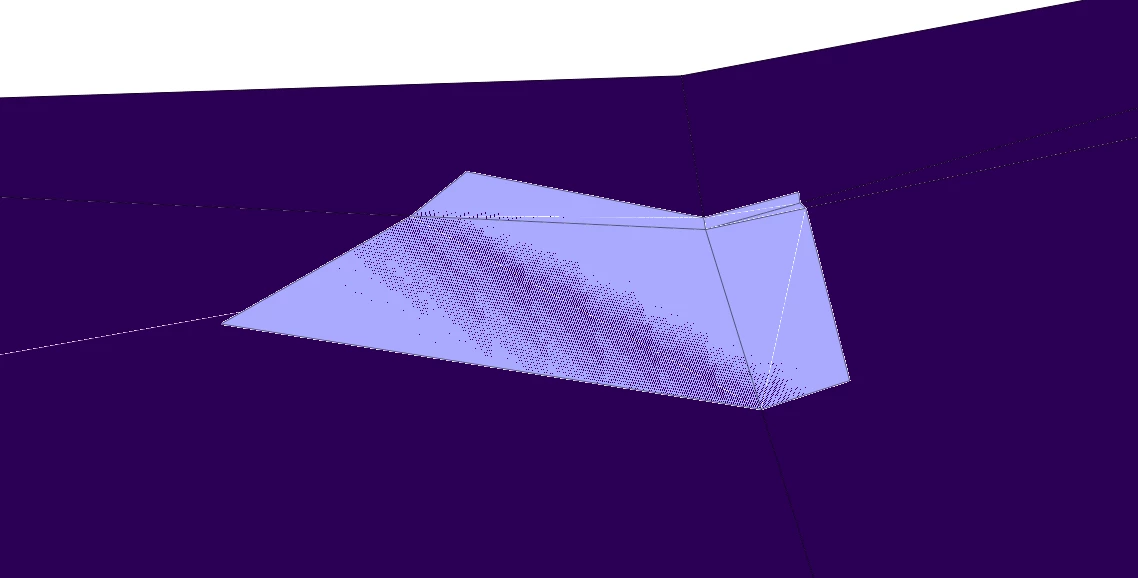
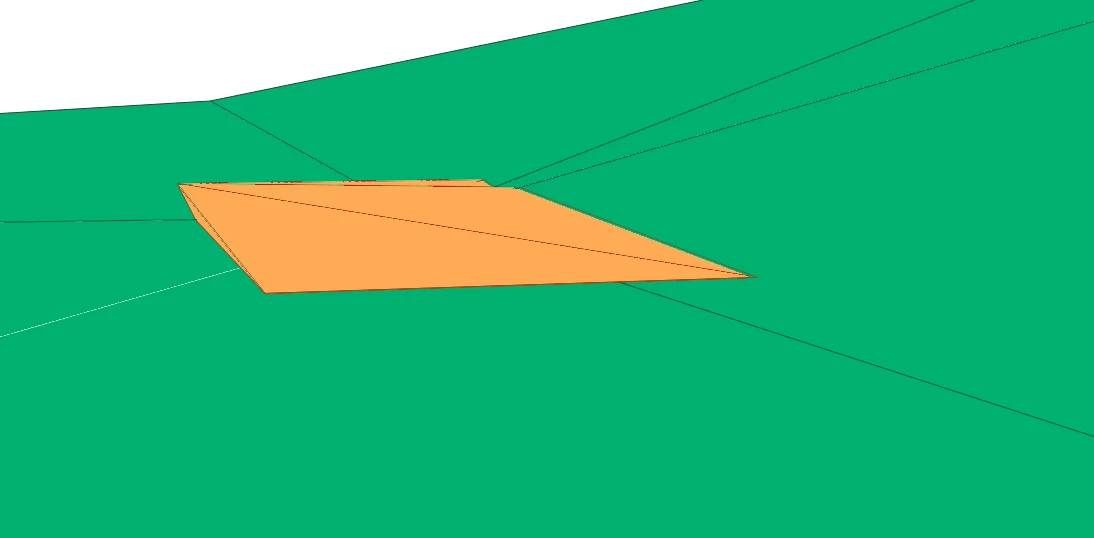
Would using a Clipper instead of the SurfaceDraper be an option for you?
 

Does look quite fitting for me.

My other idea was to use the clipped inside area as area in the SurfaceDraper, which does look better, but not perfect:


Though maybe it helps you.
Also I would recommend to use an AeraBuilder on your polygon as it is a MultiCurve - or is that intended?


knigge
Contributor
Forum|alt.badge.img+4
  • Author
  • Contributor
  • January 14, 2026

How did you configure the Clipper so that it transfers the Z-values from the DTM to the 2D polygons? I have also tried using the Clipper, but I haven’t been able to get the Z-values from the DTM to be passed on.


max_h
Enthusiast
Forum|alt.badge.img+23
  • Enthusiast
  • January 14, 2026


How did you configure the Clipper so that it transfers the Z-values from the DTM to the 2D polygons? I have also tried using the Clipper, but I haven’t been able to get the Z-values from the DTM to be passed on.

Clipper [Clipper]
General:
    Multiple Clippers: Yes
    Clippers Arrive First: No
    Overlapping Clippers: Clip Only Outside Remainders
    Candidates on Clipper Boundary: Output as Inside
    Invalid Parts Handling: Reject Whole Feature
Area on Area Z Values:
    Preserve Z From: Candidate Only
    Missing Z Values: PLANAR
Measures:
    Preserve Measures From: Candidate Only
    Missing Measure Values: LINEAR
Vector Candidates:
    Tolerance: AUTO
Raster Candidates:
    Preserve Raster Extents: No
    Determine Cell Location By: Centers
    Add Alpha/Nodata: Yes
Attribute Accumulation:
Advanced:
    Preserve Feature Order: Per Output Port
Output Attribute Name:
    Clipped Indicator: _clipped


→ I didnt change a thing, but I am also  using version 2025.1, as far as I know Clipper got quite a bit reworked in the last few versions, so if you have an older version you have to change a few configurations or update fme


knigge
Contributor
Forum|alt.badge.img+4
  • Author
  • Contributor
  • January 14, 2026

Regarding the geometry of the polygon: the Z-value is supposed to be determined by the highest intersection point of the polygon’s outline with the DTM. For this reason, I used the GeometryCoercer to derive the outline from the 2D polygon. I then ‘drape’ this outline onto the DTM (so far using the SurfaceDraper) in order to obtain the intersection points.


knigge
Contributor
Forum|alt.badge.img+4
  • Author
  • Contributor
  • January 14, 2026

I dont get it!

My settings are the same:

Clipper [Clipper]
General:
    Multiple Clippers: Yes
    Clippers Arrive First: No
    Overlapping Clippers: Clip Only Outside Remainders
    Candidates on Clipper Boundary: Output as Inside
    Invalid Parts Handling: Reject Whole Feature
Area on Area Z Values:
    Preserve Z From: Candidate Only
    Missing Z Values: PLANAR
Measures:
    Preserve Measures From: Candidate Only
    Missing Measure Values: LINEAR
Vector Candidates:
    Tolerance: AUTO
Raster Candidates:
    Preserve Raster Extents: No
    Determine Cell Location By: Centers
    Add Alpha/Nodata: Yes
Attribute Accumulation:
Advanced:
    Preserve Feature Order: Per Output Port
Output Attribute Name:
    Clipped Indicator: _clipped

But I dont get any z-values??

The Clipper is the DTM and the Candidate are the Outline of the Polygone. The only thing that happens is, that the DTM cut my outline into 5 MultiCurves...


max_h
Enthusiast
Forum|alt.badge.img+23
  • Enthusiast
  • January 14, 2026


The Clipper is the DTM and the Candidate are the Outline of the Polygone. The only thing that happens is, that the DTM cut my outline into 5 MultiCurves...

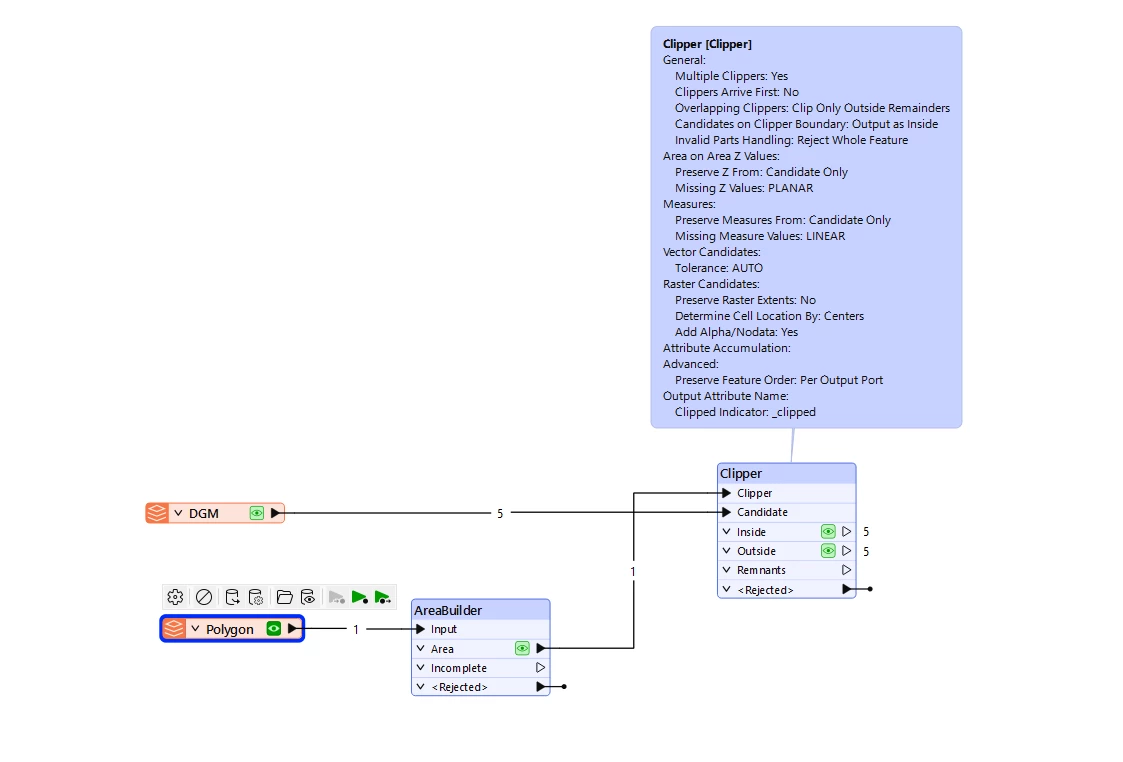
You got to change those, you want the polygon-shaped cutout of the dtm:
 

And then you can do whatever you want with the “inside”


knigge
Contributor
Forum|alt.badge.img+4
  • Author
  • Contributor
  • January 14, 2026

*Facepalm*


BUT: This does not work with the outline. If I apply an AreaBuilder first, it can happen that the polygon sits in the middle of a hill and the outline is completely floating in the air, while the Z-value is determined from an intersection point within the interior of the area.


knigge
Contributor
Forum|alt.badge.img+4
  • Author
  • Contributor
  • January 14, 2026

And ofc the other question: Why does the SurfaceDraper dont get it right at this point?


daveatsafe
Safer
Forum|alt.badge.img+21
  • Safer
  • Best Answer
  • January 14, 2026

Hi ​@knigge,

The SurfaceDraper will generate its own surface from the vertices of the DGM triangles in order to drape the polygon. This may not exactly match the original triangulation. Using a more extended set of DGM triangles will provide a different, possibly more accurate, surface.

To ensure the closest match to the original triangulation, please send the DGM triangles to the Breaklines input of the SurfaceDraper. This will force the new surface edges to conform to the original edges (although more may be added), and should give a more consistent result.