
Hello. We have several Flow Workspace Apps that use a customized browser icon and heading logo image. I was wondering if those files can be retrieve from Flow or can be found in a folder path on the machine where Flow is installed, since we have misplaced those image files. Any help would be appreciated. Thanks.

Solved
FME Flow Workspace App customize file location


 +5
+5- Contributor
Best answer by dylan.at.safe
Hi
Workspace Apps store custom images in the FME Flow database as binary data in the fme_apps_styling table. You can export those binaries and convert them back to image files to recover the assets.
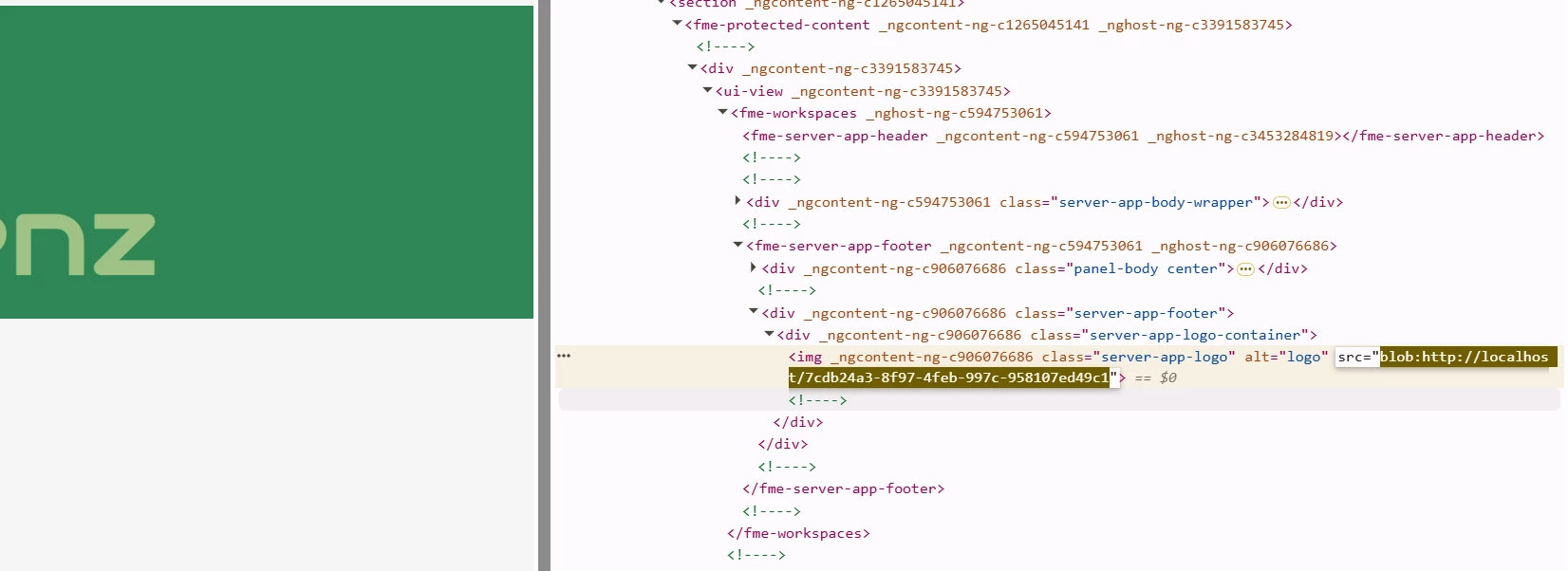
Alternatively, use your browser’s developer tools to download the image directly from the page. Use the inspect tool and click on the image to find its HTML element. Then, click the src link to download the file, and append .png to the filename to open it as a PNG.
This post is closed to further activity.
It may be an old question, an answered question, an implemented idea, or a notification-only post.
Please check post dates before relying on any information in a question or answer.
For follow-up or related questions, please post a new question or idea.
If there is a genuine update to be made, please contact us and request that the post is reopened.
It may be an old question, an answered question, an implemented idea, or a notification-only post.
Please check post dates before relying on any information in a question or answer.
For follow-up or related questions, please post a new question or idea.
If there is a genuine update to be made, please contact us and request that the post is reopened.