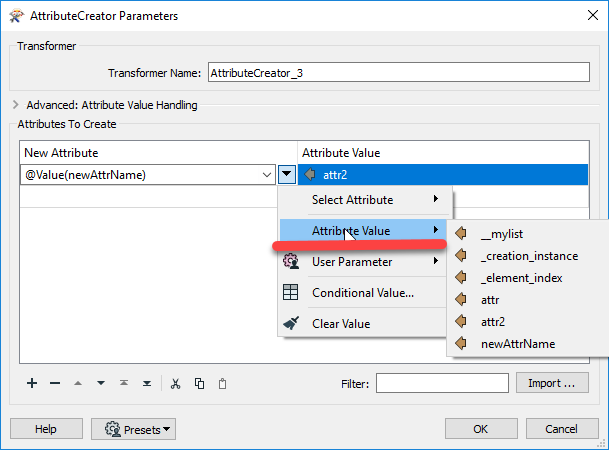
I have a list which I exploded using the listExploder. The output contains an attribute _element_index. I want to create an attribute with a name composed of the value of _element_index concatenated with another string. When I try to write the name of this new attribute in an AttributeCreator, it seems like the @Value(_element_index) doesn't work as no new attribute is created (the new attribute name doesn't appear as an option in the AttributeExposer).

Best Answer
Renaming attribute from list with _element_index
Best answer by ebygomm
The new attribute name(s) won't be an option in the AttributeExposer, you will have to manually type it/them in. You can check whether the attribute has actually been created in the Feature Information on the right hand side which will show unexposed attributes
This post is closed to further activity.
It may be an old question, an answered question, an implemented idea, or a notification-only post.
Please check post dates before relying on any information in a question or answer.
For follow-up or related questions, please post a new question or idea.
If there is a genuine update to be made, please contact us and request that the post is reopened.
It may be an old question, an answered question, an implemented idea, or a notification-only post.
Please check post dates before relying on any information in a question or answer.
For follow-up or related questions, please post a new question or idea.
If there is a genuine update to be made, please contact us and request that the post is reopened.