


Question

Python locale issue

  • June 11, 2024
  • 7 replies
  • 519 views

knutos
Contributor
Forum|alt.badge.img+8


Hi there!

I get tons of these messages from some workspaces created with FME 2020 (in Norway) and now  migrated to FME 2024: 

The Startup Python Script changed the current FME process locale from 'Norwegian Bokmål_Norway.utf8' to 'C' and FME has restored it back to 'Norwegian Bokmål_Norway.utf8'. It is undefined behavior to change locale and doing so may cause unexpected errors. For more information, visit http://fme.ly/PythonLocaleError

I have read the post http://fme.ly/PythonLocaleError carefully, but it does not give me anything. I have nothing such as import arcpy or locale.setlocale() in my Python-code. The example message above is particulary strange, I don’t even have a Python Startup Script. So something is absolutely confusing here.
No Startup Script

Another example:

PythonFactory script changed the current FME process locale from 'Norwegian Bokmål_Norway.utf8' to 'C' and FME has restored it back to 'Norwegian Bokmål_Norway.utf8'. It is undefined behavior to change locale and doing so may cause unexpected errors. For more information, visit http://fme.ly/PythonLocaleError

“With FME 2022.0 and newer, FME will process all workspaces using UTF-8 as the encoding for most string data when running on Windows 10+ or Windows Server 2019+, this allows for FME to execute workspaces that are created in different locales and will help minimize locale issues. “

This is well known by me. My guess for the reason of these messages is that the workspace was developed prior to FME 2022.0, and therefore originally not in UTF-8 encoding. But how can I get rid of these messages after that the workspace has been migrated to FME 2024?

Anyone?

7 replies

crystalatsafe
Safer
Forum|alt.badge.img+26

Hi @knutos 


I believe this issue has been fixed for 2024.1 which should be released soon. 

For now, if you set the display language to English this seems to work as a temporary workaround. 


Please let me know if this works for you. 

Crystal 


s.jager
Influencer
Forum|alt.badge.img+23
  • Influencer
  • December 12, 2025

If this was fixed, it’s returned in FME(R) 2025.1.1.0 (20250730 - Build 25615 - WIN64).

Specifically in a FeatureWriter that writes a Text-file in UTF-8 to a network drive. Happens both in Form and Flow, although the encoding mentioned is slightly different (local machine versus server):

Form:

2025-12-12 10:22:02|   0.6|  0.0|INFORM|Creating writer for format: 
2025-12-12 10:22:02|   0.6|  0.0|INFORM|Using MultiWriter with keyword `FeatureWriter' to output data (ID_ATTRIBUTE is `multi_writer_id')
2025-12-12 10:22:02|   0.6|  0.0|INFORM|Creating writer for format: Text File
2025-12-12 10:22:02|   0.6|  0.0|INFORM|Trying to find a DYNAMIC plugin for writer named `TEXTLINE'
2025-12-12 10:22:02|   0.6|  0.0|WARN  |The current FME process locale has been changed from 'Dutch_Netherlands.utf8' to 'Dutch_Netherlands.1252' and FME has restored it back to 'Dutch_Netherlands.utf8'. It is undefined behavior to call 'setlocale()' in plugin code and doing so may cause unexpected errors

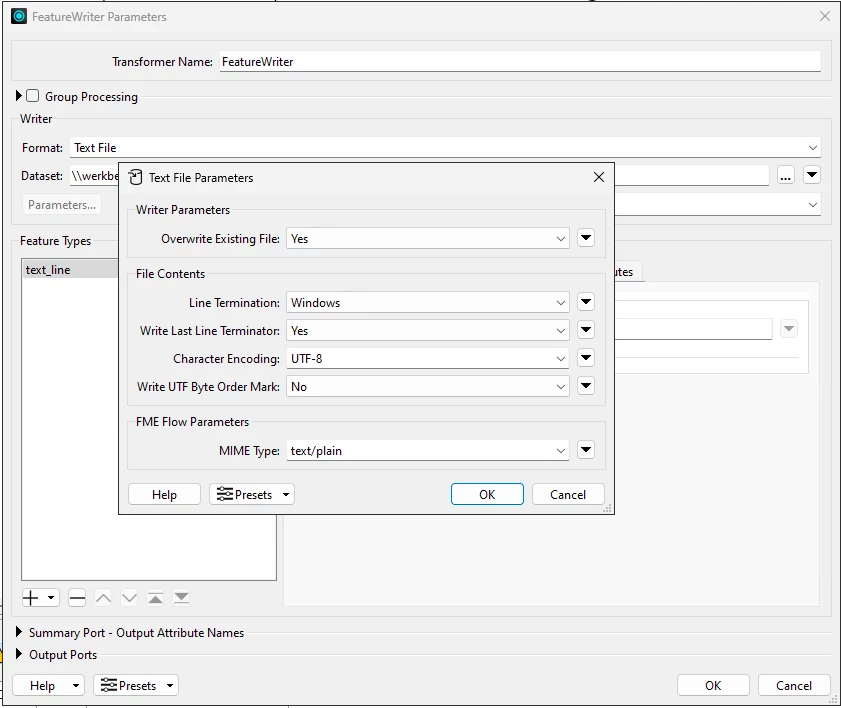
This happens in the following FeatureWriter:

Nothing special, just a simple text file with a single line of text in it (it’s a check to make sure FME can actually write to that network disk location).


Flow:

Flow logs are much the same, just copying them here to be complete:

96 2025-12-12 10:18:42 | Creating writer for format:
97 2025-12-12 10:18:42 | Using MultiWriter with keyword `FeatureWriter' to output data (ID_ATTRIBUTE is `multi_writer_id')
98 2025-12-12 10:18:42 | Creating writer for format: Text File
99 2025-12-12 10:18:42 | Trying to find a DYNAMIC plugin for writer named `TEXTLINE'
100 2025-12-12 10:18:42 | The current FME process locale has been changed from 'English_United States.utf8' to 'English_United States.1252' and FME has restored it back to 'English_United States.utf8'. It is undefined behavior to call 'setlocale()' in plugin code and doing so may cause unexpected errors


As you can see, slightly different locale’s mentioned, but the error is the same, and it also happens in the same FeatureWriter.

For now, if you set the display language to English this seems to work as a temporary workaround. 

I can’t find anywhere where I could change the display language, so not sure how that could make a difference. This particular workspace is NOT using any Python, I almost never use Python so if it is Python, it’s something that changed recently - this never happened in our previous version (2022 - yes, I know, we do not update very often since it takes a lot of time, and the shop must stay open).


desiree_at_safe
Safer
Forum|alt.badge.img+16

Hi ​@s.jager! I understand the confusion. This certainly looks like a Python-related issue appearing where no FME “Python objects” are used, but the error may be implying a related internal FME component is behaving unexpectedly!

As for the issue itself, it looks very similar to one we’ve seen before, so it is possible that this specific Writer may have escaped the fix. I’m still working on reproducing this issue myself, but to clarify: is this just a warning you are seeing, or is it failing the translation/stopping production?


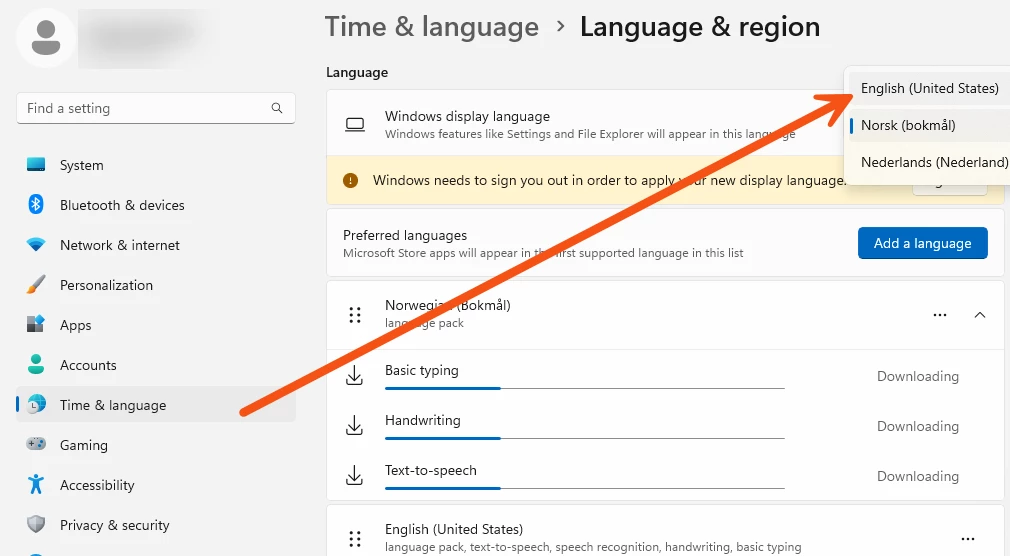
Regarding the workaround, I believe Crystal may be referring to Windows System Settings (not a setting in FME). You can find this here: Settings > Time & Language > Language & Region


Please let me know if changing that clears the message for you!

[Ref: FOUNDATION-5952]


s.jager
Influencer
Forum|alt.badge.img+23
  • Influencer
  • December 16, 2025

As for the issue itself, it looks very similar to one we’ve seen before, so it is possible that this specific Writer may have escaped the fix. I’m still working on reproducing this issue myself, but to clarify: is this just a warning you are seeing, or is it failing the translation/stopping production?


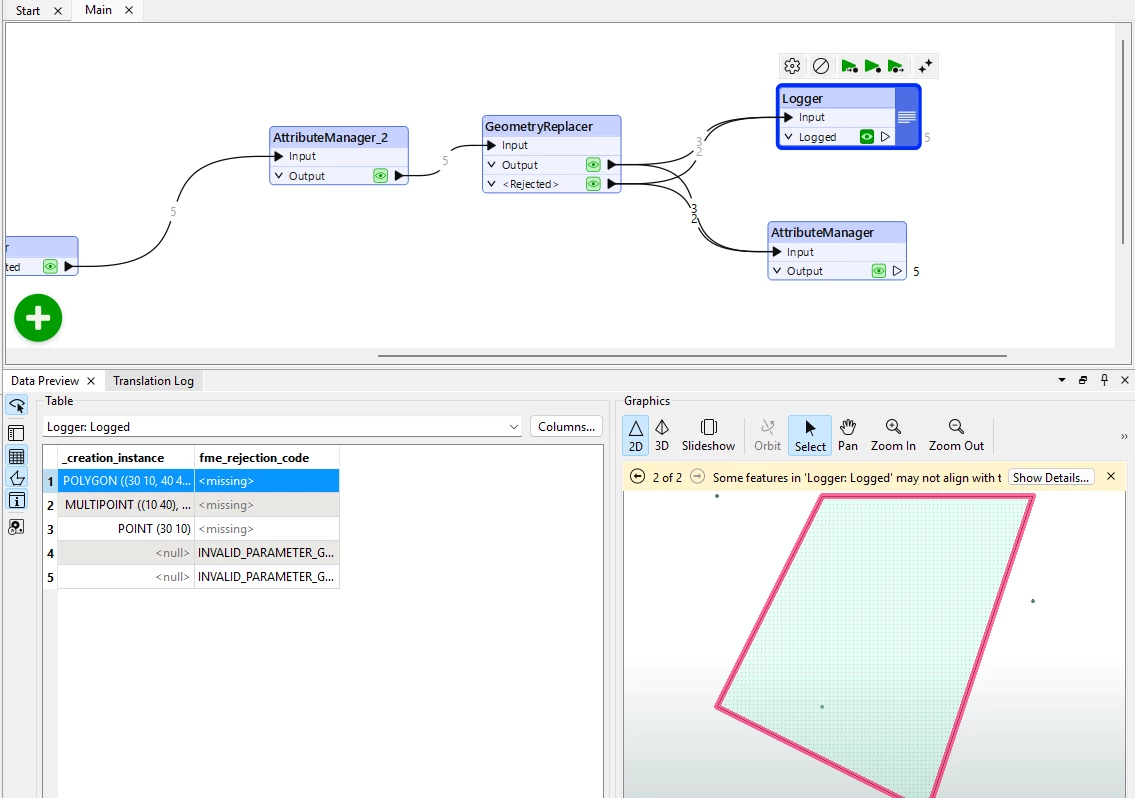
It is a warning, it did not stop the translation. Since I did not do anything with the rejected port, it did cause a good 3000 - 4000 features to disappear and not be processed however, which became obvious when certain features were expected in the output but did not show up - so initially it did mess up Production. It took me quite some time to figure out where they disappeared, which turned out to be the Rejected port of the GeometryReplacer. Using the workaround with the WKB attribute solved it though.

I still find it a bit strange that (I haven’t investigated this, it’s a hunch) it always seem to be the same features, with nothing to distinguish themselves from other features. I should probably log them and their Guid’s to check that.


Regarding the workaround, I believe Crystal may be referring to Windows System Settings (not a setting in FME). You can find this here: Settings > Time & Language > Language & Region

Ah, that’s why I couldn’t find it 😄. That is not going to help me locally though, since we are running FME as a remote Azure app. And the same thing happens on FME Flow, which runs on a server - where I’m fairly certain the region is already set to English US. You can see from the Flow warning:

The current FME process locale has been changed from 'English_United States.utf8' to 'English_United States.1252' and FME has restored it back to 'English_United States.utf8'. It is undefined behavior to call 'setlocale()' in plugin code and doing so may cause unexpected errors

But to be honest I’m not certain of the Flow-server, I’ll verify that with my colleagues from IT. But on that server I definitely do not have the rights to change that though, so this will not solve anything for me unfortunately. As said, I do have a satisfactory workaround, so it’s not breaking Production at the moment.

Thank you for looking into this again, if you need something from me to be able to reproduce, don’t hesitate to ask. 


braggken
Supporter
Forum|alt.badge.img+8
  • Supporter
  • December 22, 2025

Hi there
I think we have the same problem: FME Flow 2025.1
For us this issue causes critical workpaces to fail intermittently so big problem if indeed is is the same problem. 

Below is an example. At first we thought we had issues with the SharePointOnlineConnector and we completely removed and re-published the package to Flow. 
But we see the same issue with the S3Connector package also from time to time. 

178 2025-12-18 09:59:54 | Message Type: fme::internal::_v0::py::Exception
179 2025-12-18 09:59:54 | Python Exception <ValueError>: unknown locale: en-US
180 2025-12-18 09:59:54 | PythonFactory failed to load python symbol `fmepy_microsoft_sharepoint.connector.SharepointOnlineConnector'. An outdated FME packaged transformer may be in use. Please check Utilities > FME Options > FME Packages to confirm that all FME Packages are up to date
181 2025-12-18 09:59:54 | PythonFactory script changed the current FME process locale from 'English_United States.utf8' to 'en-US' and FME has restored it back to 'English_United States.utf8'. It is undefined behavior to change locale and doing so may cause unexpected errors. For more information, visit http://fme.ly/PythonLocaleError
182 2025-12-18 09:59:54 | Factory proxy not initialized
183 2025-12-18 09:59:54 | SharePointOnlineConnector_4_CALLER (PythonFactory): PythonFactory failed to process feature


desiree_at_safe
Safer
Forum|alt.badge.img+16

Generally, warnings shouldn't stop translation - this is definitely not expected behavior! We'd want to dig into this more to ensure workspaces are running as expected.

@s.jager I was able to reproduce the warning message! Thank you for sharing that info. It does appear that the translation runs well in my testing. I was able to write data as expected. I am curious about those missing features you mentioned!

It sounds like you did some good digging and already found issues with the GeometryReplacer. Errors with this could be that there's some values in your dataset that aren't OGC WKT compliant. I'm also curious if you maybe ran into something that I've seen before, where NULL values are rejected when the Geometry Encoding is OGC Well Known Text.

To investigate I'd recommend using the Logger! Also, in case you didn't know, if it does happen that the values are NULL and you still want to keep them in your dataset, you can connect both rejected and output port to the rest of your workspace and it should keep all those values!

Let us know what you find with the Logger! 🙂

​ 


desiree_at_safe
Safer
Forum|alt.badge.img+16

Hi ​@braggken ! It's definitely concerning that jobs are failing intermittently, so it's worth digging into that! To get a clearer picture of what you're experiencing, are those workspaces working in Form and only failing in Flow, and would you be willing to let us know what "intermittently" means in your case?

The Factory proxy not initialized error is something I've seen with other Python-based formats, like the Emailer or the S3Connector/SharepointOnlineConnector you mentioned. I'm curious if this community thread might help: https://community.safe.com/flow-hosted-16/emailer-transformer-having-python-error-on-fme-flow-39267

It's still possible that the locale issue could be the source of the problem, but I'd recommend testing those suggestions there (like ensuring the package on Flow appears as expected, or that your package is updated and Flow/Form versions are compatible/matching).

If you're still experiencing issues and you haven't already submitted a case for this, please submit a ticket so that our team can look into this further with more information about your case, like workspaces and log files.