




Question

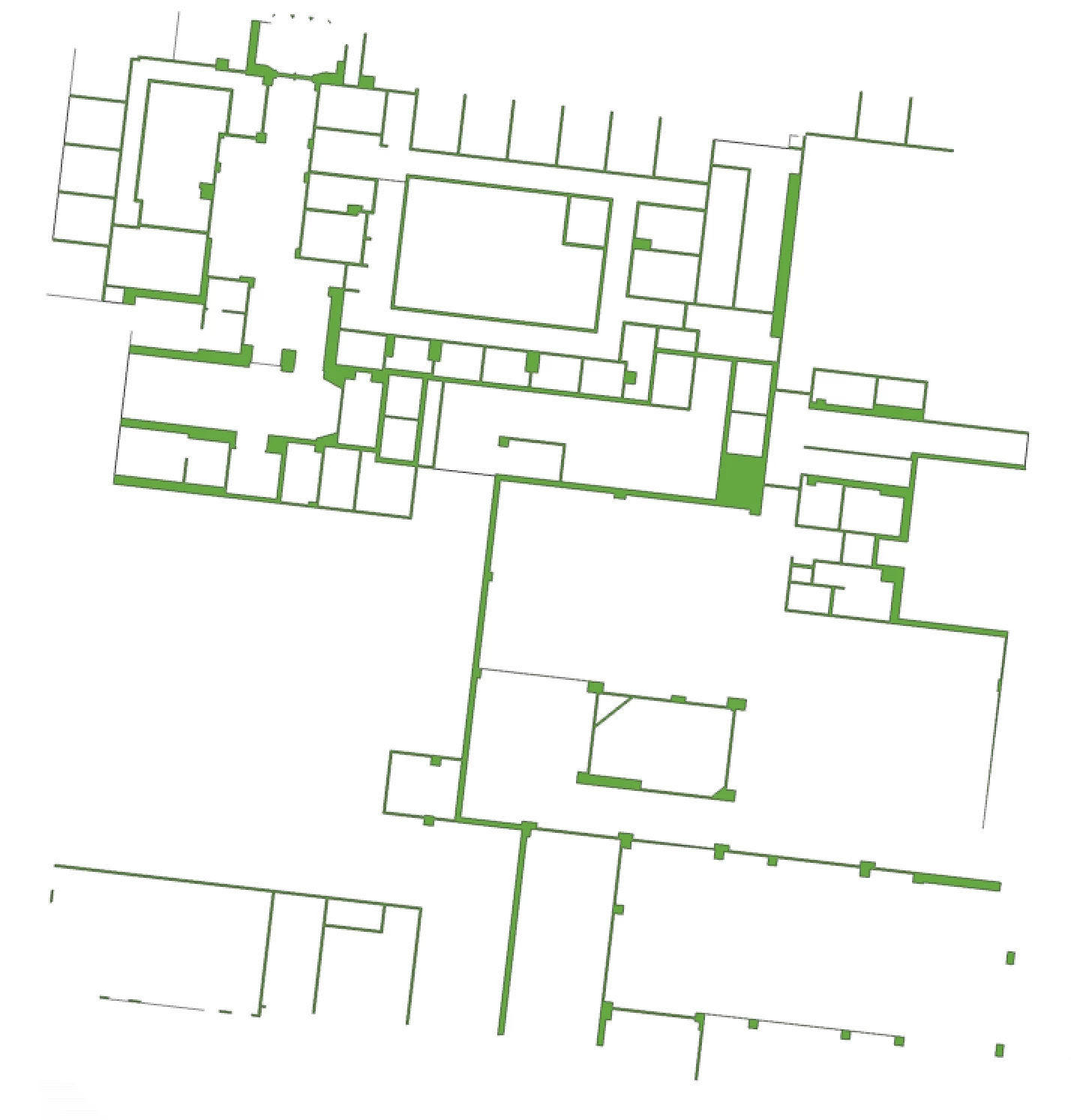
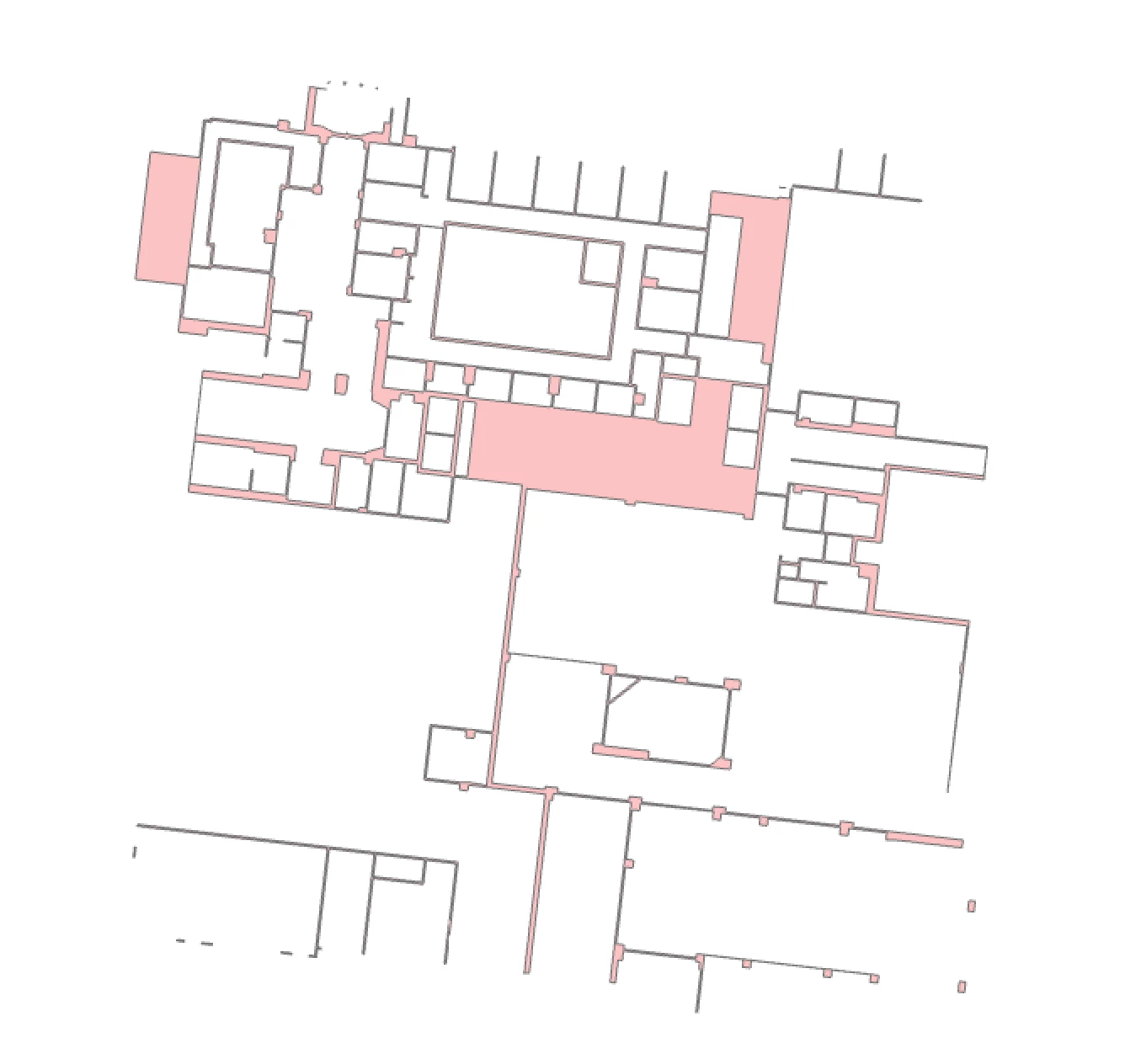
Polygon is being filled in when writing into an SDE, but doesn't happen when being written into a .gdb

  • January 23, 2026
  • 4 replies
  • 25 views

schulte.a
Contributor
Forum|alt.badge.img+4

I am taking a polygon that is the floor of a building, I am then clipping out the exterior wall and the room polygons on it to get the square footage of the space between the walls. However, it is filling in polygons at random when writing to our SDE. When I write these polygons to a .gdb, that behavior doesn’t happen. I have tried to not simplify the geometry, used the donut extractor to only take the outershells, orientor to only choose right facing polygons, etc. Anything else I should try?

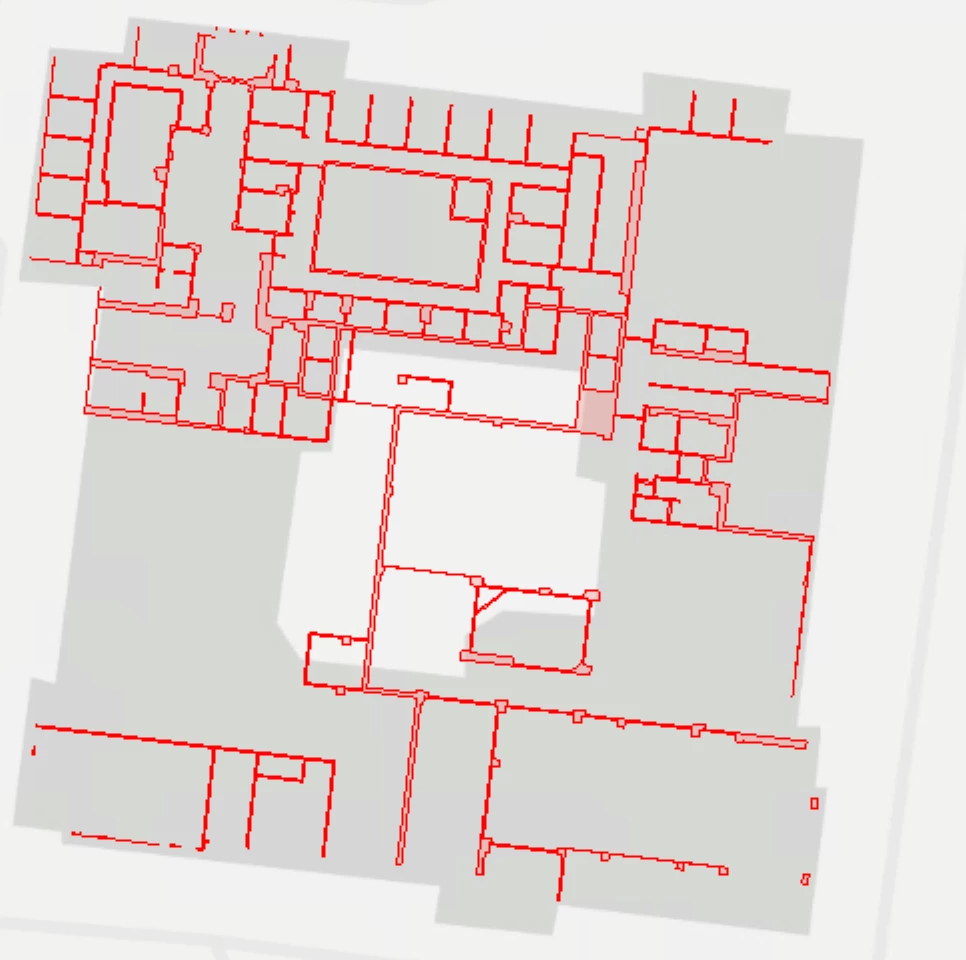
Preview of the polygon in FME:
Polygon in GDB:
Polygon in SDE:
 

4 replies

nielsgerrits
VIP
Forum|alt.badge.img+64

Are there differences in XY resolution / tolerance between the featureclasses in gdb and sde?


schulte.a
Contributor
Forum|alt.badge.img+4
  • Author
  • Contributor
  • January 23, 2026

I actually do not know how to check that. I saw there are 18 decimals in my featureclass precision, and used the coordinate rounder to go to 18. But still didn’t work. I could be doing all this completely wrong though. 


nielsgerrits
VIP
Forum|alt.badge.img+64

I actually do not know how to check that. I saw there are 18 decimals in my featureclass precision, and used the coordinate rounder to go to 18. But still didn’t work. I could be doing all this completely wrong though. 

You can check the tolerance and precision in the featureclass properties using ArcGIS Pro.

XY resolution and tolerance control how coordinates are stored and how close vertices have to be to be considered the same location.

The resolution defines the “grid” on which the vertices are snapped.

Tolerance is the minimum distance to vertices are considered coincident during topology validation etc.

When using meters, the default resolution is 0.0001 m which is 0.1 mm. You can imagine that when your geometry has very fine details, snapping the vertices to a 0.1 mm grid might change the geometry enough to change it.

In FME geometry is stored using floating points, which is a different strategy. Geometry from FME will change when written to SDE, due to the tolerance.

Not sure why it does work using a gdb and not SDE, but the first thing I would look is the resolution in the different featureclasses.

In earlier versions we had the ArcSDEGridSnapper transformer which simulated this snapping, showing the collapsed geometry. It is deprecated, but I do not know why exactly. Maybe you can reproduce the behaviour by rounding the coordinates to 0.0001 m.


schulte.a
Contributor
Forum|alt.badge.img+4
  • Author
  • Contributor
  • January 23, 2026

Interestingly enough, a negative buffer of -0.0005 made it write in



