Question

Pad raster to geospatial extents

  • January 15, 2026
  • 3 replies
  • 57 views

jdh
Contributor
Forum|alt.badge.img+40

The Clipper can subset a raster by geospatial extents, while the RasterSubsetter can both subset and pad a raster by number of pixels, but is there a simple way to pad a raster to a given polygon/geospatial extent?

My two ideas are to either
Use the RasterSubsetter to pad the raster by a large amount of pixels and then the Clipper to bring it back to size.

Or

Rasterize the polygon to the same resolution as the image with a background/NoData value and mosaic the two together.

Neither seem particularly efficient.



3 replies

dmitribagh
Safer
Forum|alt.badge.img+17
  • Safer
  • January 20, 2026

Hi ​@jdh,

Your second idea is not bad at all, but yes, it will require a few transformers - extracting raster properties, merging the polygon with the raster to pass raster properties, rasterization, and mosaicking, plus taking care of nodata or carefully tracking feature order. Maybe wrap it into a custom transformer, and in this case if will look efficient 😃.

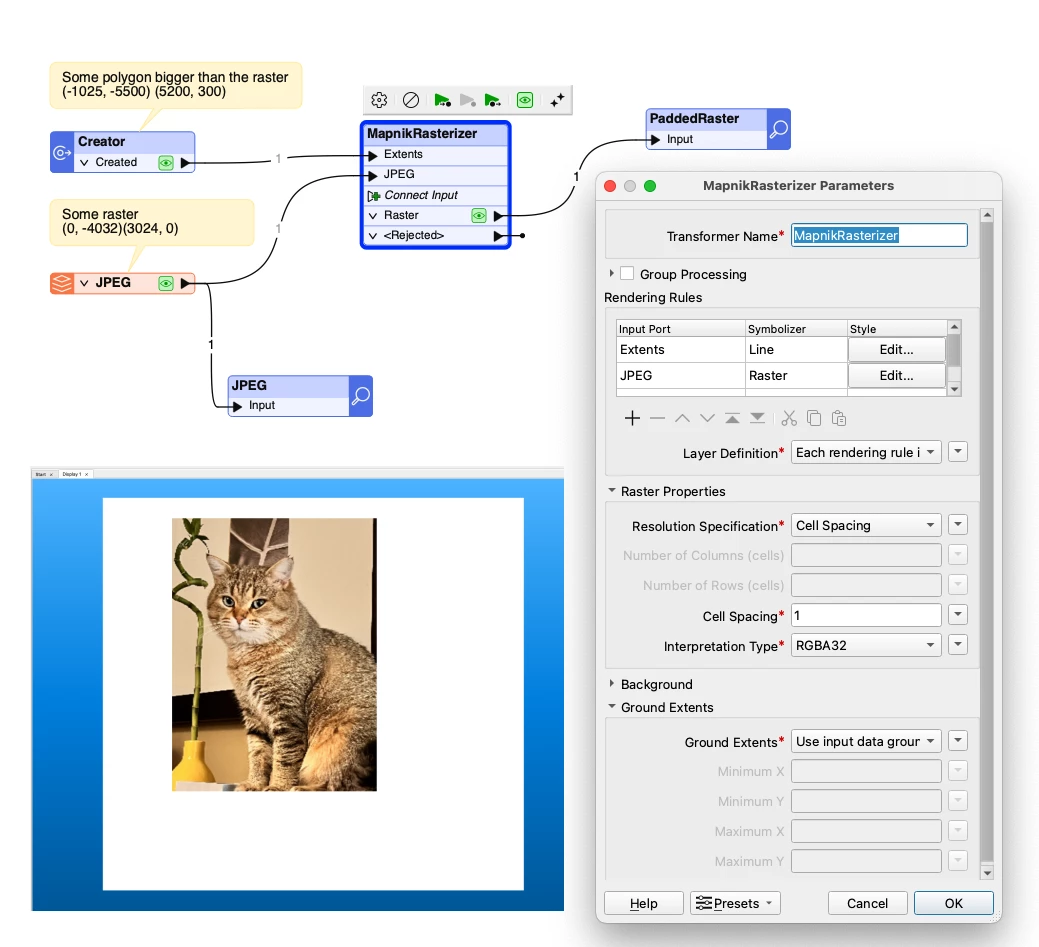
I probably would go with MapnikRasterizer. Send your polygon to it, style it as a Line with opacity = 0, and then send your raster, set its Symbolizer to “Raster” with no other settings. Set spacing to the spacing of the original raster, and make sure to set input data ground extents.

Here is the screenshot of the workspace and the output. Keep in mind, MapnikRasterizer supports only RGB24 and RGB32 interpretations, so if you deal with different interpretations, you can either coerce rasters to these two interpretations, or you give your Mosaicker idea a try.

Dmitri


jdh
Contributor
Forum|alt.badge.img+40
  • Author
  • Contributor
  • January 21, 2026

Hi ​@dmitribagh,

My concern with the second approach is that the RasterMosaicker will snap the data raster to the polygonized raster. Even though the cell spacing is the same, it is unlikely that the polygon boundaries would fall exactly on the theoretical pixel boundary, so there could be an offset of up to half a pixel resolution.

I had not considered the MapnikRasterizer, as my data is 4 bands, with the 4th being another data band, not an alpha.  I suspect the MapnikRasterizer would also produce the same potential shift as the RasterMosaicker aproach.


dmitribagh
Safer
Forum|alt.badge.img+17
  • Safer
  • January 21, 2026

Hi ​@jdh,


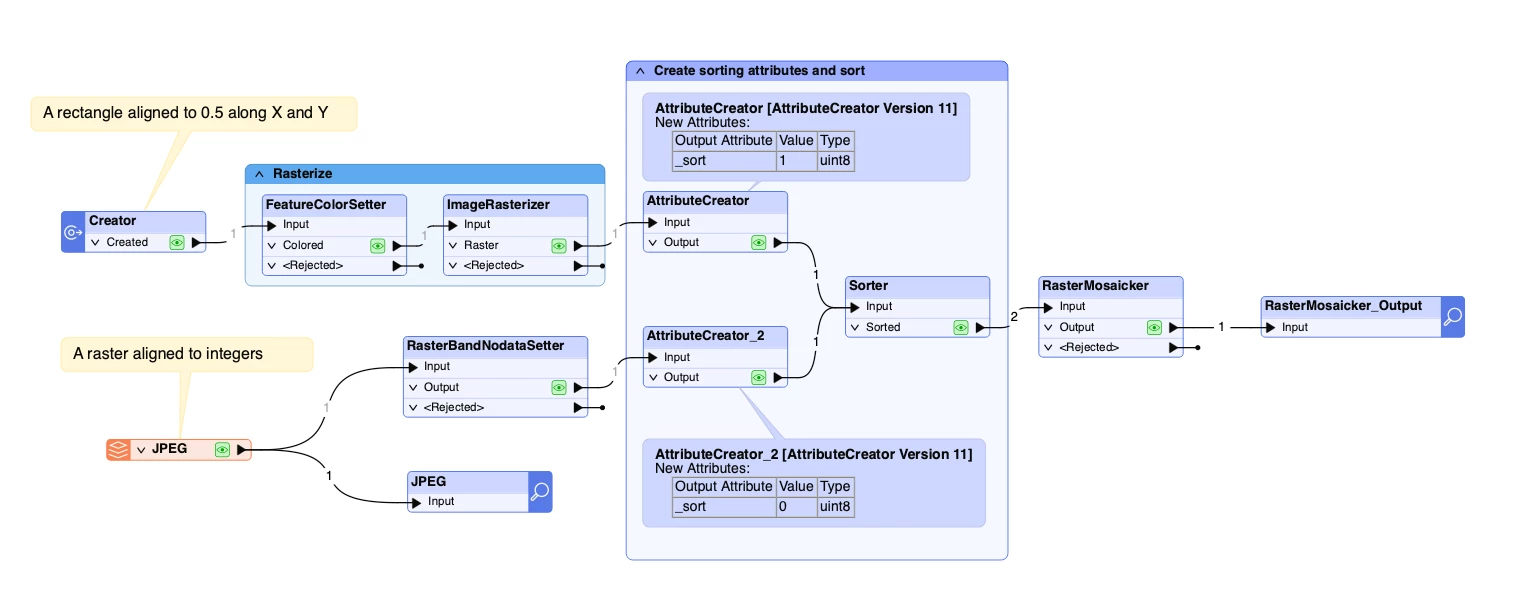
You can let your raster define the pixel boundaries - it needs to enter the Mosaicker first. Just set polygon color to black (0,0,0), and set nodata to 0 (so it will be transparent), add two AttributeCreators with a sort attribute, set it to 0 on the raster, and to 1 on polygon, and then in Sorter sort them ascendingly.

In the attached workspace, my polygon corners are rounded to 0.5, and the raster is snapped to integers. Depending on sorting, either the raster or the polygon “win” the cell extents.

Dmitri