Best Answer

fme_feature_type not coming through to writer (excel table)

  • December 6, 2019
  • 4 replies
  • 197 views

Forum|alt.badge.img+2

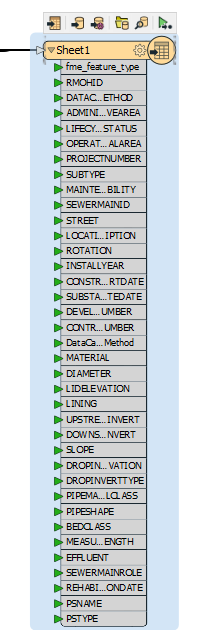
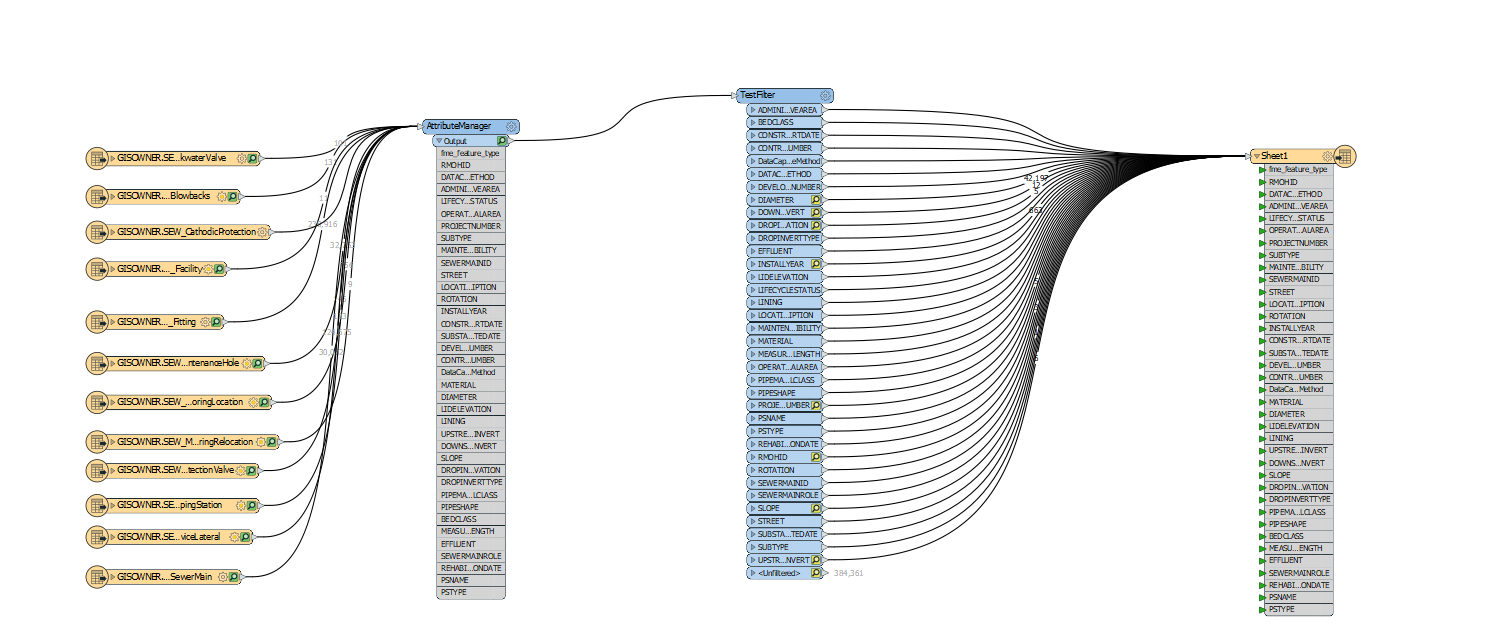
Hi everyone, I am relatively new to FME and am seeking assistance for a minor issue I am having. As part of a project I need to create an excel table that contains 9999 from various attributes and from multiple SDE feature classes. My excel table works but I want to include an attribute that indicates which feature class the record is from. I exposed the fme_feature_type attribute but am not table to get it to export out into the Excel table. What might I be missing? Please see the below screenshot. Thanks in advance for your advice and suggestions!

Best answer by erik_jan

Did you add the fme_feature_type attribute in the Excel writer feature type on the User Attributes Tab?

If it is listed in the Format attributes only, it will not be written.

Hope this helps.

This post is closed to further activity.
It may be an old question, an answered question, an implemented idea, or a notification-only post.
Please check post dates before relying on any information in a question or answer.
For follow-up or related questions, please post a new question or idea.
If there is a genuine update to be made, please contact us and request that the post is reopened.

4 replies

erik_jan
Contributor
Forum|alt.badge.img+26
  • Contributor
  • Best Answer
  • December 6, 2019

Did you add the fme_feature_type attribute in the Excel writer feature type on the User Attributes Tab?

If it is listed in the Format attributes only, it will not be written.

Hope this helps.


Forum|alt.badge.img+2
  • Author
  • December 6, 2019

Did you add the fme_feature_type attribute in the Excel writer feature type on the User Attributes Tab?

If it is listed in the Format attributes only, it will not be written.

Hope this helps.

It shows in the drop down list but yet I don't see it under the user attributes; I tried to add it but it keeps adding extra 00s at the end of the name.


erik_jan
Contributor
Forum|alt.badge.img+26
  • Contributor
  • December 6, 2019

It shows in the drop down list but yet I don't see it under the user attributes; I tried to add it but it keeps adding extra 00s at the end of the name.

I tried and get the same as you.

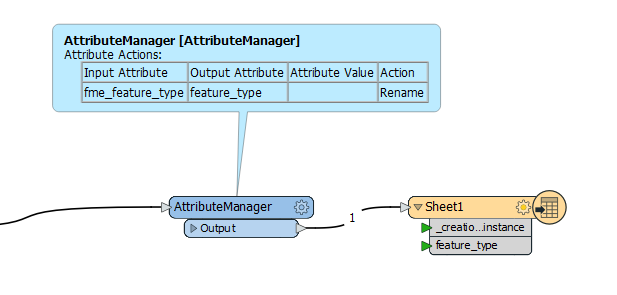
Your solution will be not to output the attribute as fme_feature_type, but for example as feature_type, like this:


Forum|alt.badge.img+2
  • Author
  • December 6, 2019

Did you add the fme_feature_type attribute in the Excel writer feature type on the User Attributes Tab?

If it is listed in the Format attributes only, it will not be written.

Hope this helps.

I tried it and success!! Thank you so much erik_jan, that really helps me out!