The What’s New in FME 2019.2 blog contains some writing about FME AR and underground features.
FME AR
- Load an AR model in 1:1 scale in addition to the existing “table model mode”. Pick the scale you want from a list, then inspect your data against a real backdrop.
- See an improved display for underground features (those that are below 0).
- See improved texture appearance when there is an ambient material property.
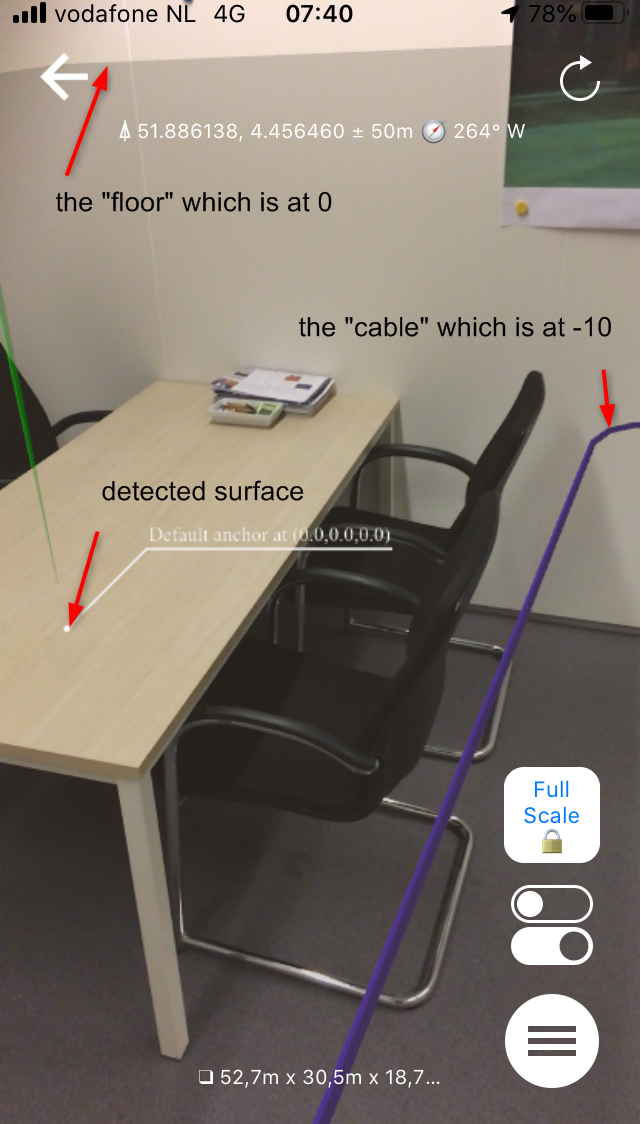
But I'm not sure how to make this happen? What I tried was to read a cable feature, create a "floor" level with a boundingboxreplacer and an extruder, offsetting the cable to 10 meters below the floor. Looks OK in the inspector but in the app it seems the model is positioned with the lowest part on the detected surface.