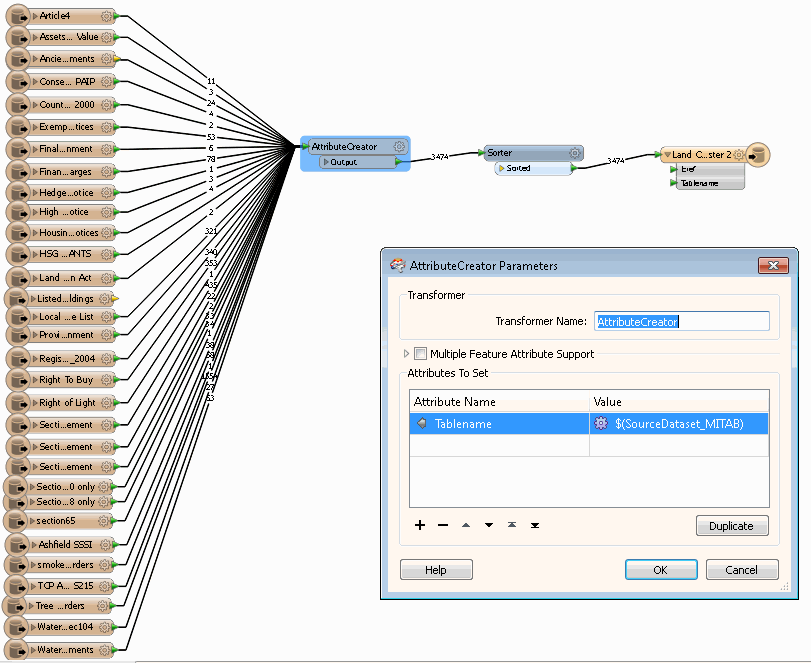
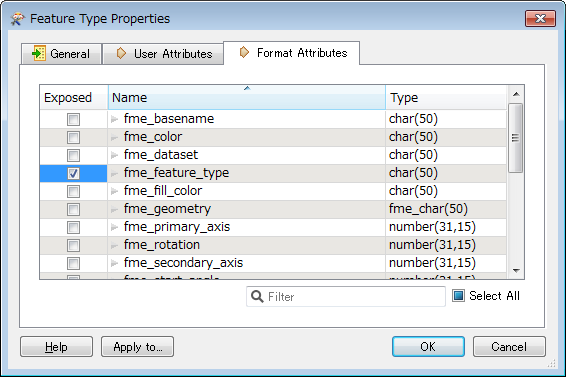
Hi All, I'm trying to amalgamate records from several tables into one with only 2 attributes - the ref (from the originating table) and the table name (created using the Feature Type Name from the originating table). However, when I try this the Tablename attribute contains the full path for the file not just the table name.
Can anyone help me with this one?
Thanks.
This post is closed to further activity.
It may be an old question, an answered question, an implemented idea, or a notification-only post.
Please check post dates before relying on any information in a question or answer.
For follow-up or related questions, please post a new question or idea.
If there is a genuine update to be made, please contact us and request that the post is reopened.
Hi Gio, I'm reading MapInfo tables and writing out to MapInfo. All I'm doing is using the AttributeCreator to receive all the tables and I need to know how to get the 'Feature Type Name' as the value in the new attribute. I don't think it should be difficult, just a matter of the expression formatting.