Question

Extrude 3D face untill a certain z-value is reached

  • June 22, 2016
  • 2 replies
  • 87 views

Forum|alt.badge.img

I have 3D faces that I want to extrude downwards untill they reach a certain z value. This z value is different for each face and included as an attribute. The problem is: the extruder only let's me extrude downwards over a certain distance or vector, creating a solid with the same structure at the bottom as on top. However, What I need is a flat structure at the bottem, at the level of the z value. Is there a way around?

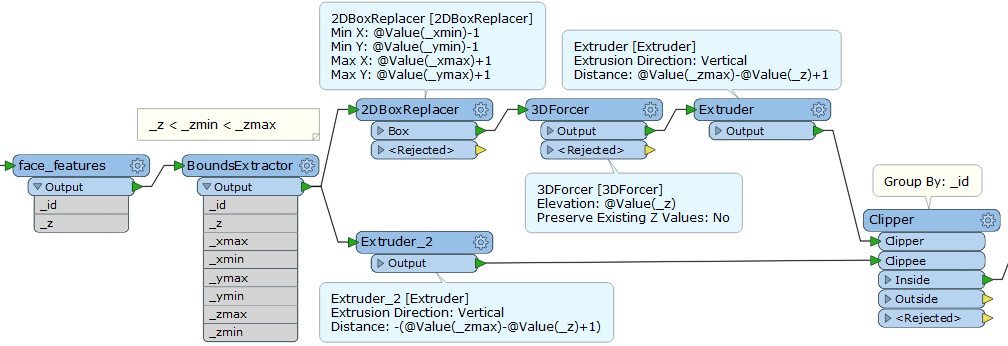
PS: I already managed to do this by creating also an exctrusion downwards for this z-value, and than clip both extrusions. Unfortunately, this method is unacceptably slow for me.


This post is closed to further activity.
It may be an old question, an answered question, an implemented idea, or a notification-only post.
Please check post dates before relying on any information in a question or answer.
For follow-up or related questions, please post a new question or idea.
If there is a genuine update to be made, please contact us and request that the post is reopened.

2 replies

takashi
Celebrity
  • June 22, 2016

Hi @bakkermans, so far I cannot find any way other than clipping, but there might be a room to improve performance of the clipping method. For example, simplify shape of the clipper solid. Is this slow unacceptably?


Forum|alt.badge.img+5

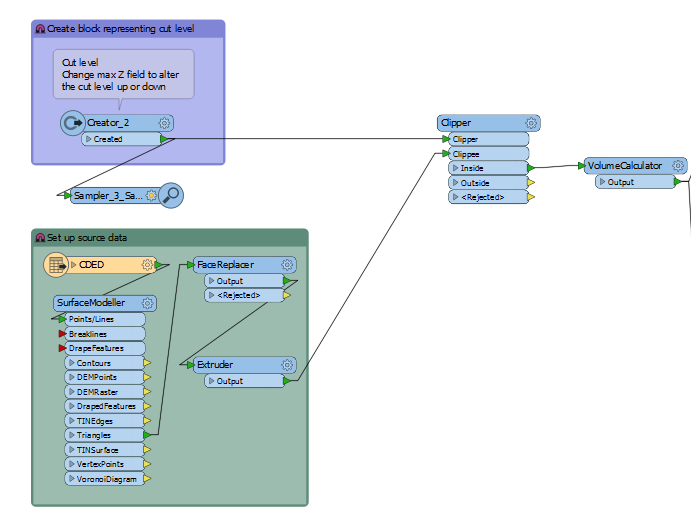
Yes, I had a similar issue recently (trying to calculate cut/fill volumes) and came to the same conclusion as you and @takashi - a clip is the only way to go. Didn't seem too slow for me either, it was only the subsequent volume calculation that took longer.

My workspace looked like this:

Never could get a volume I was really happy with though.