Question

Convert georeferenced PNG to TIF

  • April 9, 2019
  • 1 reply
  • 170 views

Hi all,

I have several PNG-files along with separate georeferenced PGW-files. How can I somehow import those to FME desktop and convert to a format compatible with Google Earth?


What I want is to make this map an overlay in Google Earth. I also have the possibility of downloading the maps in in GML (.xml), ESRI shapefile, or Mapinfo MIF/MID. Whatever works best. I just want to import to Google Earth somehow.


I'm completely new to map modelling and FME so please give a really simple solution ^^


Thanks,


Ruben

This post is closed to further activity.
It may be an old question, an answered question, an implemented idea, or a notification-only post.
Please check post dates before relying on any information in a question or answer.
For follow-up or related questions, please post a new question or idea.
If there is a genuine update to be made, please contact us and request that the post is reopened.

1 reply

thomas_g
Contributor
Forum|alt.badge.img+12
  • Contributor
  • April 9, 2019

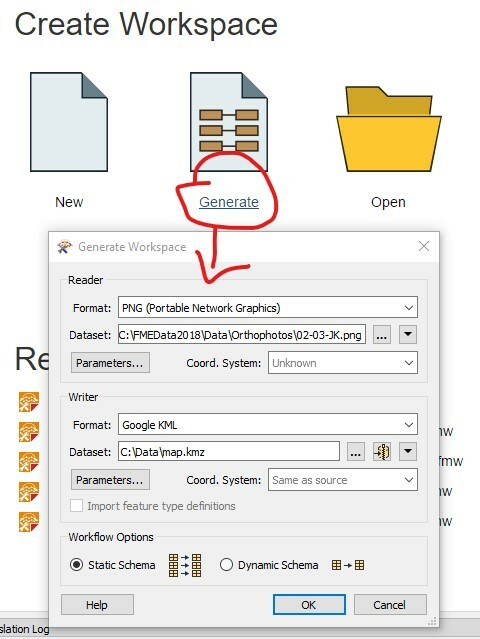
Use a PNG-Reader and convert it to a KMZ-file using a KML-Writer. It's important that you name your output-file with a kmz-suffix eg. map.kmz.