

Question

FME AR App (Android): displaying a model below ground plane

  • May 6, 2019
  • 1 reply
  • 17 views

Forum|alt.badge.img

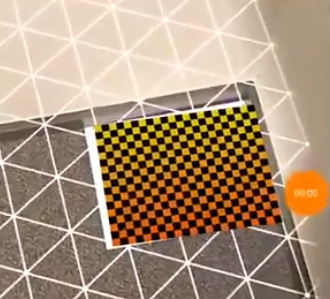
I have a model (the pipe) that's below the ground, and a polygon (red) on the ground that I want to use to anchor the pipe model, like in this video (and second image below): https://youtu.be/W6uzB2A8T5s?t=85

My (obj) 3D model has the red polygon on elevation 0 and the pipe with negative elevation. Unfortunately, when I load the fmear file, the bottom of the entire model (polygon+pipe) becomes 0, and the ground plane polygon floats in the air, which makes the placement impossible. Is there a way to push the pipe below ground? Since the app is on github I wouldn't mind trying to compile it, I just need to know what to change. For now hardcoding the offset would work too.

 

This post is closed to further activity.
It may be an old question, an answered question, an implemented idea, or a notification-only post.
Please check post dates before relying on any information in a question or answer.
For follow-up or related questions, please post a new question or idea.
If there is a genuine update to be made, please contact us and request that the post is reopened.

1 reply

sigtill
Supporter
Forum|alt.badge.img+25
  • Supporter
  • October 28, 2019

Hi @clickingbuttons

Have you tried the Boundsextractor and use the 3DForcer to move everything down?



