Question

point cloud to contours and colours

  • September 5, 2016
  • 7 replies
  • 119 views

I'm quiet newby in FME

I need to do bathymetric drawing but I can't find a way to do that!

I start with a point cloud in x,y,z I "just" need to make contours each 1meter (that part is ok for me with the contourgenerator transformer).

After that I must have colour beetwen the contours with differente rgb value according to the depht.

Here is an example of the rendering I need

can you help me please starting my project.

Thanks a lot

This post is closed to further activity.
It may be an old question, an answered question, an implemented idea, or a notification-only post.
Please check post dates before relying on any information in a question or answer.
For follow-up or related questions, please post a new question or idea.
If there is a genuine update to be made, please contact us and request that the post is reopened.

7 replies

  • Author
  • September 5, 2016
bathy.png


this is the example


redgeographics
VIP
Forum|alt.badge.img+62

I think this will be a tricky one: it looks like your contours don't form closed areas.

If they do you could use an AreaBuilder to create areas, this allows you to create a list attribute as well which will have the elevation values of the contour line(s) forming that area, based on that you can assign colors.


itay
Supporter
Forum|alt.badge.img+19
  • Supporter
  • September 5, 2016

Hi,

I think this is not simple, but that you can better skip the creation of vectors and create a raster from the PC, something shown in this article


  • Author
  • September 5, 2016

I think this will be a tricky one: it looks like your contours don't form closed areas.

If they do you could use an AreaBuilder to create areas, this allows you to create a list attribute as well which will have the elevation values of the contour line(s) forming that area, based on that you can assign colors.

exact contours don't form closed areas, but I don't know how to make those areas and keep elevation attribute


redgeographics
VIP
Forum|alt.badge.img+62

My bad, I thought you had contours as input, not points.

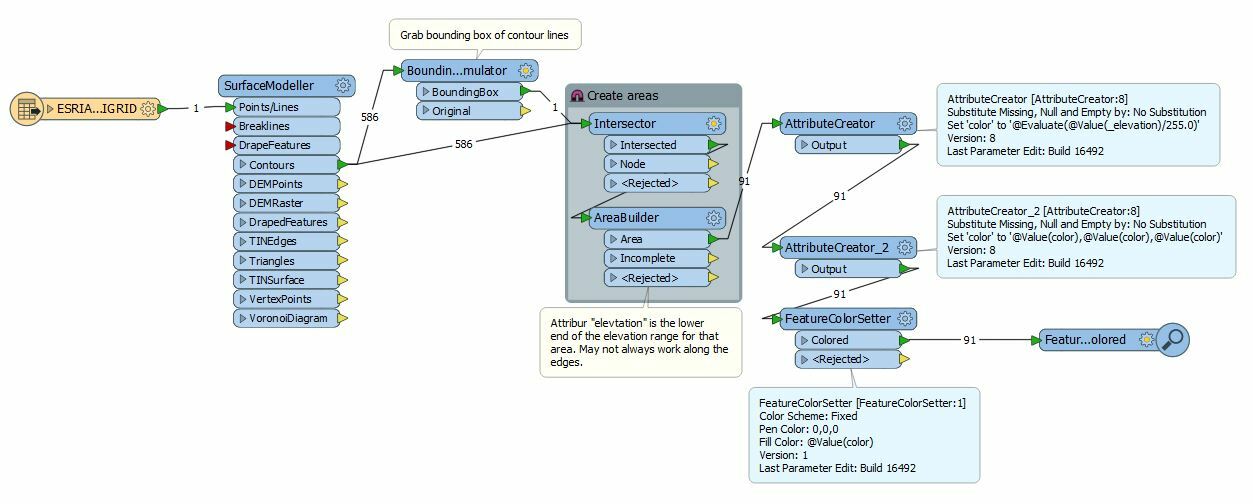
So this may work out for you, it depends on how regularly shaped your area is I guess. The BoundingBoxAccumulator is used to close off the areas, then an Intersector and AreaBuilder, the attribute 'elevation' that comes out of the AreaBuilder (originally created by the SurfaceModeller) is the lower end of the elevation range for that area (i.e. if your contour interval is 10 and you have an elevation attribute of 40 it means that area is between 40 and 50m elevation), although it may behave strangely along the edges.

But your areas are most likely to irregular for this to work. Do you have any additional data that may help? Water outlines for example? (add those in to the Intersector too)


owen
Forum|alt.badge.img+1
  • September 5, 2016

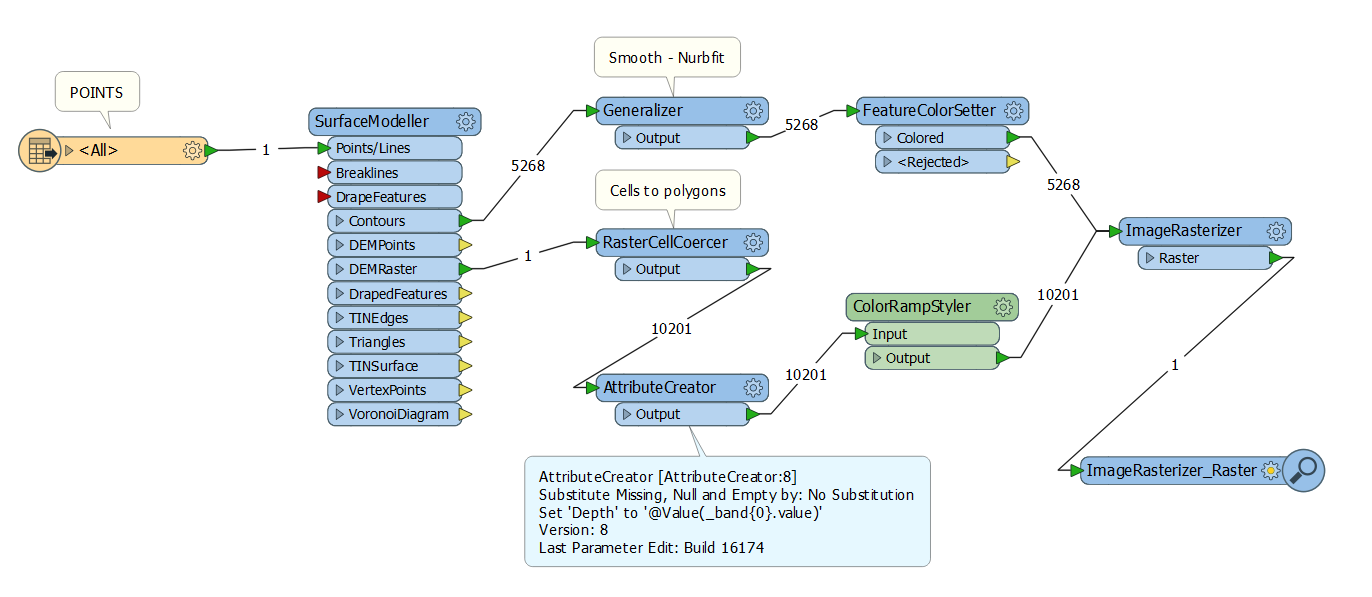
Hello. You could do it like this:

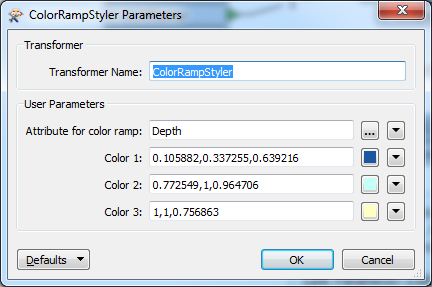
Which involves creating a DEM raster (reccomend low res), turning into polygons and using the excellent ColorRampStyler transformer from the FME store.

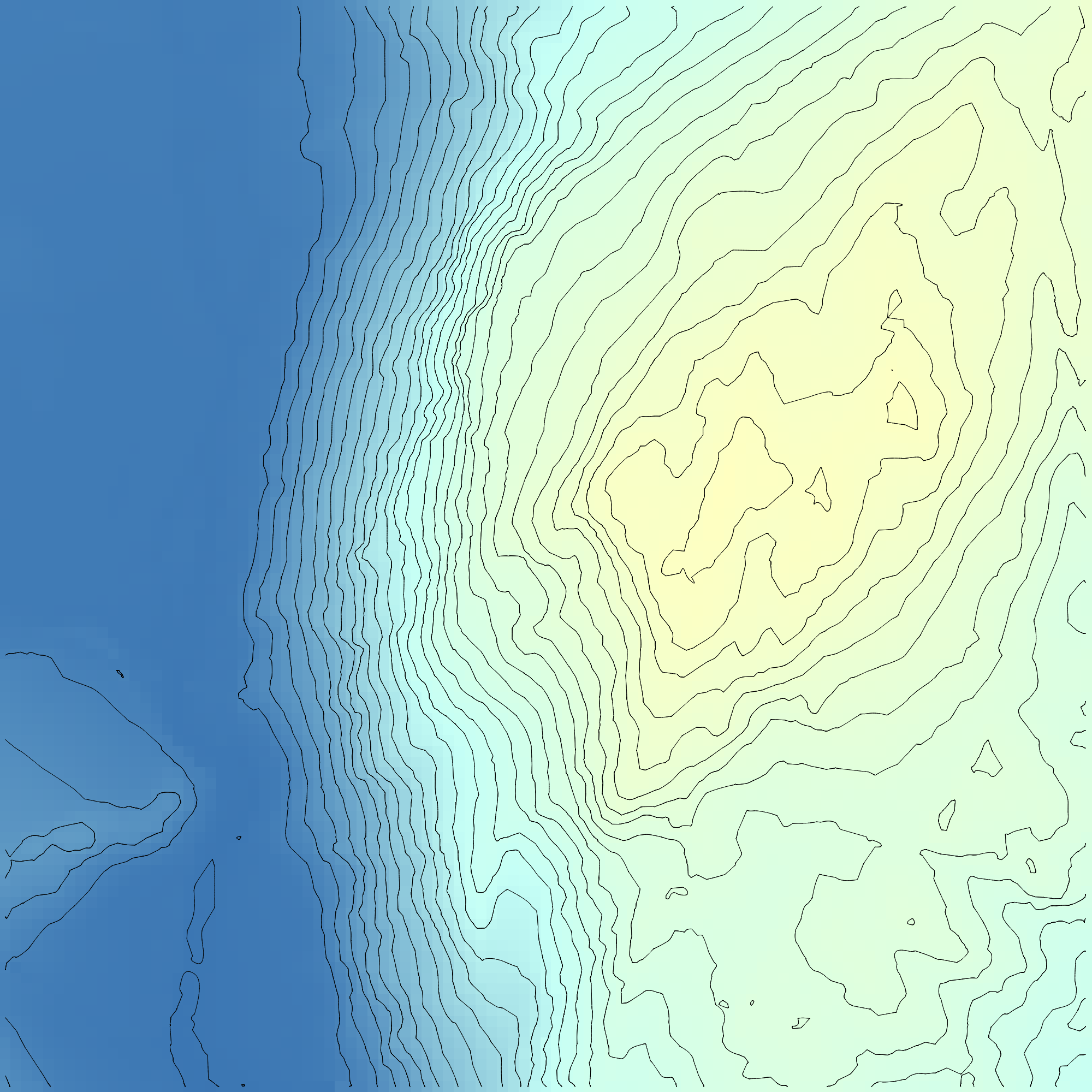
Output:


mark2atsafe
Safer
Forum|alt.badge.img+59
  • Safer
  • September 6, 2016

Hello. You could do it like this:

Which involves creating a DEM raster (reccomend low res), turning into polygons and using the excellent ColorRampStyler transformer from the FME store.

Output:

I'd never noticed the ColorRampStyler before. That is indeed, an excellent transformer. Thanks for sharing.