Question

Create a street centreline

  • July 8, 2014
  • 3 replies
  • 77 views

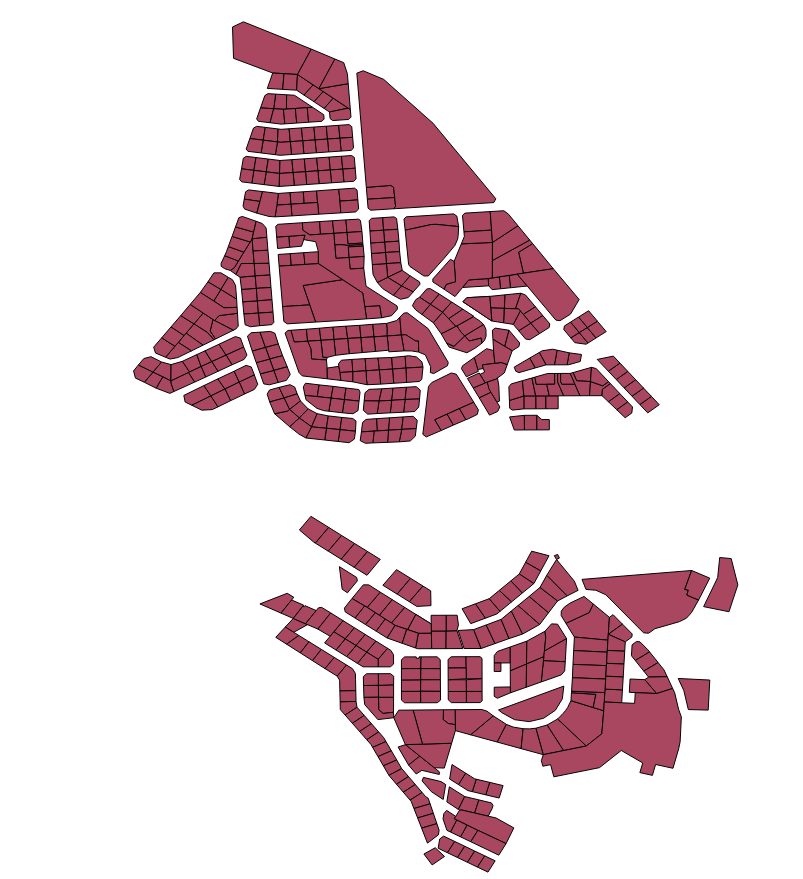
I have a dataset of parcels - see the attached picture, and would like to accomplish the following:


1. create a polygon to fill the gaps (this will represent my road reserve).


2. from the polygon above create a centreline.


Any ideas on how to tackle this issue are greately appreciated.
This post is closed to further activity.
It may be an old question, an answered question, an implemented idea, or a notification-only post.
Please check post dates before relying on any information in a question or answer.
For follow-up or related questions, please post a new question or idea.
If there is a genuine update to be made, please contact us and request that the post is reopened.

3 replies

takashi
Celebrity
  • July 8, 2014
Hi,


I think it's hard to get a perfect result.


Maybe the Amalgamator transformer can be used to create triangles filling the gaps.


After dissolving the triangles, the CenterLineReplacer creates almost satisfied result, possibly.


Takashi

gio
Contributor
Forum|alt.badge.img+15
  • Contributor
  • July 8, 2014
Try to get a s close as possible ot a shared boundary. (Hullaccumulator, Amalgamator)


Then u could dissolve the objects and clipp amalgamation with the dissolved objects. (if u get better result with triangles from amalgamator, u would go for that of course)


Buff resulting objects negatively to narrow them somewhat , maybe generalise that, and then extract centerline. Maybe remove some snippets at this point.

mark
Contributor
Forum|alt.badge.img+1
  • Contributor
  • July 9, 2014

I agree. Use the HullAccumulator with a concave hull to get as close to the boundary as possible. Then clip out the original features. That will leave you with the remaining road areas.


The CenterLineReplacer would (or should!) replace that polygon with a set of centre lines.


Hope this helps


Mark