


Question

Extracting subset of DWG features

  • March 31, 2020
  • 8 replies
  • 49 views

eric_armitage
Contributor
Forum|alt.badge.img+10

I have a DWG file containing anout 400000 3D building features. Each feature has an fme_feature_type attribute such as "Roof" and "Wall". In the Inspector each feature has 48 attributes such as "autocad_block_number" etc. I'm trying to extract a subset of features to a separate file. I'm selecting an area of features in the Inspector and then using the "save selected" button to save the selection as a new DWG file. It saves ok but when I read it the fme_feature_type and the other attributes are missing. How do I save the extract in the same schema as the original file?

This post is closed to further activity.
It may be an old question, an answered question, an implemented idea, or a notification-only post.
Please check post dates before relying on any information in a question or answer.
For follow-up or related questions, please post a new question or idea.
If there is a genuine update to be made, please contact us and request that the post is reopened.
8 replies

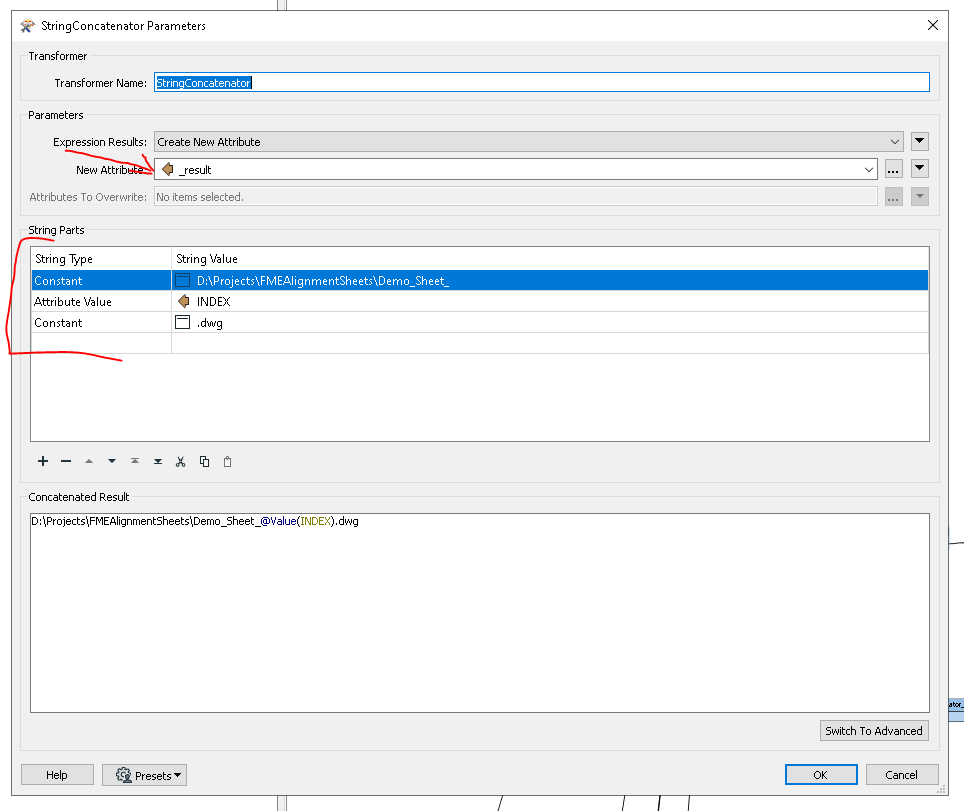
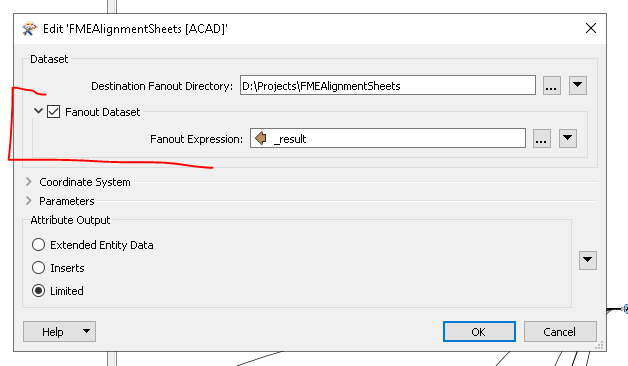
Do you have a template workspace you can share? I think maybe you need to fanout the data set, so select your features then apply a count attribute, make sure it is unique to the area, then add that attribute to a string value which will be the autocad dwg name. fanout the dataset on this property.


eric_armitage
Contributor
Forum|alt.badge.img+10
  • Author
  • Contributor
  • March 31, 2020

Do you have a template workspace you can share? I think maybe you need to fanout the data set, so select your features then apply a count attribute, make sure it is unique to the area, then add that attribute to a string value which will be the autocad dwg name. fanout the dataset on this property.

I'm not sure I follow that. There is no workspace - it's just the DWG reader and an inspector. Then highlighting some features in the Inspector map and using the "save selected" function. Not sure how I can create a count attribute using this process.


I'm not sure I follow that. There is no workspace - it's just the DWG reader and an inspector. Then highlighting some features in the Inspector map and using the "save selected" function. Not sure how I can create a count attribute using this process.

What criteria are you using to make your selection?


eric_armitage
Contributor
Forum|alt.badge.img+10
  • Author
  • Contributor
  • April 1, 2020

What criteria are you using to make your selection?

I'm just draging a square across the visualiser to select about 50,000 features (one town) out of the total of 400,000 (a sub region). I'm currently trying to extract them using a 3D box and a spatial filter but struggling to get that t work too.


eric_armitage
Contributor
Forum|alt.badge.img+10
  • Author
  • Contributor
  • April 1, 2020

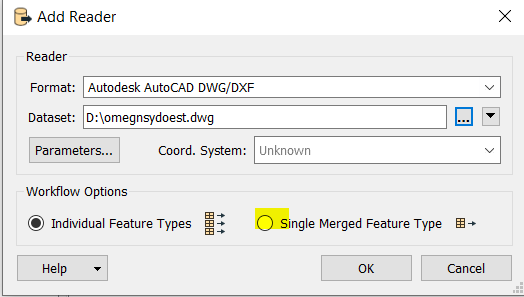
Think I've figured it out. I had the reader set to "single merged feature type" instead of individual feature types. It's still not writing to the same schema as the input file but I think I can fix that..


eric_armitage
Contributor
Forum|alt.badge.img+10
  • Author
  • Contributor
  • April 1, 2020

What criteria are you using to make your selection?

Think I've figured it out. I had the reader set to "single merged feature type" instead of individual feature types. It's still not writing to the same schema as the input file but I think I can fix that..


Think I've figured it out. I had the reader set to "single merged feature type" instead of individual feature types. It's still not writing to the same schema as the input file but I think I can fix that..

Awesome, glad to hear that


Think I've figured it out. I had the reader set to "single merged feature type" instead of individual feature types. It's still not writing to the same schema as the input file but I think I can fix that..

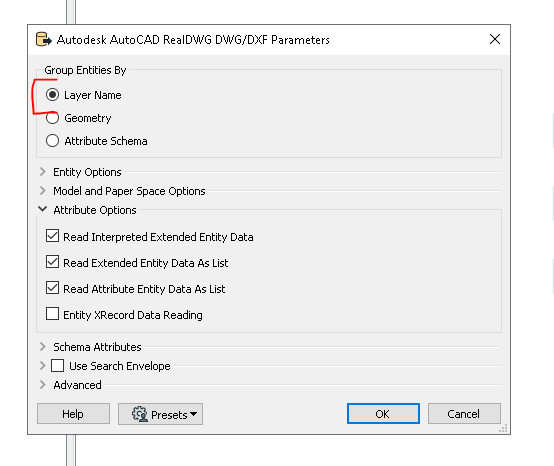
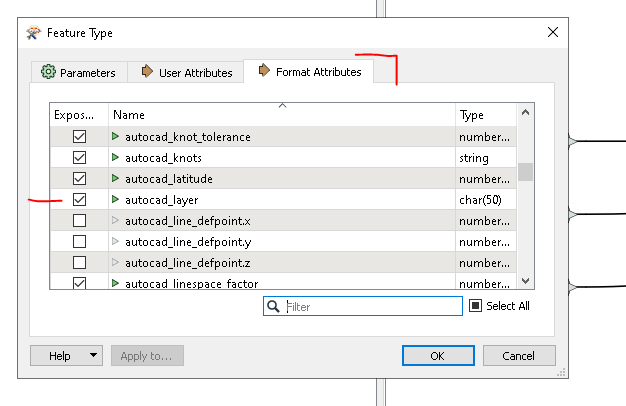
try using the Real DWG Reader and set to group by Layer Name, expose the autocad layer attribute, I attached a wokspace so you can see.


Double click on the reader to see this list.


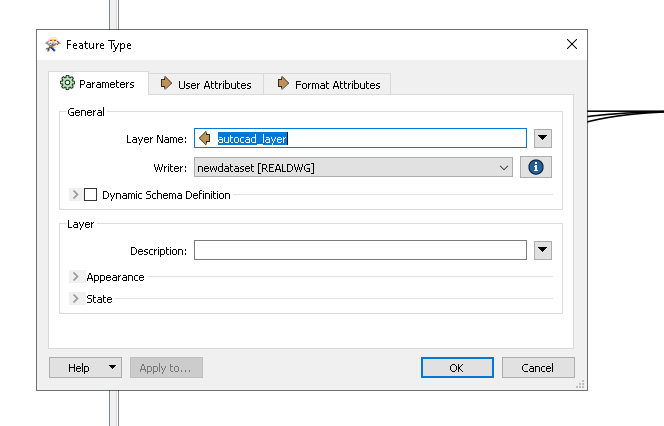
Then in the writer, set the layer name to the autocad_layer attribute value.

realdwg2realdwg.fmwt