Question

Set color for Lod2Geometry (CityGML)

  • November 27, 2018
  • 4 replies
  • 99 views

kumarkannan1980
Participant
Forum|alt.badge.img+6

Hi,


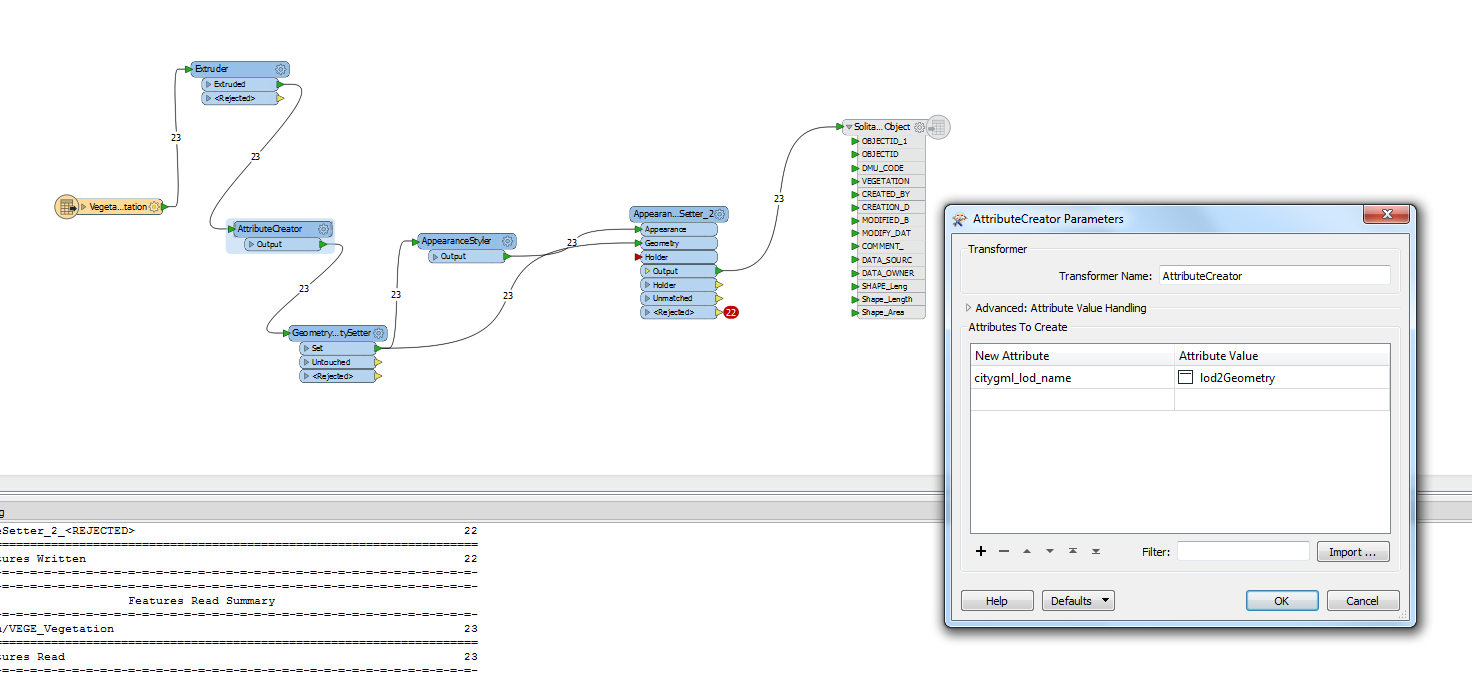
I need to set color for Lod2Geometry features (vegetation) to create city GML. Please find the snapshot of the workspace. I am able to view the color in FME inspector but not in FZK viewer

 

This post is closed to further activity.
It may be an old question, an answered question, an implemented idea, or a notification-only post.
Please check post dates before relying on any information in a question or answer.
For follow-up or related questions, please post a new question or idea.
If there is a genuine update to be made, please contact us and request that the post is reopened.

4 replies

jovitaatsafe
Safer
Forum|alt.badge.img+11

Hi @kumarkannan1980,

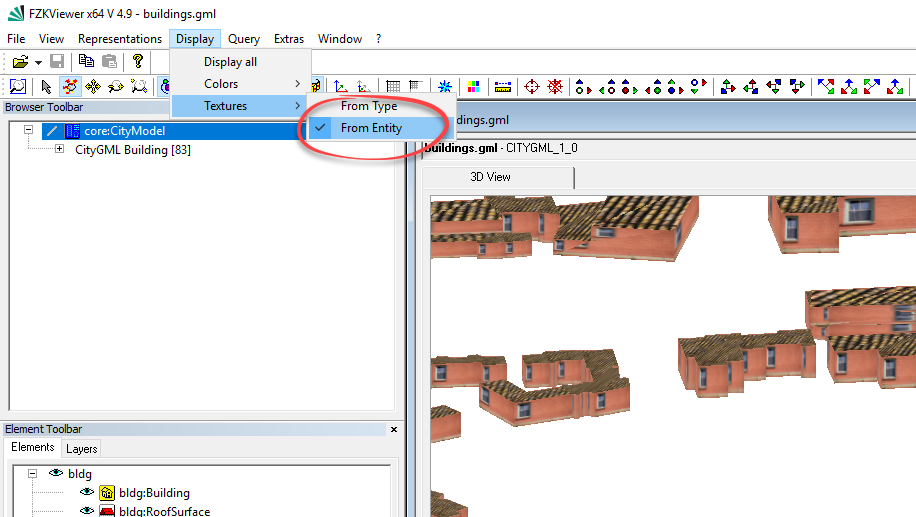
Have you tried setting the Textures to 'From Entity' in the FZKViewer? I found that even if it is set, it just takes a bit of a refresh by selecting it again. You can find it in the FZKViewer menu bar, Display > Textures > From Entity. Let me know if that works alright for you


kumarkannan1980
Participant
Forum|alt.badge.img+6

Hi @kumarkannan1980,

Have you tried setting the Textures to 'From Entity' in the FZKViewer? I found that even if it is set, it just takes a bit of a refresh by selecting it again. You can find it in the FZKViewer menu bar, Display > Textures > From Entity. Let me know if that works alright for you

Hi,

Yes I already set the settings to From entity, event though I am facing this issue.


rahuldaso
  • November 28, 2018

Display > Textures > From Entity. will it work proprely


jovitaatsafe
Safer
Forum|alt.badge.img+11

Hi,

Yes I already set the settings to From entity, event though I am facing this issue.

Ah, sorry to hear that. Even though the appearance is not correct in the FZKViewer, is the geometry coming through ok in the viewer? Would it be possible to share your workspace and either the source or output vegetation? This will give the community a chance to give it a try and see if we can come up with a solution or a workaround.